
- Title: ACE S5830M
- Listed: December, 2012
- Last modified: 12/18/2012 12:43 pm
- Version: ROM Android 2.3.6
You must be logged for ROM download.
36093 total views, 2 today
32 Total favorites
 Member Info
DESCRIPTION
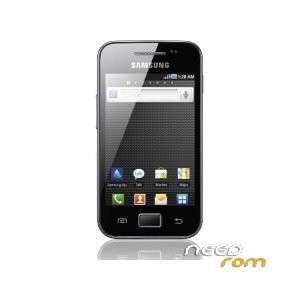
ROM SAMSUNG Galaxy ACE S5830M – ROM Android 2.3.6
ROM install :
1.Extract Firmware zip file that you downloaded already from above link, you will get a .tar file and some other files.
2.Extract Odin zip file and you will get Odin3 v3.07.exe along with few other files.
3.Power off your phone. Wait 5-6 seconds for vibration to confirm complete switch off.
4.Now, put the Galaxy Ace S5830M phone in Download Mode by pressing pressing and holding down the Volume Down, Home and Power button and you will be soon welcomed by a green robot indicating you are in Download Mode.
5.Now run Odin3 v3.07.exe (see Step 2) as an Administrator because Admin privileges is required to complete the process smoothly.
6.Now connect your Galaxy Ace S5830M with your PC using USB cable. A message will arrive under Odin’s message box in the bottom left saying “Added!!”. If you don’t get the same then you should try another USB port (try USB port located in back in your desktop PC). If that too don’t work then you should then reinstall the driver. If you successfully see the “Added!!” message in Odin then you are ready to go in next step. You should also see COM port with a number in Yellow if you successfully added your device.
7.Select these files in Odin at respective tabs from extracted S5830MWHLK2 firmware folder : 1.Click the PDA Button, and select the .tar file here with *code* appearing in its name
2.Click the Phone Button, and select file with *modem* in its name (leave if there is no such file)
3.Click the CSC Button, and select file with *csc* in its name (leave if there is no such file)
4.Click the PIT Button, and select the .pit file. Use only if you got it while extracting in step 1 above, otherwise ignore it.
8.In Odin window, make sure Auto Reboot and F. Reset Time checkboxes are selected. Also, make sure that Re-Partition checkbox is selected, only if you are using a .pit file (see Step 7.4).
9.Double check everything that we mentioned in Step 7 & Step 8 above. Now, once satisfied hit the START button to begin the flashing process.
10.Once flashing completed, the phone will reboot automatically and soon you will see a PASS message with green background in the left-most box at the very top of the Odin. You can then unplug the USB cable to disconnect your device from computer.
※Please make a backup of your device before installing or updating ROM
i have a s5830m form telcel mexico, if i do that above my phone could be unlocket to use other carriers like vodafone or nextel ??
good question but I don't know i'll find out
I Have S5830, can I use this ROM?
hi, can i request the stock rom for s5830i.
Does it contain french language ?
I do not work the volume buttons and I can not put it in download mode could help me
для S5830 подойдет?
No have keyboard.
Sorry, reinstall and appears the keyboard.
Como haho para descargar la rom