
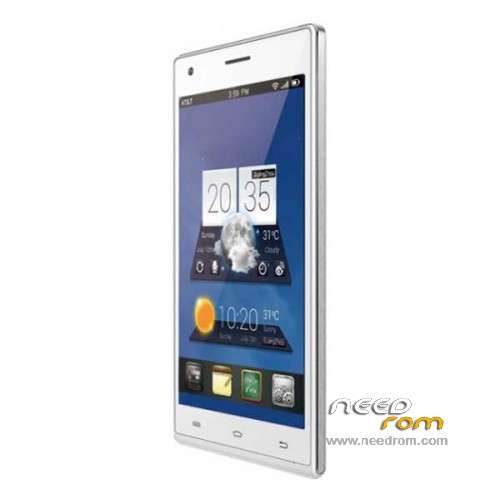
- Title: GFIVE President Smart A98
- Listed: October, 2015
- Last modified: 08/11/2016 12:55 am
- Version: ROM Android 4.4.2
You must be logged for ROM download.
24666 total views, 3 today
9 Total favorites
 Member Info
DESCRIPTION
ROM Mobile GFIVE President Smart A98 – ROM Android 4.4.2
ONLY SC7731
Update Official ROM GFIVE President Smart A98 Version : GFIVE_President_Smart_A98-160408 – SP7731GEA_GFive_new_64+8_RC_151127
—————————————————————————————————————————————————————————————————-
Update Official ROM GFIVE President Smart A98 Version : GFIVE_President_Smart_A98-151127 – SP7731GEA_GFive_new_64+8_RC_151127
—————————————————————————————————————————————————————————————————-
Update Official ROM GFIVE President Smart A98 Version : GFIVE_President_Smart_A98-151027 – SP7731GEA_GFive_new_64+8_RC_151027
Install ROM :
FactoryDownload/UpgradeDownload
1 Unpack ROM and extract SP7731GEA_GFive_new_64+8_RC_151027_B1.pac
2 Run UpgradeDownload or FactoryDownload, connect your android device to the computer
3 Click on "Load packet" and add the .pac
4 Click on "Start"
5 During the flashing your mobile will restart automatically
6 Finish
—————————————————————————————————————————————————————————————————-
Official ROM GFIVE President Smart A98 Version : GFIVE_President_Smart_A98-150811 – SP7731GEA_GFive_new_64+8_RC_150811
Gapps include – No Rooted
Language support: Multilang
Install ROM :
OTA
1.copy ****.zip to root folder of the phone SD card (no need to unzip).
2.Turn off the phone, then keep pressing power button and volume+ button until the robot icon appear, then press power button again
3.Press the volume- to move up and down to choose“wipe data/factory reset”, then press volume+ button to confirm.
4.Choose “yes—delete all user data”, then press volume+ button to enter the page as below.
5.It will enter below page after finishing delete all user data.
6.Then choose“apply update from sdcard”
7.Find and select the ROM, press volume+ to enter the page as below.
8.Please make sure the power is sufficient during the upgrading. It will showed as below when the upgrading finished.
9.Choose “reboot system now”,then press volume+ button to reboot your phone.
※Please make a backup of your device before installing or updating ROM
here ok file link
https://mega.nz/#!TxhUnaAL!2lw.....11;xImUsTE1Qq4Y
reflash and select two option
1 erase flash and 2 update nvm
flash with cm2 spd infinfty chines
select update nvm and erase flash and then flash again sim card problem
sovld
Hi guys. If u failed to install update and recive error message the signature failed so you 1st install clockworkmode recovery this message will b finish
100000000OKKKKKKKKKKK
1000000000% Working GFIVE President Smart A98 – Update 08/04/2016 file. Thanks sir
g five a98 1000& ok
rhanks sir
What is it (Click on "Load packet" and add the .pac)
What is the mean by packet