
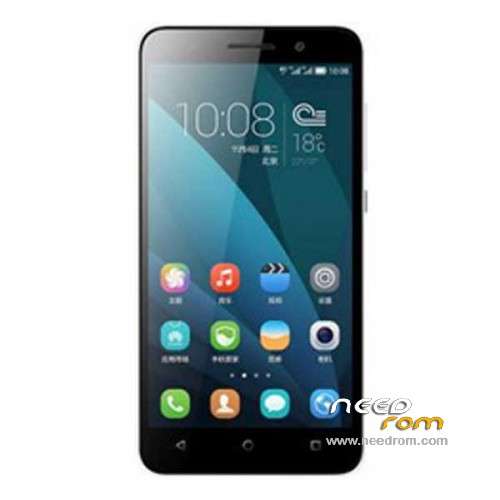
- Title: Glory 4X Che2-TL00M 1G/2G
- Listed: January, 2015
- Last modified: 01/09/2016 1:21 am
- Version: ROM Android 5.1.1
You must be logged for ROM download.
20204 total views, 3 today
4 Total favorites
 Member Info
DESCRIPTION
ROM Phone HUAWEI Glory 4X Ram Mobile - ROM Android 5.1.1
Update Official Official ROM Glory 4X high version : Che2-TL00M-V100R001CHNC01B425 – EMUI3.1 – Mobile – 2G Ram – Android 5.1.1
——————————————————————————————————————————————————-
Official Official ROM Glory 4X high version : Che2-TL00M-V100R001CHNC01B419 – EMUI3.1 – Mobile – 2G Ram – Android 5.1.1
——————————————————————————————————————————————————-
Update Official ROM Glory 4X low version : Che2-TL00M-V100R001CHNC01B284 – EMUI3.0 – Mobile – 1G Ram - Android 4.4.2
——————————————————————————————————————————————————-
Official ROM Glory 4X low version : Che2-TL00M-V100R001CHNC01B282 – EMUI3.0 – Mobile – 1G Ram - Android 4.4.2
Gapps not include – No Rooted
Language support: EN/CN
ROM install :
Step one: Prepare an SD card, it is recommended to use Sandisk, Kingstone, or Kingmax, size is recommended that more than 1G.
Step Two: Formatting SD card (optional).
The step three: copy a large package path UPDATA.APP to the SD card dload UPDATA.APP.
Step four: Check the root directory of the SD card you dload UPDATA.APP.
Step 5: SD card into the phone is switched on in the main screen, press the Menu key, the system updates -> SD card upgrade -> confirm -> upgrade, backup data, select the backup data; upgrade.
Step Six: The upgrade process progress bar shows after the finish of the pending progress bar, the phone automatically restart.
or
Step one: Prepare an SD card, it is recommended to use Sandisk, Kingstone, or Kingmax, size is recommended that more than 1G.
Step Two: Formatting SD card (optional).
The step three: copy a large package path UPDATA.APP to the SD card dload UPDATA.APP.
Step four: Check the root directory of the SD card you dload UPDATA.APP.
Step Four: cell phone turned off, insert the SD card, while pressing the volume up button + volume down key switch button, the phone automatically enters the upgrade mode, and then begin the upgrade in Figure
Step Five: After the progress bar to go full fixed, the phone will automatically restart If you do not manually remove the battery.
※Please make a backup of your device before installing or updating ROM
hello
is there multi languages rom and dose it show WO logo ?
Hawe found serios problem in 5.1 Lolipop on my Huawei Che2-TL00M:
Google Play & Services doesn't works at all. Eveng being installed from different places. Exits on start. Solution not found.
So, there is no way to sinch contacts, links, calendar, etc. So sad.
Have sent a message to huawei support.
Hi this update Glory 4X Che2-TL00M – 1G – Update B284 does not work on my phone as the one I have is Glory 4X Che2-TL00M – 1G – Update B287
So it reject the update I think B284 and B287 not the same and I need the B287
Where to get that from ?
Otto
hlo I tried to update honor 4X che2-tl00m 1gb update B284 with sd card but it's not working?? How can i solve it?
Can i get some solutions