
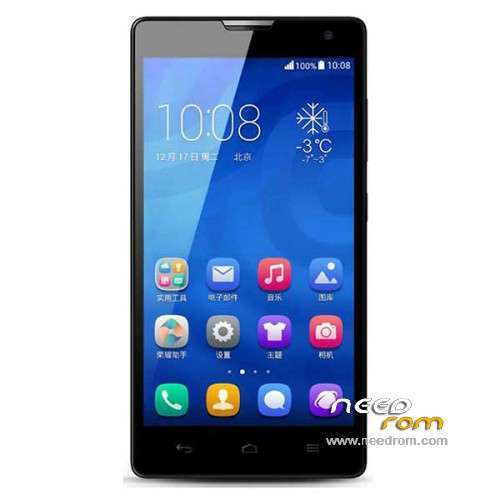
- Title: Glory H30-L02 4G LTE KK
- Listed: July, 2014
- Last modified: 08/21/2015 1:52 am
- Version: ROM Android 4.4.2
You must be logged for ROM download.
40785 total views, 5 today
147 Total favorites
 Member Info
DESCRIPTION
ROM Mobile Glory H30-L02 4G LTE KK – ROM Android 4.4.2
ONLY CPU: Huawei HiSilicon KIRIN910 Hi6620 V9R1 + 1G Ram
Update Official ROM HUAWEI Glory H30-L02 4G LTE KK Unicom version: EMUI3.0_ H30-L02V100R001CHNC00B271
———————————————————————————————————————————————————–
Official ROM HUAWEI Glory H30-L02 4G LTE KK Unicom version: EMUI3.0_ H30-L02V100R001CHNC00B268
———————————————————————————————————————————————————–
Official ROM HUAWEI Glory H30-L02 4G LTE KK Mobile version: EMUI2.3_ H30-L02-V100R001CHNC00B132
Gapps not include – No Rooted
Language support: EN/CN
ROM install :
Step one: Prepare an SD card, it is recommended to use Sandisk, Kingstone, or Kingmax, size is recommended that more than 1G.
Step Two: Formatting SD card (optional).
The step three: copy a large package path UPDATA.APP to the SD card dload UPDATA.APP.
Step four: Check the root directory of the SD card you dload UPDATA.APP.
Step 5: SD card into the phone is switched on in the main screen, press the Menu key, the system updates -> SD card upgrade -> confirm -> upgrade, backup data, select the backup data; upgrade.
Step Six: The upgrade process progress bar shows after the finish of the pending progress bar, the phone automatically restart.
or
Step one: Prepare an SD card, it is recommended to use Sandisk, Kingstone, or Kingmax, size is recommended that more than 1G.
Step Two: Formatting SD card (optional).
The step three: copy a large package path UPDATA.APP to the SD card dload UPDATA.APP.
Step four: Check the root directory of the SD card you dload UPDATA.APP.
Step Four: cell phone turned off, insert the SD card, while pressing the volume up button + volume down key switch button, the phone automatically enters the upgrade mode, and then begin the upgrade in Figure
Step Five: After the progress bar to go full fixed, the phone will automatically restart If you do not manually remove the battery.
※Please make a backup of your device before installing or updating ROM
Does this rom support otg?
no
Hello, i't supports H30-l02 version with 2GB ram?
Still dont know how to root..
hi did you find solution for rooting phone?
if your device is for tiawan i say NO.
for root your device you must istall custom recovery use VROOT and some file flash for complet root. for more information serch complet root 3c 4G on google and XDA
all rom does bot support otg..n of courae works for 2gb ram..
all rom does not support otg..n of course works for 2gb ram.. sorry for typo
can from this rom H30-L02V100R001CHNC17B134 update to this rom H30-L02V100R001CHNC00B138?
do anybody know why whan i trying root my honor 3 h30-l02 restarting my phone in half way and roting failed?. i was trying everything. vroot, root glory..
try root genius
http://www.mediafire.com/downl.....enius_1.8.7.exe
i rooted my device by "kingo root"
http://www.kingoapp.com/
try by "root genius"
http://www.mediafire.com/downl.....enius_1.8.7.exe
The only way to root this phone is have b130 version or less, using Vroot.
You can reach the goal of installing the b130 using fastboot (extracted rom) if sdcard method doesn't install it.
Could anyone do an update to version H30-L02V100R001CHNC17B151 thanks.
tried last two firmware 266 and 268 , during the upgrade "fail".когда ждать новых обновлений?