
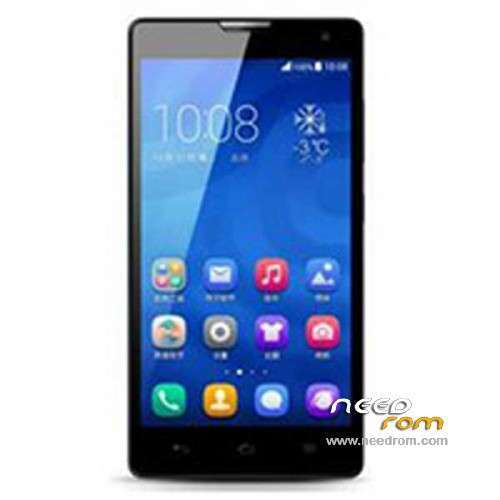
- Title: Glory H3C U10
- Listed: February, 2014
- Last modified: 06/27/2014 6:18 pm
- Version: ROM Android 4.2.2
You must be logged for ROM download.
19472 total views, 3 today
1 Total favorites
 Member Info
DESCRIPTION
ROM Mobile Glory H3C 1G Ram Unicom - ROM Android 4.2.2
Add ROM Glory H3C U10 version unicom : H30-U10 V100R001CHNC00B123
Try this version for problem camera
Gapps include – Multilang
install in CWM
————————————————————————————————————————————–
Update ROM Glory H3C U10 version unicom : H30-U10 V100R001CHNC00B211
Gapps include – Multilang
ROM install :
1) Download the custom ROM copied to an external SD card root directory
2) Download the recovery.img ( put in your SD card )
3) Start MobileUncle Tools ( Download on Goolge play )
4) Select Update Recovery ( choose recovery.img )
5) Mobile reboot in CWM and follow the instructions( if recovery is in chinese look tutorial "CWM for MTK Platform" )
Into the recovery:
– Wipe Data / Factory Reset -> delete all user data
– Wipe Cache Partition -> Wipe cache
- Return to recovery main interface Install zip from sdcard -> choose zip from sdcard -> Select your ROM
- Brush complete, restart the phone Patience required – first boot takes a while
————————————————————————————————————————————–
Update Official ROM Glory H3C U10 version unicom : H30-U10 V100R001CHNC00B115
————————————————————————————————————————————–
Official ROM Glory H3C U10 version mobile : H30-U10 V100R001CHNC00B111
Google service include – No Rooted
Language support: EN/CN
ROM install :
Step one: Prepare an SD card, it is recommended to use Sandisk, Kingstone, or Kingmax, size is recommended that more than 1G.
Step Two: Formatting SD card (optional).
The step three: copy a large package path UPDATA.APP to the SD card dload UPDATA.APP.
Step four: Check the root directory of the SD card you dload UPDATA.APP.
Step 5: SD card into the phone is switched on in the main screen, press the Menu key, the system updates -> SD card upgrade -> confirm -> upgrade, backup data, select the backup data; upgrade.
Step Six: The upgrade process progress bar shows after the finish of the pending progress bar, the phone automatically restart.
or
Step one: Prepare an SD card, it is recommended to use Sandisk, Kingstone, or Kingmax, size is recommended that more than 1G.
Step Two: Formatting SD card (optional).
The step three: copy a large package path UPDATA.APP to the SD card dload UPDATA.APP.
Step four: Check the root directory of the SD card you dload UPDATA.APP.
Step Four: cell phone turned off, insert the SD card, while pressing the volume up button + volume down key switch button, the phone automatically enters the upgrade mode, and then begin the upgrade in Figure
Step Five: After the progress bar to go full fixed, the phone will automatically restart If you do not manually remove the battery.
※Please make a backup of your device before installing or updating ROM
Do you have multilang ROM with gapps for the 2 GB model too (unicom)?
It is good for the 2gb model. 100%!
I have some more questions: I have Play Store already downloaded to the phone, but it is not rooted, and MobileUncle doesn't work for me. And I cannot root it. I tried so many ways (Hisuite, vtools, android multilang project, etc) but still not good.. How can I root it or upload this rom without rooting? Or how can I make it to became multilang (I need Hungarian/Magyar language for it)?
Thanks for your answer!
can someone upload scatterfile for h30 u10?
rear camera become 5megapixel