
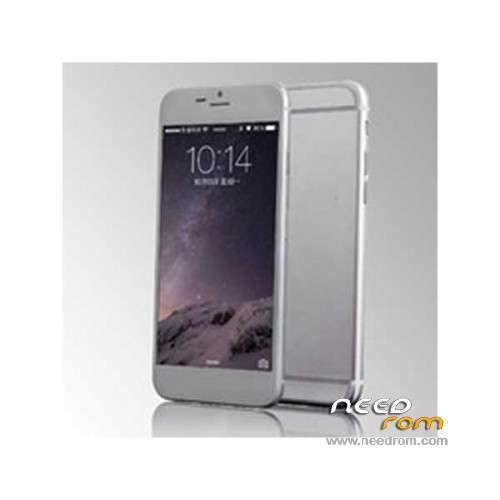
- Title: GooPhone i6 V2 Full metal
- Listed: November, 2014
- Last modified: 11/03/2014 4:11 am
- Version: ROM Android 4.2.2
You must be logged for ROM download.
46536 total views, 3 today
11 Total favorites
 Member Info
DESCRIPTION
ROM Phone GooPhone i6 V2 Full metal – ROM Android 4.2.2
ONLY MT6582 + 4.7-inch HD (1280*720) + 1G Ram + 8G Rom + single sim Dual sim ( now this rom is given for single sim)
Official ROM GooPhone i6 V2 Full metal version:
ATTENTION Two versions:
ROM 1 – V75_HD_V1.1_20141017_1916_V1.0.0_ENZH – With **ple interface
ROM 2 – V75_HD_V1.1_20141017_1916_V1.0.0_ENZH - Without **ple interface
Gapps include – No Rooted
Language support: Multilang
ROM Install :
- Unpack FlashTools, and Click on Flash_tool.exe
- Select a the MT6582_Android_scatter.txt in ROM
- Wait file to be added into Flash Tool
- choose Option->USB Model,click USB Model
–> Choose Option->DA DownLoad All->Speed->High Speed, click High Speed
- Turn off your phone
- "Press F9 (hit Download button)" OR " if upgrade ROM Firmware->Upgrade "
- and connect your phone into the computer via USB data cable.
- The process will start and a red progress bar will appear after color purple, yellow.
- And green circles display
- Finish !
- You can now safely disconnect your phone and turn it on.
※Please make a backup of your device before installing or updating ROM
hi friend price?
I would not download this ROM. After installing this ROM my phone does not boot.
working dual sim ??
ok ok
where is the download link?
Found it
Hello!
Im updated this rom but i have a mediatek bootlogo , can you show me how i can get the a**le logo back???
Thank you!
Greetz,
nick
apple logo *#0066#
hey i cannot upgrade the firmware…i did everything as you told me to do…i dont see red or yellow or green color on my screen..i left my phone for an hour ..but still i cannot upgrade
hello phone with screen off, sliding your finger on it, an application is launched and the phone is turned on. according to the finger to slide in one direction, an application or other launches. out at first a green arrow on black background in the direction that has slipped a finger, and then the application is opened.
The problem with this is that having the phone in the pocket of pandtalon, rubbing against the fabric of his pocket, the screen turns on.
Is there any way to disable this option?
Thank You
You can disable the settings
@edilion
Where abouts please?
Never mind, found it in Settings > Accessibility > Gesture Recognition
zombiiie
you need to install the usb driver