
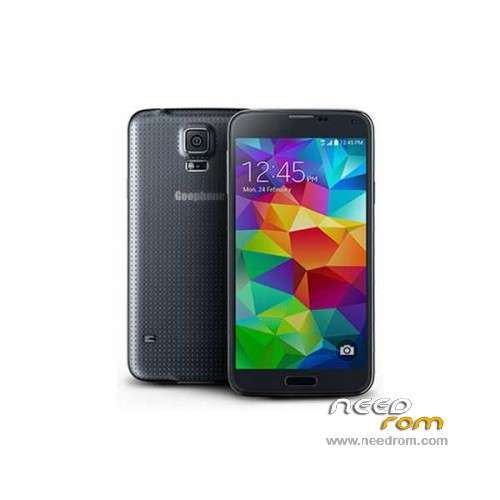
- Title: GooPhone S5
- Listed: July, 2014
- Last modified: 07/04/2014 2:13 am
- Version: ROM Android 4.4.2(4.2.2)
You must be logged for ROM download.
22858 total views, 1 today
3 Total favorites
 Member Info
DESCRIPTION
ROM Mobile GooPhone S5 - ROM Android 4.4.2(4.2.2)
ONLY MT6582
Official ROM GooPhone S5 Version : JDQ39.G9008VZCUBMHJ – I9208.I9208.02.02.Y.B.A-v03.0-0609
Gapps include – No Rooted
Language support : Multilang
Install ROM :
- Unpack FlashTools, and Click on Flash_tool.exe
- Select a the MT6582_Android_scatter.txt in ROM
- Wait file to be added into Flash Tool
- choose Option->USB Model,click USB Model
–> Choose Option->DA DownLoad All->Speed->High Speed, click High Speed
- Turn off your phone, remove the battery and replace it after some seconds (and don't turn on the phone).
- "Press F9 (hit Download button)" OR " if upgrade ROM Firmware->Upgrade "
- and connect your phone into the computer via USB data cable.
- The process will start and a red progress bar will appear after color purple, yellow.
- And green circles display
- Finish !
- You can now safely disconnect your phone and turn it on.
※Please make a backup of your device before installing or updating ROM
Please update for dual sim
thanks man :) !!! it's resolve my problem with unread count sms and call ^^
and work with 900F too
Estrarre Flashtools, e fare clic su Flash_tool.exe
Selezionare un l'MT6582_Android_scatter.txt nella ROM
Attendere il file da aggiungere in Flash strumento
Scegli Opzione-> Modello USB, fare clic su USB Modello
Scegliere Opzioni-> DA SCARICARE TUTTE LE-> Connessione-> Connessione, fare clic su Alta Velocità
Spegnere il telefono, rimuovere la batteria e sostituirla, dopo alcuni secondi (e non accendere il telefono).
"Premere F9 (pulsante Download hit)" OR "se ROM di aggiornamento del firmware-> Upgrade"
E collegare il telefono al computer tramite cavo dati USB.
Il processo inizierà e una barra di progresso rossa verrà visualizzato dopo colore viola, giallo.
E cerchi verdi visualizzazione
Fine!
È ora possibile scollegare il telefono e accenderlo.
i cant do it my computer doesnt connect the pfone
any luck? looking for a solution
Ok, it works fine but … why does it say it has a 16 gb internal capacity if after formating and flashing you can only use about 800 mb?? It is an error or a fake?? Does it really have that capacity or not … Thanks!!
estoy en tu misma situacion lo as podido solucionar¿
i have goophone m9208.i just want to confirm that can i put this firmware to m9208.
Does my phone have to be rooted first in order for this new ROM to be downloaded?
hi, that,s the software neccesary to unbrick the phone… i mean.. do i need any drivers to connect pc-phone and where i could get them???… thanks
Please, make an insertion for sim 2
Suffering from the same problem, it appears that the phone isn't connecting, advice? I've been able to connect to it when powered on, would there be different drivers when the phone is actually powered off? It just sits there and does nothing, no colors, nothing.