
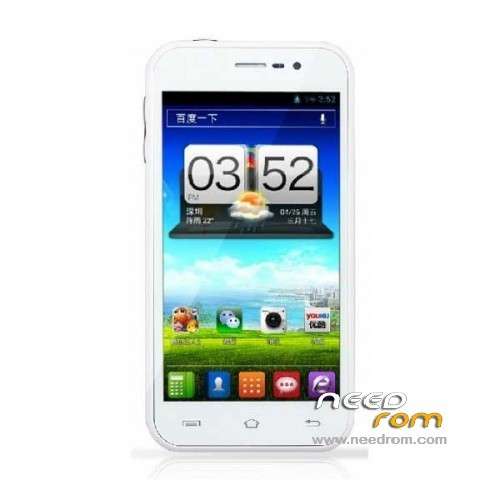
- Title: GooPhone X1
- Listed: June, 2013
- Last modified: 03/28/2014 6:44 pm
- Version: ROM Android 4.2.1
You must be logged for ROM download.
27799 total views, 2 today
1 Total favorites
 Member Info
DESCRIPTION
ROM Phone GooPhone X1 – ROM Android 4.2.1
Update Official Goophone X1 Version: GOOPHONE.JB2.MP.V1.2_06/19/2013
Update ROM 1 : is given for New screen – Old TP – Old camera
Update ROM 2 : is given for Old screen – Old TP – Old camera
Gapps not include
——————————————————————————————————————————————–
Official Goophone X1 Version: GOOPHONE.JB2.MP.V1.2_05/10/2013
Language support: AR/DE/FR/IT/NL/PL/PT/RU/TH/TR/VI/CN/TW
ROM 1 : is given for New screen
ROM 2 : is given for Old screen
I do not know why two different screen can be two different brand I have not found any information "but if you know put a comment"
Install ROM :
- Unpack FlashTools, and Click on Flash_tool.exe
- Select a the MT6589_Android_scatter_emmc.txt in ROM
- Wait file to be added into Flash Tool
- choose Option->USB Model,click USB Model
–> Choose Option->DA DownLoad All->Speed->High Speed, click High Speed
- Turn off your phone, remove the battery.
- "Press F9 (hit Download button)" OR " if upgrade ROM Firmware->Upgrade "
- and connect your phone into the computer via USB data cable.
- The process will start and a red progress bar will appear after color purple, yellow.
- And green circles display
- Finish !
- You can now safely disconnect your phone and turn it on.
※Please make a backup of your device before installing or updating ROM
SOLUTION TOUCHSCREEN NOT FOUNT!! INSTALL THIS ROM WHIT FLASHTOOLS http://www.400gb.com/file/2354.....1560
And what is this?
Wich rom is it?
I have Code 10 for MediaTek USB port in Device Manager.
My CWM is in Chinese, is there way to pass in English
Здесь нихера не скачаешь. Все сплошнеое мозгоебалово.
hackeru56eo ты олень
i did it step by step , but when i turn on my device , the screen don't work! just appear some light lines in the screen but the song is normal , someone can help me???