
- Title: GT-I9300
- Listed: May, 2013
- Last modified: 05/03/2013 12:12 am
- Version: ROM Android 4.0.4
You must be logged for ROM download.
40596 total views, 2 today
1 Total favorites

 Member Info
DESCRIPTION
ROM ALPS GT-I9300 – ROM Android 4.0.4
For Mobile GT-I9300 MT6575 - 512 RAM - FWVGA(480×800) - Dual Sim – 2GB ROM – 4.8 inch
Version: IMM76D.I9300ZSALE9
Update V1 : ROM of 01/02/2013
1 streamlining of useless software, combined apk and odex
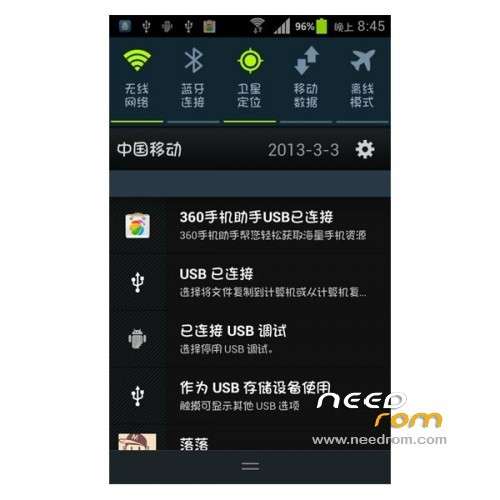
2 Beautify added to the status bar for the second quarter of gray. Drop-down 50% through the percentage of charge,
adding a single card. Remove the status bar signal G to beautify the boot setup menu.
Features ROM: date 11/12/2012
1 bar signal, a card single signal, dual card dual signal display
2 Modify the host file screen most of the software advertising, get rid of this ad plagued
3. status bar time default display noon, early in the morning, more intuitive than the default, good-looking
4 Add the ROM memory optimization control script
5 build.prop optimization
6 video recording resolution to 1980×1080 (using the tripartite video resolution optional)
7 drop-down shortcut icon beautify the transplantation of 95-75 drop-down
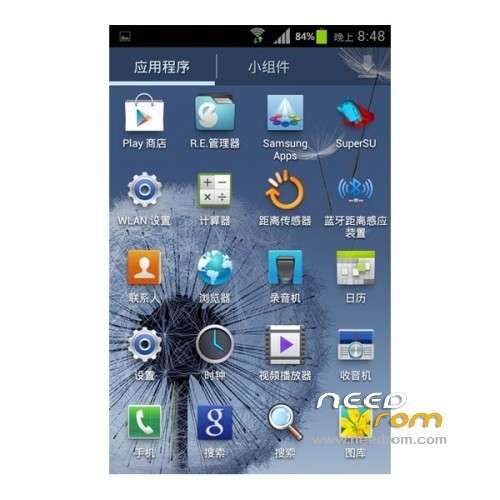
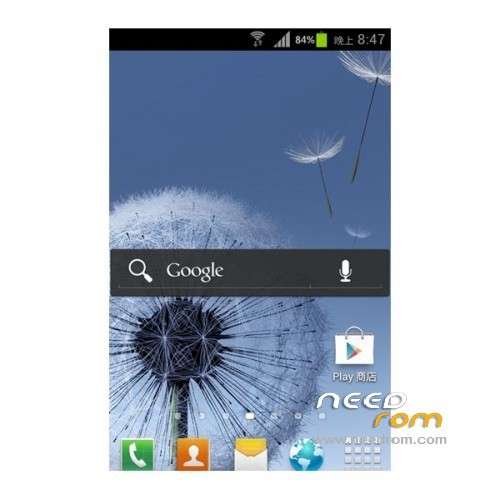
8 adds ACCU Meihuaban weather widget 9300, wallpaper replacement, replace the starter, the desktop wallpaper comes sliding and landscaping, icons, etc.
Language support : Multi Lang
The build.prop:
# begin build properties
# autogenerated by buildinfo.sh
ro.build.id=IMM76D
ro.build.display.id=IMM76D.I9300ZSALE9
ro.build.version.incremental=eng.root.1352693586
ro.custom.build.version=1352693586
ro.build.version.sdk=15
ro.build.version.codename=REL
ro.build.version.release=4.1.9
ro.build.date=Mon Nov 12 12:13:47 CST 2012
ro.build.date.utc=1352693627
ro.build.type=user
ro.build.user=root
ro.build.host=android
ro.build.tags=test-keys
ro.product.model=GT-I9300
ro.product.brand=samsung
ro.product.name=GT-I9300
ro.product.device=GT-I9300
ro.product.board=GT-I9300
ro.product.cpu.abi=armeabi-v7a
ro.product.cpu.abi2=armeabi
ro.product.manufacturer=GT-I9300
ro.product.locale.language=zh
ro.product.locale.region=CN
ro.wifi.channels=
ro.board.platform=SMDK4x12
# ro.build.product is obsolete; use ro.product.device
ro.build.product=GT-I9300
# Do not try to parse ro.build.description or .fingerprint
ro.build.description=ckt75_cu_ics-user 4.0.4 IMM76D eng.root.1352693586 test-keys
ro.build.fingerprint=alps/ckt75_cu_ics/ckt75_cu_ics:4.0.4/IMM76D/1352693586:user/test-keys
ro.build.flavor=
ro.build.characteristics=default
# end build properties
# begin mediatek build properties
ro.mediatek.version.release=ALPS.ICS.MP.V2.6
ro.mediatek.platform=MT6575
ro.mediatek.chip_ver=S01
ro.mediatek.version.branch=ALPS.ICS.MP
# end mediatek build properties
#
# system.prop for generic sdk
#
Install ROM :
CWM – Phone into RECOVERY method using a combination of keys:
Phone off, press and hold the volume button and hold and then press the power button.
※Please make a backup of your device before installing or updating ROM
Rom whats kernel
Turkey like rom
mantap gan.
Hey.. I downloaded the GT-I9300 – Update V1 file and couldn't find the 'MT6575_Android_scatter_emmc.txt' file in it.
How do i flash this rom using SP flash tool because it needs that file?
my phone is rooted and i tried to 'appy update from sd card' by going in recovery mode(volume up + home + power) but it displays 'E: signature verification failed'
can anyone plz explain the procedure to flash this ROM?
Plz Help guys..!
I need this ROM for SP Flash Tool, Pleas Help Me….
thanks bro, been searching for months for the right rom for my phone, just a little bit of flaw where at the vertical slide menu it shows "no service" kind of annoying but everything else works perfectly.
ayuda, borre unas cosas en mi clon s3 chino y se me elimino todo osea el tlf no pasa de android, ya he intentado de todo y nada, por favor ayudenme hard reset no funciono.. que debo hacer..?
Tienes respaldo de tu rom? a partir de ese podrías crear un scatter file con mtktools y con ese archivo scatter, instalar desde SP flash tools
Mr SoCr@Te ,
I changed my OLD ROM, becouse my phone doesn't go to deep sleep mode, and battery was very drain(i checked on cpu spy)
but in this ROM is the same problem, but I notice that when I changed in options to "disable quick boot" phone go to deep sleep , but when I charged phone (when phone is power on), phone doesn't go to deep sleep so I must turn off my phone.
As well as, battery does't show the current state of charge (for example I have 50 percent, after 5 minutes when I use phone – I have 15 percent )
I calibrated battery
Do you have a fix for this problem?
Thanks in advance