
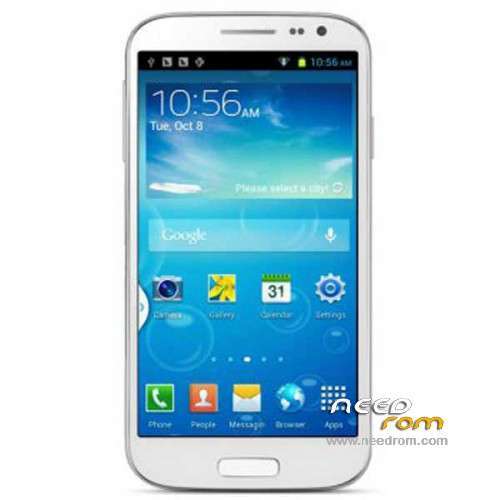
- Title: GT-i9500 MT6572
- Listed: February, 2014
- Last modified: 02/27/2014 4:02 am
- Version: ROM Android 4.2.2
You must be logged for ROM download.
49952 total views, 3 today
7 Total favorites
 Member Info
DESCRIPTION
ROM Phone GT-i9500 mtk6572 – ROM Android 4.2.2
ROM For GT-i9500 Version:
Hardware : MT6572
KERNEL: Linux version 3.4.5 (whl@server0-br) (gcc version 4.6.x-google 20120106 (prerelease) (GCC) ) #1 SMP PREEMPT Sun Sep 13 11:29:41 CST 2013
CODENAME: REL
Mainboard: mtk6589_wet_jb3
BRAND: alps
CPU_ABI: armeabi-v7a
CPU_ABI2: armeabi
DEVICE: mtk6589_wet_jb3
DISPLAY: ALPS.JB3.MP.V1.8
FINGERPRINT: alps/benrui72_wet_jb3/benrui72_wet_jb3:4.2.2/JDQ39/1380448490:user/test-keys
HARDWARE: mt6572
ID: JDQ39
Fake MT6589 + 512 Ram + 4G Rom + 854×480
Gapps include – No Rooted
Language support: Multilang
Install ROM:
- Unpack FlashTools, and Click on Flash_tool.exe
- Select a the MT6572_Android_scatter_emmc.txt in ROM
- Wait file to be added into Flash Tool
- choose Option->USB Model,click USB Model
–> Choose Option->DA DownLoad All->Speed->High Speed, click High Speed
- Turn off your phone, remove the battery.
- "Press F9 (hit Download button)" OR " if upgrade ROM Firmware->Upgrade "
- and connect your phone into the computer via USB data cable.
- The process will start and a red progress bar will appear after color purple, yellow.
- And green circles display
- Finish !
- You can now safely disconnect your phone and turn it on.
※Please make a backup of your device before installing or updating ROM
can u pls help me.when i try nandroid test i says ERROR:EMMC not dectected. but i succesfully flash my phone. when i boot my phone it just stock on factory mode with chinese lang. i cannot use the scroll .whay can i do pls help me!!!?
ldc drivers?
did you try :: http://www.4shared.com/get/Qbw.....wnload=true#_=_
thanks before.. ill try the room