# begin build properties
# autogenerated by buildinfo.sh
ro.build.id=JOP40D
ro.build.display.id=ALPS.JB2.MP.V1.2
ro.build.version.incremental=eng.qiang.wang.1365668842
ro.custom.build.version=I9828.I9828.02.02.A.A-V1.0.2B06R11
ro.build.version.sdk=17
ro.build.version.codename=REL
ro.build.version.release=4.2.1
ro.build.date=Thu Apr 11 16:29:18 CST 2013
ro.build.date.utc=1365668958
ro.build.type=user
ro.build.user=qiang.wang
ro.build.host=yatxsrv1
ro.build.tags=release-keys
ro.product.model=GT-N7102
ro.product.brand=samsung
ro.product.name=I9828
ro.product.device=hedy89_we_jb2
ro.product.board=hedy89_we_jb2
ro.product.cpu.abi=armeabi-v7a
ro.product.cpu.abi2=armeabi
ro.product.manufacturer=alps
ro.product.locale.language=en
ro.product.locale.region=US
ro.wifi.channels=
ro.board.platform=
# ro.build.product is obsolete; use ro.product.device
ro.build.product=hedy89_we_jb2
# Do not try to parse ro.build.description or .fingerprint
ro.build.description=hedy89_we_jb2-user 4.2.1 JOP40D eng.qiang.wang.1365668842 release-keys
ro.build.fingerprint=alps/hedy89_we_jb2/hedy89_we_jb2:4.2.1/JOP40D/1365668842:user/release-keys
ro.build.flavor=
ro.build.characteristics=default
persist.sys.timezone=Asia/Shanghai
# end build properties
# begin mediatek build properties
ro.mediatek.version.release=ALPS.JB2.MP.V1.2
ro.mediatek.platform=MT6589
ro.mediatek.chip_ver=S01
ro.mediatek.version.branch=ALPS.JB2.MP
ro.mediatek.version.sdk=1
# end mediatek build properties
#
# system.prop for generic sdk
#
rild.libpath=/system/lib/mtk-ril.so
rild.libargs=-d /dev/ttyC0
# MTK, Infinity, 20090720 {
wifi.interface=wlan0
# MTK, Infinity, 20090720 }
# MTK, mtk03034, 20101210 {
ro.mediatek.wlan.wsc=1
# MTK, mtk03034 20101210}
# MTK, mtk03034, 20110318 {
ro.mediatek.wlan.p2p=1
# MTK, mtk03034 20110318}
# MTK, mtk03034, 20101213 {
mediatek.wlan.ctia=0
# MTK, mtk03034 20101213}
#
wifi.tethering.interface=ap0
#
ro.opengles.version=131072
wifi.direct.interface=p2p0
dalvik.vm.heapgrowthlimit=128m
dalvik.vm.heapsize=256m
# USB MTP WHQL
ro.sys.usb.mtp.whql.enable=0
# Power off opt in IPO
sys.ipo.pwrdncap=2
ro.sys.usb.storage.type=mtp,mass_storage
# USB BICR function
ro.sys.usb.bicr=yes
# USB Charge only function
ro.sys.usb.charging.only=yes
# audio
ro.camera.sound.forced=0
ro.audio.silent=0
ro.zygote.preload.enable=0
#
# ADDITIONAL_BUILD_PROPERTIES
#
ril.specific.sm_cause=0
gps.solution.combo.chip=1
ril.external.md=0
fmradio.driver.chip=3
ro.sf.hwrotation=0
ril.current.share_modem=2
launcherplus.allappsgrid=2d
launcher2.allappsgrid=3d_20
curlockscreen=1
ro.mediatek.gemini_support=true
persist.radio.fd.counter=15
persist.radio.fd.off.counter=5
persist.radio.fd.r8.counter=15
persist.radio.fd.off.r8.counter=5
persist.mtk.wcn.combo.chipid=-1
drm.service.enabled=true
fmradio.driver.enable=1
ril.first.md=1
ril.flightmode.poweroffMD=1
ril.telephony.mode=1
ril.radiooff.poweroffMD=0
dalvik.vm.mtk-stack-trace-file=/data/anr/mtk_traces.txt
mediatek.wlan.chip=MT6628
mediatek.wlan.module.postfix=_mt6628
ro.config.notification_sound=S_Whistle.ogg
ro.config.alarm_alert=Good_Morning.ogg
ro.config.ringtone=S_Over_the_horizon.ogg
net.bt.name=Android
dalvik.vm.stack-trace-file=/data/anr/traces.txt

 Member Info
Hi…
Maybe you can find a better phone like this:
http://www.234buy.com/no-1-s7-.....gb-rom-421.html
it`s real waterproof phone.maybe you will love it.
With my phone can works?
These are details taken from MTK DROID TOOLS:
(however I installed the rom for Q880!)
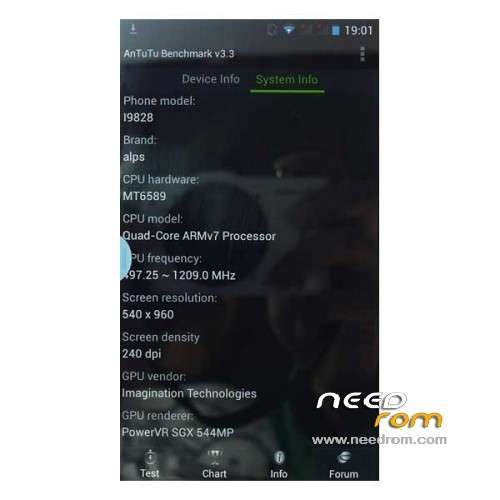
Hardware : MT6589
Model : GT-N7102
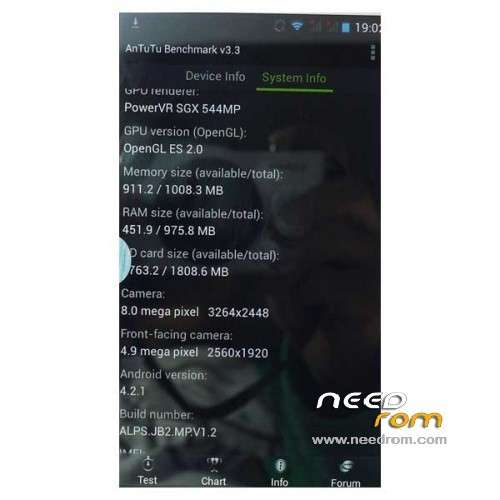
Build number : ALPS.JB2.MP.V1.2
Build date UTC : 20130513-065735
Android v : 4.2.1
Baseband v: MOLY.WR8.W1248.MD.WG.MP.V6.P1, 2013/02/27 15:00
Kernel v : 3.4.5 (linux-server-build1@linux-server-build1-desktop) (gcc version 4.6.x-google 20120106 (prerelease) (GCC) ) #1 SMP Mon May 13 14:55:29 CST 2013
Uboot build v : —–
LCD Driver IC : 1-nt35590_hd720_dsi_vdo_truly
compatible with the clones? please do reply
I had messed up my Recovery… I used the recovery.img from here and got it back…
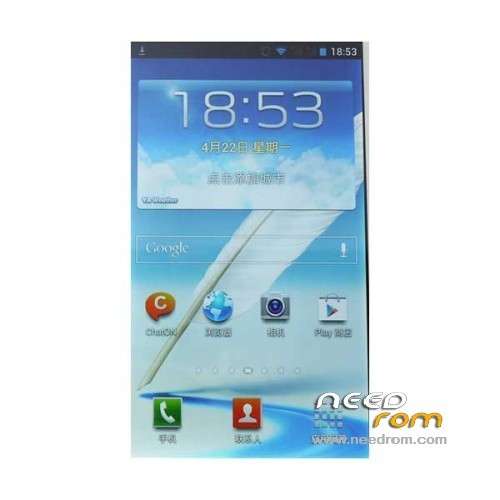
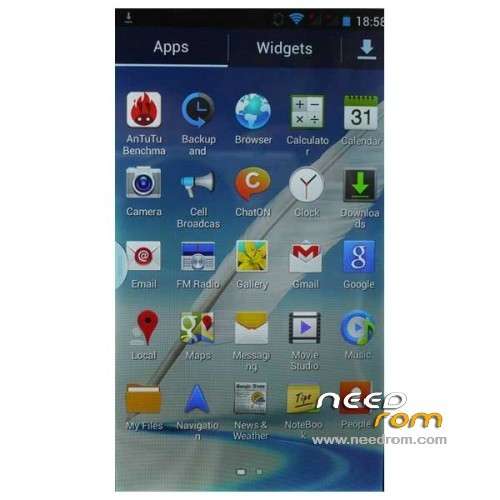
This is for my Android Note Alps i9828 GT-N7102 with MT6589 … I have JB 4.2.1 on it. ( Clone Samsung Galaxy Note 2 MT6589 )
When I load the USB Samsung Drivers I get i9828 as my USB Drive Connector
http://xiaomitips.com/download.....nbsp; adb setup 1.4.3 worked well.
http://samsung-usb-driver-for-.....nbsp; USB Driver For Samsung Phones ( Works For Me )
https://www.needrom.com/downlo.....nbsp; I have not tried the install because all I needed was to replace the Recovery.img
Very Happy to have the Android System Recovery Working Again. I use the recovery.img and Flashify and I was rooted with KingRoot
KingRoot works best for me…. SuperUser gives me problems… and Hard to Flash SuperSU… KingRoot seems to work for me best.
Thank you