
- Title: Haier W910 Chunky Rom
- Listed: January, 2014
- Last modified: 01/17/2014 6:07 pm
- Version: Chunky Rom 4.1.2 (Multilanguage)
You must be logged for ROM download.
31421 total views, 2 today
7 Total favorites

 Member Info
DESCRIPTION
Hi everyone
————————————————————————————————
Update 1.1.6 – Fix bug – Photo Editor in Gallery (Crash App)
————————————————————————————————
——————————————————————————————————————————–
UPDATE 13/01/2014 (Build 1.1.5 FIX CAMERA/GALLERY/CHROME CRASH)
MD5 : eb391daa556c278d64e53d05c66e0aba
SHA1: 94d2af647a74e28eee089c5083e2a75d199ace14
CRC32 : c480e2d1
What new? :
- Fix Camera Crash
- Fix Chrome Crash
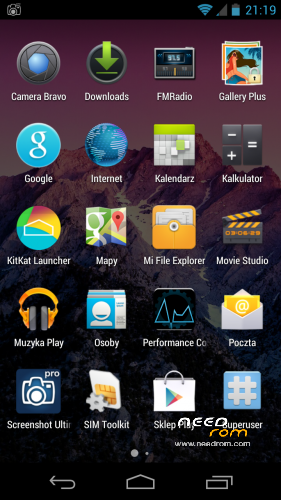
- Update Launcher v.2.7 to v.2.8 (more options, faster and smooth)
- Full DEODEX
- Update Super User
- Minor fixes in build.prop (GSM range, WIFI range, GPU tweaks)
- Default browser : Chrome (newest)
- Xposed framewrok
- MinMinGuard (Xposed Mod : block commercial better than AdAware ) > LOOK
- Gravity Box 2.9.1 (Xposed Mod)
- Stock Camera 4.3 with Gallery
- Init.d support
- Honami Xperia Z Keyboard : Multilanguage (Default Keyboard)
PS. after flash you must turn ON Xposed Framework and choose mods in Xposed App. After that make reboot ;D
—————————————————————————————-
For all Haier W910 Users
My and Elbuit roms is tested by me, all roms work on my phone about few days or week. If you have problem with flash roms or have some errors after flash it's probably have problem with your phone. Not happening always but never know.
Ok but if you have problem after flash or you cant flash new rom :
- change microSD Card : Haier have problem with some card specially Class 10, some card from Kingston or GoodRam dont work or have weird errors when you flash new rom.
- dont use 32Gb card to flash
- 16Gb Class 4 card always work (i have 16Gb Class 4 GoodRam and works perfectly)
- make Wipe Cache and Wipe Data/Factory Reset before flash new rom
- dont Unzip an Zip again rom before flash (All my roms are SIGNED and when you make this you loose SIGNED)
- dont add Apps to rom using Zip/Rar/7zip/FreeArc etc. if you want to modded look how to mod on XDA-Developers forum.
- when you start to flash new rom check battery (70% minimum is recomended)
- after flash wait 1min to system install all apps in backround
- make BACKUP rom before Flash using ClockworkMod Recovey
But if you still have errors write it in comment i always Help.
See you soon guys & girls
Installation :
1. Put file into SdCard
2. Run Recovery (Custom not orginal or chinese, only ClockworkMod)
3. Make a Wipe Data/Factory Reset
3. Make Wipe Cache
4. Install Zip from SdCard
5. Choose Zip
6. Install
7. Reboot
8. First Boot make a little longer than normal boot.
9. Enjoy
PS. After flash when you connect to Internet some app from google have update, so wait and update all.
if You like it buy me a coffee ;D (with PayPal) with coffee works better ;P
Best regards from Poland.
※Please make a backup of your device before installing or updating ROM
Hi
When is Android 4.2 coming to the Dev sir?
پرچم ایرانی ها همه جا بالاست
android 4.2 or 4.3 wil be posible when sameone will have kernel source working on our W910
Luminol
Sizin adız nədir … ?
Danışmaq üçün bir araya Skype ilə gəlib Skype Account : javadnn
I added you
Дякую автору за підтримку української мови.
dear bassrockers my cwm recovery version has 6.0.1.5
need to install another verion of cwm to fix my problem?
nope install recover again then install stock rom 4.0.4 from my post then go to recovery make wipe data and again try to install chunky rom. My friend from poland have this same error but after flashing recovery again and download rom again everything works. Try to flash from other card or try to download rom again maybe had a error in zip in package.
is it posible that on wifi was bouth bands 2,4MGz and 5MGz chipset is suporting
unfortunelly chip in our phone not supprot 5Ghz only 2.4Ghz
- Voice dialer not multilanguage. Only english talking support. Remove from ROM in next update or share as option update. Rest app is good.
- Add alternative part two rom with original camera app from stock rom Haier with oryginal app Gallery (4.0.4 or higher)
dialer removed, alternative edition uploading
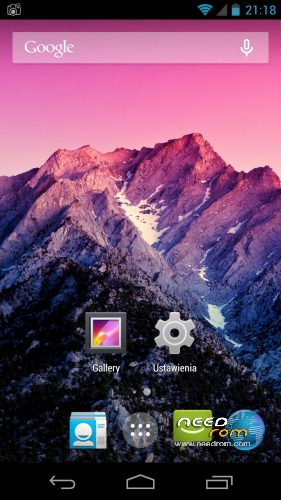
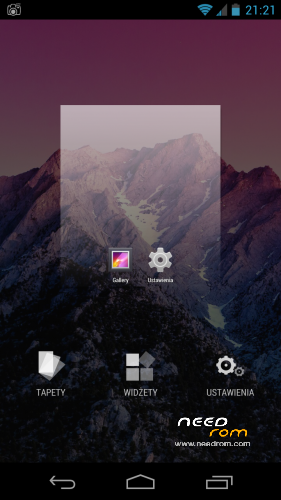
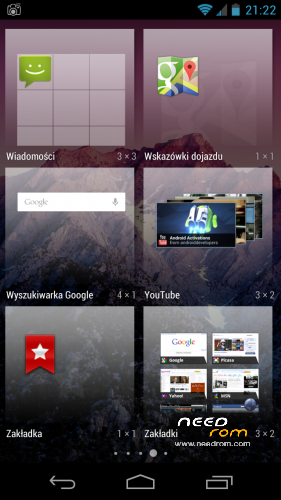
heheh this is launcher from KitKat 4.4.2 made by Kcin. This launcher had other adding widget than Jelly Bean ;P this is one of meny differences between KitKat and Jelly Bean. Hold finger on desktop you will see ;D
fix it problem…
problem in my memory card…
i chenged and fix…
Nice to hear ;D
You Rock's! <3 Thank you very mutch, I admire your work

Wher is alternative upload?

You Planning edition on on a newer version of android?
Waitin for android 4.2.2 or higher.
Yes actually workin go on 4.2.2 and 4.3 when i made working beta i upload on Needrom immediately.