
- Title: Haier W910 Chunky Rom
- Listed: January, 2014
- Last modified: 01/17/2014 6:07 pm
- Version: Chunky Rom 4.1.2 (Multilanguage)
You must be logged for ROM download.
31422 total views, 3 today
7 Total favorites


 Member Info
DESCRIPTION
Hi everyone
————————————————————————————————
Update 1.1.6 – Fix bug – Photo Editor in Gallery (Crash App)
————————————————————————————————
——————————————————————————————————————————–
UPDATE 13/01/2014 (Build 1.1.5 FIX CAMERA/GALLERY/CHROME CRASH)
MD5 : eb391daa556c278d64e53d05c66e0aba
SHA1: 94d2af647a74e28eee089c5083e2a75d199ace14
CRC32 : c480e2d1
What new? :
- Fix Camera Crash
- Fix Chrome Crash
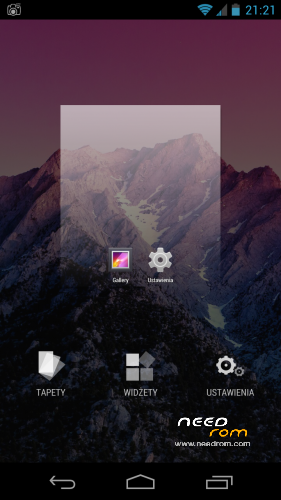
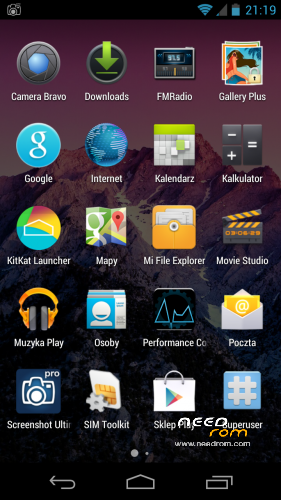
- Update Launcher v.2.7 to v.2.8 (more options, faster and smooth)
- Full DEODEX
- Update Super User
- Minor fixes in build.prop (GSM range, WIFI range, GPU tweaks)
- Default browser : Chrome (newest)
- Xposed framewrok
- MinMinGuard (Xposed Mod : block commercial better than AdAware ) > LOOK
- Gravity Box 2.9.1 (Xposed Mod)
- Stock Camera 4.3 with Gallery
- Init.d support
- Honami Xperia Z Keyboard : Multilanguage (Default Keyboard)
PS. after flash you must turn ON Xposed Framework and choose mods in Xposed App. After that make reboot ;D
—————————————————————————————-
For all Haier W910 Users
My and Elbuit roms is tested by me, all roms work on my phone about few days or week. If you have problem with flash roms or have some errors after flash it's probably have problem with your phone. Not happening always but never know.
Ok but if you have problem after flash or you cant flash new rom :
- change microSD Card : Haier have problem with some card specially Class 10, some card from Kingston or GoodRam dont work or have weird errors when you flash new rom.
- dont use 32Gb card to flash
- 16Gb Class 4 card always work (i have 16Gb Class 4 GoodRam and works perfectly)
- make Wipe Cache and Wipe Data/Factory Reset before flash new rom
- dont Unzip an Zip again rom before flash (All my roms are SIGNED and when you make this you loose SIGNED)
- dont add Apps to rom using Zip/Rar/7zip/FreeArc etc. if you want to modded look how to mod on XDA-Developers forum.
- when you start to flash new rom check battery (70% minimum is recomended)
- after flash wait 1min to system install all apps in backround
- make BACKUP rom before Flash using ClockworkMod Recovey
But if you still have errors write it in comment i always Help.
See you soon guys & girls
Installation :
1. Put file into SdCard
2. Run Recovery (Custom not orginal or chinese, only ClockworkMod)
3. Make a Wipe Data/Factory Reset
3. Make Wipe Cache
4. Install Zip from SdCard
5. Choose Zip
6. Install
7. Reboot
8. First Boot make a little longer than normal boot.
9. Enjoy
PS. After flash when you connect to Internet some app from google have update, so wait and update all.
if You like it buy me a coffee ;D (with PayPal) with coffee works better ;P
Best regards from Poland.
※Please make a backup of your device before installing or updating ROM
ChunkyRom_1.1.6 bug:
- SMS/MMS icon have image from Hangouts
Continued bugs:
- After turning off the phone settings from the normal profile (with sound), the phone starts with a silent profile. This can not be changed to normally started.
Continued bugs:- After turning off the phone settings from the normal profile (with sound), the phone starts with a silent profile. This can not be changed to normally started
.The icon in the upper retractable tray (upper launcher), shows silent mode at startup, but the sound is. Sound mode icon is misleading, but after selecting any mode, it works properly. Such a small bug upper tray.
yes because v2.95 relase after upload rom. Soon update
GREAT BUG:
ChunkyRom or ChunkyMod deleted my profile data from google play. After uploading Elbuit 5.5 Rom for my phone, I will not restore my apps and settings. The failure of this ROM.
This rom has the same bugs as Elbuits rom:
mobil internet issue, after a little data traffic (for example with a browser), it disconnects from the whole gsm network. (the signal strength icon becomes blank)
Other issues:
- auto brightness can set brightness level only to higher level. it can't decrease it.
- after playing any sound, I hear some noise for some seconds.
This rom doesn't have mobile data issue, but the noise and auto brightness bugs is the same: http://forum.xda-developers.co......php?p=48585228
Roms for bassrockers based on the same engine ROM. All editions for Haier W910 have bugs. Bassrockers must fix all available modifications, unless the technical possibilities do not allow it, then you will be tired of these bugs.
i am from china,thanks to you,in fact,many people use w910 in china.we hope we can have much rom.thanks,again.
Does anybody have issues with random reeboots on haier 4.1 roms also this.one.
Reeboot happens when browsing or playing games mostly.
hi,i hope your new rom come soon,thank you.
Hello, an issue regarding GSM/WCDMA connectivity. When "Data Connection Enabled" and "Roaming Data" are both activated, there's no way to get any Internet connection, while phone calls work fine. This is absolutely needed in Italy when users have their SIM with Noverca operator, which works under TIM mobile network coverage.
Hope to have this bug corrected asap, it's essential !
Thanks for your great work !
Founded solution. Have to enbled "IPv4/IPv6" in APN protocol instead of "IPv4". Hope to be useful.
Hi, Please help
Microphone not working in Skype and Vayber in custom rom
, but work in stock (orginal) ROM
why?
Hi, Please help
Microphone not working in Skype and Vayber in custom rom
, but work in stock (orginal) ROM
why?
You have three options:
1 - Factory Reset Do
2 - or else download and flash ROM
3 - If the reset Nshdbh likely a hardware problem, you are sure to see a repairman.
Good luck…
Hello: Please build of Android 4.4 for haier w910.
Good luck
درود و سلام بر ایرانیان
The best flash file