
- Title: HaiPai N7889 Europe/US Version Build 20130824 ML
- Listed: September, 2013
- Last modified: 09/14/2013 2:22 pm
- Version: ROM Android 4.2.1
You must be logged for ROM download.
21940 total views, 1 today

 Member Info
DESCRIPTION
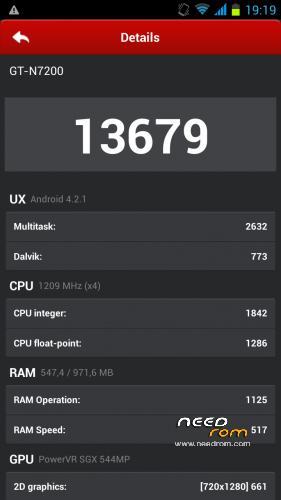
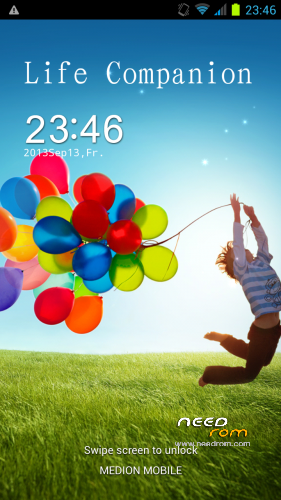
ROM HaiPai N7889 – ROM Android 4.2.1
Based on ROM Official HaiPai N7889 version : 20130824_e2006v20_v89_lyn7889_asx_116_xstp
Changes:
CWM-R recovery.img v6.0.3.6 based on carliv@xda (EN)
boot.img (root in shell)
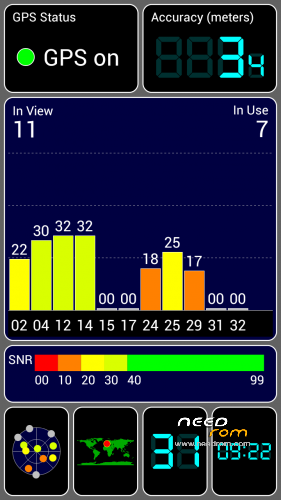
system.img (root in system, gps fix via gps.conf optimized for Europe, GPS Runner Fix)
All Gapps included (also Play store, Search bar)
Purged all applications with Chinese language
Language support: Multilanguage
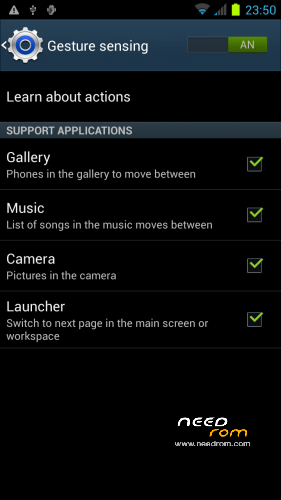
Gesture sensing, Branding Samsung, based GT-N7200
Install ROM :
-Save your userdata
-Save your IMEI's data
-Unpack the archive
Flashtool based:
Firmware Upgrade CWM-R zip
Please don't forget to donate!
Please don't forget an author rating!
※Please make a backup of your device before installing or updating ROM
Thanks,
but link for "Upgrade CWM-R based" is broken…
Fixed. Try it again, please. And don't forget to pick 5 stars:)
Why in Engineer Mode (MTK) in section "Location", "Location Based Service" isn't selectable? Only YGPS… where I can set "A-GPS"?
settings –>location access–>GPS satellites–>A-GPS
I see this:
correct?
I have another strange problem, recovery is rotate of 180° ?!?!?
Ok, I found it by click GPS satellites, thanks!!!
Yes, I known it, but it works fine.
I try to change DPI, but in home I can’t see icons, all the rest is perfect and small…
There is a way for change DPI and see icons at home?
Hello, this update is compatible with Haipai H868 ?? what's the differences with H868 and N7889??
I love this rom but when I flashed it I lost my Imei and when trying the programs it never stays on the phone!! What can I do?!! Please help. If you are able to chat that would be great and thats to anyone who can.
I does not understand.
Questions:
1. Which blocks do you have flashed? All or only boot, android, recovery?
2. After upgrade do you have "root" currently?
After anwers of this question I can help you. Do you have active skype account?
Hi , i installed this ROM but there isn't the front camera ( for the skype and other apk).
For weeks now no one has answered my question on how to install my imei back on to the phone. I've tried 5 different programs and still no luck!! I am currently using my razor phone so you know I'm about to lose my mind!! PLEASE HELP!!!
For traylov73: you have to traslate this guide but it works well. I had tested it.
http://mondo-tech.it/risolvere.....fonini-android/