
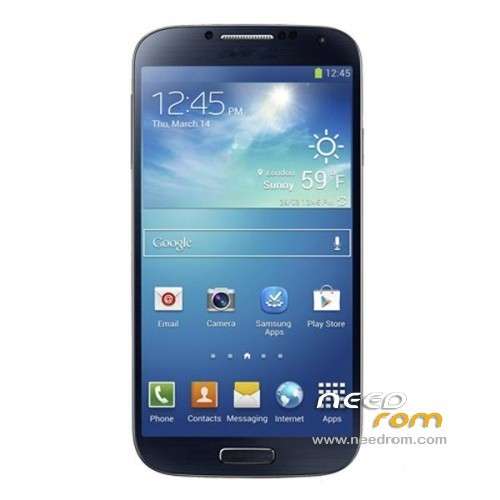
- Title: HDC Galaxy S4
- Listed: May, 2013
- Last modified: 05/02/2013 10:59 pm
- Version: ROM Android 4.2.1
You must be logged for ROM download.
39366 total views, 2 today
1 Total favorites
 Member Info
DESCRIPTION
ROM build for HDC GALAXY S4 – ROM Android 4.2.1
This Rom was built using three diferent roms(cause this device rom is not avialable for now).^^
DONT TRY THIS ON OTHER DEVICES.IM NOT RESPONSIBLE OF DAMAGE THIS ROM COULD MAKE TO YOUR DEVICE.
Language support : Multi Lang
Install DRIVERS:
By pressing the volume down button,with battery taken out.Then plugin to computer and update the driver.
Install with Flashtool MultiDevice:
1). Turn off the smartphone. Cable is not connected to the computer.
2). Remove the battery and insert it again
3). Connect your phone to a computer cable. The operating system detects a new device
4). Disconnect the cable from the computer.
5). Run SPMultiPortFlashDownloadProject.exe
6). Choose Database Factory menu> Configuration File data source and specify the file MTK_DATABASE.mdb (it is in the folder SP_MDT).
7). Choose File> Open File Agent download and specify the file MTK_AllInOneDA.bin (it is in the folder SP_MDT).
8). Click File and select the MT6589_Android_scatter_emmc.txt file (it's in the folder with the rom).
9). choose this options:
Main sensor = ov8825_mipi_raw (back to camera), Sub sensor = hi253_yuv (front), LCD = LT050ANKP019A(display)
10). The other parameters are fixed, as in the screenshot below.
11). Click "Start all".
12). Connect your phone to a computer cable. The program should see and blink. If the phone is not detected, then unplug it from the computer, remove and insert the battery and reconnect it to the computer.
13). After (OK) click Stop and disable any phone.
14). Completed.
※Please make a backup of your device before installing or updating ROM
So, is this working or not. I see 10% of the people saying it worked.
Yaaaa I flashed mine and I get a white screen and it keeps turning on and off. After batt removal, i can run flash again but randomly I get error S_FT_ENABLE_DRAM_FAIL (4032) myself. :-/ I'm relatively experienced in flashing American phones but wtf… I know I did this step by step correctly. Gonna try another rom I guess
Will this work for HDC Galaxy S4 Premier?
Did anyone of you tested this ROM with bluetooth headset ?
He guys, i have this one smartphone: HTC S9500 link: http://hdcmobile.com/hdc-s4-s9.....500.html, and i flash this rom, but the screen inst the same… i got a white screen of death!
Can anybody up a rom for this phone?
Screen 854×480 FWVGA!
With this linked flashtool v3.1252 i think is not possible to upgrade N9500 – i get error S_UNSUPPORTED_VER_OF_DA (1022), because of that i used flash tool v3.1304 (whis is from end of jan 2013) here i get error S_FT_ENABLE_DRAM_FAIL (4032) . But my phone is still bricked…. I think N9500 is produed from mar.2013, so maybe is somewhere flastool from march to work better with n9500? (what exactly mean download agent in flashtool?)
I also got my phone to be recognized as DA USB VCOM Port, but here SPFlash tool dont start any action… just waiting (searching).
Also this new ROM from 2013-04-19 dont repair phone, here is even older flashtool v3.1216 whic do not reocgnize scatter file
Anyone have any advice how to make phone alive?
I had 4.2.1, i think date was : 20130322_e2006_v89_jbaol1
Now is dead.
I used SP flash tool v3.1304, (v1252 didnt worked) on win7 x64, run as administrator.
i select scater loading file, everything looks ok, i click upgrade.
Everything was ok, at end ar restart, i had blank screen, phone buttons was on, but phone didnt worker. Afret that i tried same way to download older firmware from this site and… process stopped in the middle. with error.
Flash tool find the phone as MTK USB port, but then after try to upgrade first thing i get error BROM ERROR: S_FT_ENABLE_DRAM_FAIL (4032) – [EMI] Enable DRAM Failed!
Phone do not react holding together volume up + power or volume down + power
With battery computer recognize it as MTK USB Port (on usb2 or usb33 …)
I just get this phone, and gps takes so long to be connected, this ROM fix that? my Baseband is: MOLY.WR8.W1248.MD.WG.MP.V6.P4,2013/05/04
Kernel: 3.4.5 root@android #1 Mon May 6 19:24:02 CST 2013.
Build number: I9500
Hi,
I've got this phone: http://imageshack.com/i/jmuv7p.....p
http://imageshack.com/i/jncla7.....p
http://imageshack.com/i/joiu8m.....p
If i've understood, this ROM is for N9500 but i have the "H9500"
I would like to know if this ROM is compatible with my phone
Thx
Hi,
I've got this phone:
http://imageshack.com/i/jmuv7p.....p
http://imageshack.com/i/joiu8m.....p
http://imageshack.com/i/jncla7.....p
I would like to know if this rom is compatible with my phone because it is not a N9500, mine is "H9500"
Thx