
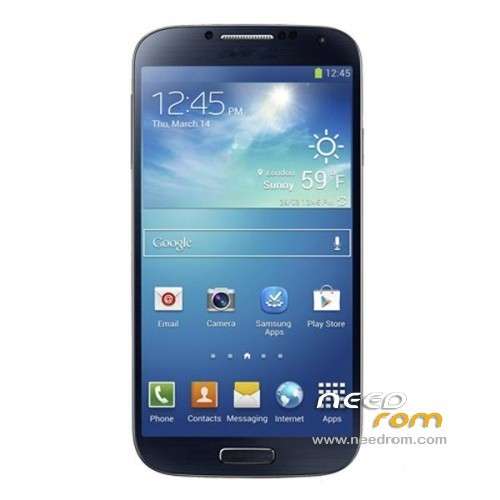
- Title: HDC Galaxy S4
- Listed: May, 2013
- Last modified: 05/02/2013 10:59 pm
- Version: ROM Android 4.2.1
You must be logged for ROM download.
39052 total views, N/A today
1 Total favorites
 Member Info
DESCRIPTION
ROM build for HDC GALAXY S4 – ROM Android 4.2.1
This Rom was built using three diferent roms(cause this device rom is not avialable for now).^^
DONT TRY THIS ON OTHER DEVICES.IM NOT RESPONSIBLE OF DAMAGE THIS ROM COULD MAKE TO YOUR DEVICE.
Language support : Multi Lang
Install DRIVERS:
By pressing the volume down button,with battery taken out.Then plugin to computer and update the driver.
Install with Flashtool MultiDevice:
1). Turn off the smartphone. Cable is not connected to the computer.
2). Remove the battery and insert it again
3). Connect your phone to a computer cable. The operating system detects a new device
4). Disconnect the cable from the computer.
5). Run SPMultiPortFlashDownloadProject.exe
6). Choose Database Factory menu> Configuration File data source and specify the file MTK_DATABASE.mdb (it is in the folder SP_MDT).
7). Choose File> Open File Agent download and specify the file MTK_AllInOneDA.bin (it is in the folder SP_MDT).
8). Click File and select the MT6589_Android_scatter_emmc.txt file (it's in the folder with the rom).
9). choose this options:
Main sensor = ov8825_mipi_raw (back to camera), Sub sensor = hi253_yuv (front), LCD = LT050ANKP019A(display)
10). The other parameters are fixed, as in the screenshot below.
11). Click "Start all".
12). Connect your phone to a computer cable. The program should see and blink. If the phone is not detected, then unplug it from the computer, remove and insert the battery and reconnect it to the computer.
13). After (OK) click Stop and disable any phone.
14). Completed.
※Please make a backup of your device before installing or updating ROM
Can you let me know if this ROM can be installed in my device?
My Baseband is: MOLY.WR8.W1248.MD.WG.MP.V6.P4,2013/05/04
Kernel: 3.4.5 root@android #1 Mon May 6 19:24:02 CST 2013.
Build number: I9500
how you all have doing the download its nt working
I need an expert attention for solve my problem.
I have HDC (High Definition Copy) Galaxy S4 GT-i9500 (MT6575_S01). 4GB Rom/2GB Ram/Singal Micro Sim.
Brand: Samsung
Model: GT-i9500
Product: GT-i9500
Device : GT-i9505
Problems:
1- Device has no IMEI Number, IMEI gives NULL message.
I tried many ways to restore it via SN station, via Mkt droid tools, Replace MPO 001 by make imei.exe , to use
prompt command AT+EGMR=1,7,……. etc.
Via SN Station i have not (APDB_MT6575_S01_ALPS.ICS2.MP.V1.20) file and Modem file too. if i got may be it may work.
2- I can't install custom recovery like CWM recovery/twrp recovery not other. its original Android system recovery 3e but
it doesn't work also.
3- I can't install custom rom on this phone except just one rom ( !files_to_flashtool )4.2.2 for MT6575_01 (www.needrom.com))
here is screen shot please check these picture and advice me
1- How to restore IMEI in this phone. tool link…… file link…. method link…….. etc.
2- How to install custom recovery like CWM recovery/ twrp recovery etc. recovery version link….. tool link…..
method link……… etc.
3- How to install custom rom OR any best Rom OR any suitable Rom for this phone. Rom link…… flash tool link….etc.
i am waiting for an expert person advice and thanks in advance.
JAVED SIPRA
javed.sipra@gmail.com
javed.sipra (Skype).
Please see above screenshot upload and help me . i will be thankful to an expert person. thanks
hi, SMP not detect my phone. It show Error : no bootrom USB port, not a bootrom (preloader) port
Hi i want to know if his rom can work in my Gt-I9500 hardware 6577 many thanks
Thank you so much Sir (^_^)/
before my phone (s4 mtk6577 5inch) bootloop and black screen and not detected for sdcard.
Now my phone is back to normal system… amazing… good job Sir
Daer admin
After flashing this rom, i cannot sign in google mail.please help