
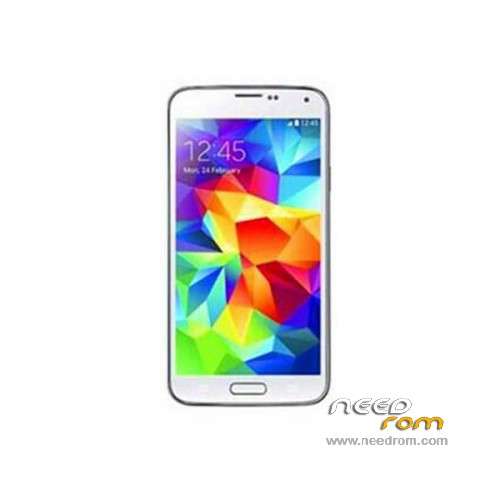
- Title: HDC Galaxy S5 SM-G900F
- Listed: January, 2015
- Last modified: 01/16/2015 6:56 pm
- Version: ROM Android 4.4.2(4.2.2)
You must be logged for ROM download.
45501 total views, 2 today
17 Total favorites
 Member Info
DESCRIPTION
ROM Mobile HDC Galaxy S5 SM-G900F – ROM Android 4.4.2(4.2.2)
ONLY MT6582
Config HDC : MT6582 + 1G Ram + 4G Rom
Official ROM HDC Galaxy S5 SM-G900F version: KOT49H.G900FKSU1ANCE – S105_XLSF_G900F – SM-G900F_V04 – ALPS.JB5.MP.V1.13
For this config: ( Fake )
KERNEL: Linux version 3.4.5 (dpi@SWDD5708) (gcc version 4.6.x-google 20120106 (prerelease) (GCC) ) #1 SMP PREEMPT Tue Oct 28 16:51:34 CST 2014
CODENAME: REL
Mainboard: MSM8974
BRAND: sams***
CPU_ABI: armeabi-v7a
CPU_ABI2: armeabi
DEVICE: klteskt
DISPLAY: KOT49H.G900FKSU1AND3
FINGERPRINT: alps/zx82/zx82:4.4.2/JDQ39/1414486347:user/test-keys
HARDWARE: Qualcomm MSM 8974 (Flattened Device Tree)
ID: KOT49H.G900FKSU1ANCE
TAGS: test-keys
Gapps include - No Rooted
Language support : Multilang
Install ROM :
- Unpack FlashTools, and Click on Flash_tool.exe
- Select a the MT6582_Android_scatter.txt in ROM
- Wait file to be added into Flash Tool
- choose Option->USB Model,click USB Model
–> Choose Option->DA DownLoad All->Speed->High Speed, click High Speed
- Turn off your phone, remove the battery.
- "Press F9 (hit Download button)" OR " if upgrade ROM Firmware->Upgrade "
- and connect your phone into the computer via USB data cable.
- The process will start and a red progress bar will appear after color purple, yellow.
- And green circles display
- Finish !
- You can now safely disconnect your phone and turn it on.
※Please make a backup of your device before installing or updating ROM
Return boot logo. Call * # 0075 #
Good…. but the batery is fast ending
after installation it will not start the not the recovery device, someone help?
need help please
install link2sd and delete all chinese app (specially one is called jingbanglord or something like that) only.
Look the framework google services version of your phone (xxxxx-38 by example) since parameters -> application -> all.
Delete google framework services and update framework services google with the same extension version (xxxx-38 by example). You'll see a tremendous difference with battery life
do you know what rom working s5 for code *#364015# HP S5