
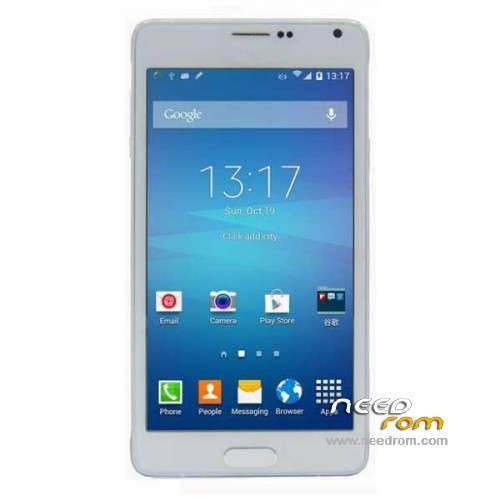
- Title: HDC/1:1 Note 4 SM-N910F KK
- Listed: December, 2014
- Last modified: 07/13/2015 1:20 am
- Version: ROM Android 4.4.4
You must be logged for ROM download.
74822 total views, 7 today
31 Total favorites
 Member Info
DESCRIPTION
ROM Mobiles HDC/1:1 Note 4 SM-N910F – ROM Android 4.4.4
ONLY MT6582
Config HDC : MT6582 + 1G Ram + 8G Rom + 1280×720 + Single sim
Update ROM 1 – Official ROM HDC and 1:1 Note 4 SM-N910F version: KTU84P.N9100ZCU1ANIF – I9228_I968_A.A-V8.0_0418 – ALPS.KK1.MP1.V2.10
—————————————————————————————————————————————————————————————————————-
ROM 2 - Official ROM HDC and 1:1 Note 4 SM-N910F version: KTU84P.N9100ZCU1ANIF – I9228_I968_A.A.A-V5.3_0128 – ALPS.KK1.MP1.V2.10
I don't know if the ROM is a update for A.A or this version is for Dual sim. Sorry
—————————————————————————————————————————————————————————————————————-
ROM 1 – Official ROM HDC and 1:1 Note 4 SM-N910F version: KTU84P.N9100ZCU1ANIF – I9228_I968_A.A-V2.1_1216 – ALPS.KK1.MP1.V2.10
Gapps include - No Rooted
Language support : Multilang
Install ROM :
- Unpack FlashTools, and Click on Flash_tool.exe
- Select a the MT6582_Android_scatter.txt in ROM
- Wait file to be added into Flash Tool
- choose Option->USB Model,click USB Model
–> Choose Option->DA DownLoad All->Speed->High Speed, click High Speed
- Turn off your phone, remove the battery.
- "Press F9 (hit Download button)" OR " if upgrade ROM Firmware->Upgrade "
- and connect your phone into the computer via USB data cable.
- The process will start and a red progress bar will appear after color purple, yellow.
- And green circles display
- Finish !
- You can now safely disconnect your phone and turn it on.
※Please make a backup of your device before installing or updating ROM
the guys who set himself the firmware? what is your LCD driver
Okay so I just got the note 4 1:1 single sim, I was having trouble with the wifi staying connected, so i figured I would try the AAA update it was released a couple days after the rom that was on my phone, so far it seems to have corrected that, so I am pretty sure it works better than the one the phone shipped with.
The A.A.A. ROM is for the single sim clone it also does fix the WiFi issue with dropping after a few minutes, I have used it all day since installing and it has performed well. Good luck.
difference from AA and AAA ??? PLEASE
there is another rom for this device same as the rom for mtk6592 plzzzzzzzzzzzzzzzz any one try get it
This rom is for the MTK 6592 phone that is really a 6582 phone, my phone shows an octacore processor but the reality is that is only a quadcore, the other problem with the listing with the qualcom processor listed is that you can't use the twrp building tool because the check it does shows a qualcom processor making it not work, I have had both the AA and the AAA roms on my phone, other than helping my issue with the wifi dropping i see no difference between the 2 roms at least aesthetically.
there is a real mtk6592 and the rom alittle bit differant specially in setting
i can send u some photos to it if u dont mind
check this vedio for mayiandjay its for the real mtk6592
https://www.youtube.com/watch?.....v=HM_UwUebHnI
and this is s vedio for mtk6582 have same rom
https://www.youtube.com/watch?.....v=fgBonpBu5FY
check the rom u will see differant specially in setting have more options
i hope to get this rom
its for mtk6582 not mtk6592 the rom in mtk6592 is a little bit differance
and yes no change between the rom AA AND AAA
Funktioniert ausgezeichnet.
J.H.
In this terminal work sviewcover?
difference from AA and AAA ???
I need to make the button on the S-PEN work can you help me SoCr@Te?