
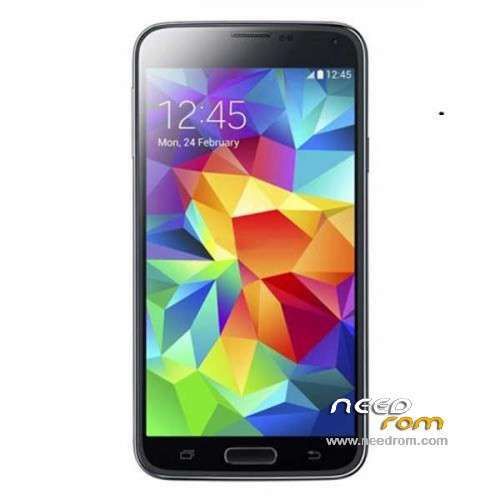
- Title: HDC/1:1 S5 G900H
- Listed: June, 2014
- Last modified: 07/13/2014 5:20 pm
- Version: ROM Android 4.4.2 (4.2.2)
You must be logged for ROM download.
66799 total views, 4 today
4 Total favorites
 Member Info
DESCRIPTION
ROM Mobiles HDC/1:1 S5 G900H – ROM Android 4.4.2 (4.2.2)
ONLY MT6592
Config HDC :
MT6592
1GB (system show 2GB RAM)
8GB (system show 16GB rom or 32GB rom)
1280*720 pixels HD screen (system show 1920*1080pixel FHD screen)
Single sim
———————————————————————————————————————————————————————
Update Official ROM HDC and 1:1 S5 G900H version: JDQ39.G9008VZCUBMHJ – I9208.HD.02.05.A.A-V1.8-0607 – SM-G900H
———————————————————————————————————————————————————————
Update Official ROM HDC and 1:1 S5 G900H version: JDQ39.G9008VZCUBMHJ – I9208.HD.02.05.A.A-V1.6-0529 – SM-G900H
———————————————————————————————————————————————————————
Official ROM HDC and 1:1 S5 G900H version: JDQ39.G9008VZCUBMHJ – I9208.HD.02.05.A.A-V0.9-0516 – SM-G900H
Gapps include - No Rooted
Language support : Multilang
Install ROM :
- Unpack FlashTools, and Click on Flash_tool.exe
- Select a the MT6592_Android_scatter_emmc.txt in ROM
- Wait file to be added into Flash Tool
- choose Option->USB Model,click USB Model
–> Choose Option->DA DownLoad All->Speed->High Speed, click High Speed
- Turn off your phone, remove the battery.
- "Press F9 (hit Download button)" OR " if upgrade ROM Firmware->Upgrade "
- and connect your phone into the computer via USB data cable.
- The process will start and a red progress bar will appear after color purple, yellow.
- And green circles display
- Finish !
- You can now safely disconnect your phone and turn it on.
※Please make a backup of your device before installing or updating ROM
Error:Initializing scatter file failed.please check the name of scatter file which you load is legal
the main camera can't be set to more than 6MP (with standatd camera app)
do you also have this problem?
1.6 & 1.8 ROM testing:
BAD: It goes on and off the screen from lock screen, flashing taskbar, insensitive to the touchscreen, unpredictable intervals and you will restart, sms backup dismantled several parts of the conversations, no intensifying ringtone and wakeup, no 180° screen orientation, slow and uncertain wifi,
GOOD: Long batterie life, fast gps,
The biggest problem with the display driver, because they often do not let you pick up/wake up the phone.
I bought a HDC s5 G900H I have problems of instability
Android version 4.4.2
Baseband version: MOLY.WR8W1315.MD.WG.MP.V21.2014 / 01/21
VERSION kernel: 3.4.5-447903 se.infra@sep-jun 92#1sat 7 15:4345 CST 2014
NUMBER build JDQ39.G9008VZCUBMHJ
Can I use your version or is equal to mine?
boots and works for, but the touchscreen doesnt work:
Hardware : MT6592 (Qualcomm is Fake!)
Model : SM-G900H
Build number : JDQ39.G9008VZCUBMHJ
Build date UTC : 20140618-061841
Android v : 4.4.2
Baseband v: MOLY.WR8.W1315.MD.WG.MP.V21, 2014/01/21 11:06
Kernel v : 3.4.5-447903 (se.infra@SEP-92) (gcc version 4.6.x-google 20120106 (prerelease) (GCC) ) #1 SMP Wed Jun 18 14:13:40 CST 2014
Uboot build v : —–
LCD Driver IC : 1-otm1283a_hd_boe_dsi_cmd
where can I find this information: LCD should be: 1-otm1283a_hd_dsi_cmd
Ho comprato un HDC s5 G900H ho problemi di instabilità
Android versione 4.4.2
Baseband version: MOLY.WR8W1315.MD.WG.MP.V21.2014 / 21/1
kernel VERSIONE: 3.4.5-447903 se.infra@sep- giugno 92 # 1sat 7 15: 4345 CST 2014
NUMERO costruire JDQ39.G9008VZCUBMHJ
Posso utilizzare la versione o è uguale al mio?
where can I find this information : LCD Driver IC: 1-otm1283a_hd_boe_dsi_cmd
I think you can see the program MTKdroidTools.
All Ok, i flash with flash tools and all rigth.
thank you .
Hope to see more updates here.
para el s5 clon modelo sm-g900h este es 100% confiable???? soy de chile
I've tried a lot of firmware (stock, 0.9, 1.6, 1.8, etc), but each produces the same errors:
You do not want someone with a good custom rom to put together?