
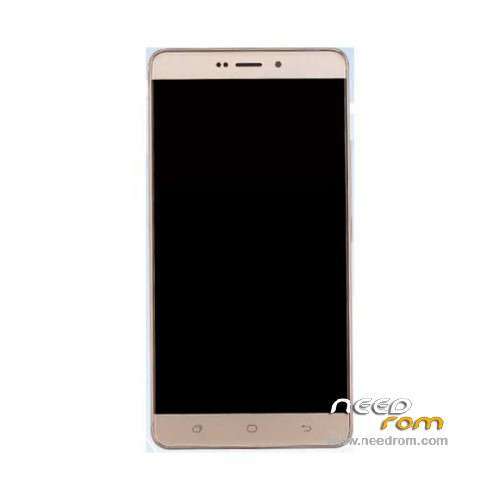
- Title: Hisense E76
- Listed: May, 2016
- Last modified: 05/18/2022 8:18 am
- Version: ROM Android 6.0
You must be logged for ROM download.
16630 total views, 1 today
1 Total favorites
 Member Info
DESCRIPTION
ROM Mobile Hisense E76 - ROM Android 6.0
ONLY MSM8937
ROM 4 – Official Hisense E76 Version: Hisense-E76E.22-B5532_L1267.6.01.04.DE00_TFDownload_201609101200 – OTA
Not compatible with ROM 1, ROM 2, ROM 3
————————————————————————————————————————————————————-
ROM 3 – Official Hisense E76 Version: Hisense-E76E_L1267.4.01.05.DE00_201607130036
————————————————————————————————————————————————————-
ROM 1 – Update Official Hisense E76 Version: Hisense-E76_L1233.6.10.00.00_201612202339
Not compatible with ROM 2
————————————————————————————————————————————————————-
ROM 1 – Update Official Hisense E76 Version: Hisense-E76_L1233.6.05.04.00_201608111513
Not compatible with ROM 2
————————————————————————————————————————————————————-
ROM 1 – Update Official Hisense E76 Version: Hisense-E76_L1233.6.03.01.00_201607022016
Not compatible with ROM 2
————————————————————————————————————————————————————-
ROM 2 – Update Official Hisense E76 Version: Hisense-E76E.11_L1268.6.01.05.AE00_201607221921
Not compatible with ROM 1
————————————————————————————————————————————————————-
ROM 2 – Update Official Hisense E76 Version: Hisense-E76E.11_L1268.4.02.02.AE00_201606281706
Not compatible with ROM 1
————————————————————————————————————————————————————-
ROM 2 – Update Official Hisense E76 Version: Hisense-E76E.11_L1268.4.02.01.AE00_201606240725
Not compatible with ROM 1
————————————————————————————————————————————————————-
ROM 2 – Update Official Hisense E76 Version: Hisense-E76E.11_L1268.4.01.01.AE00_201606080957
Not compatible with ROM 1
————————————————————————————————————————————————————-
ROM 2 – Official Hisense E76 Version: Hisense-E76E.11_L1268.4.01.00.AE00_201605311741
Not compatible with ROM 1
————————————————————————————————————————————————————-
ROM 1 – Official Hisense E76 Version: Hisense-E76_L1233.6.01.01.00_201605071239
Gapps include – No Rooted
Language support : Multilang
Install ROM :
1.Connect your phone to PC and let the driver install
2.Install QPST
3.Open QPST Configuration -> Add new port -> Select the com port of your device -> exit
4.Go to Start -> All Programs -> QPST eMMC Software Download open the tool -> Check program boot loaders -> Browse for the device com port
5.Click Load XML def and browse for e76.xml in folder ROM
6.Click Load Patch def and browse for patch0.xml in folder ROM
7.Check the search path 2 and browse for the folder ROM
11.Now click download, wait for the download to finish (it never finish but it also detects for a new driver, and that’s important)
and it will search for the new hardware found, install the driver
※Please make a backup of your device before installing or updating ROM
Dear
i want to get the E76mini file, could you help me how i can get it
thanks in advance
BR
Abdelhak
Did u manage to get hisense E76 mini
L rooted my hisense e76e 11 so now its stuck on logo .but l can access my recovery mode .when trying to install firmware through Sd Card Update option it's saying eFooter & signature verification failed .so what l am supposed to do now