
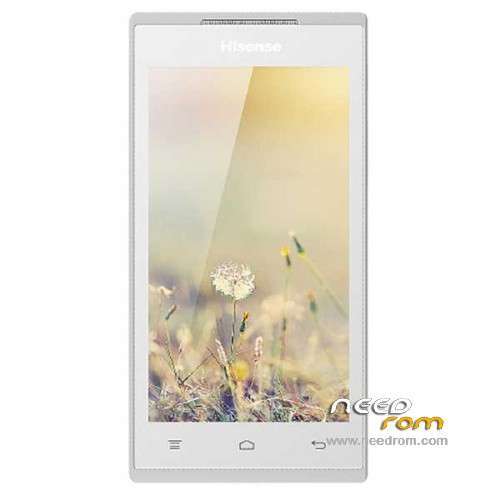
- Title: Hisense U936
- Listed: February, 2014
- Last modified: 02/24/2014 1:58 am
- Version: ROM Android 4.3
You must be logged for ROM download.
23669 total views, N/A today
4 Total favorites
 Member Info
DESCRIPTION
ROM Phone Hisense U936 – ROM Android 4.3
Official ROM Hisense U936 Version: U936_T_2013.11.28-W882.6.01.03.00
No Rooted
Language support : EN/CN
Install ROM :
1 Prepare a TF card ( capacity TF card must be less than or equal to 2G) , first card formatted in FAT format TF
2 unzip the downloaded rom brush , which will be copied to the folder U936 root directory of TF card package
3 confirmed that the battery is greater than 50 %, if the battery is low, please charged
4 TF card into the phone , the battery in the phone. The preparatory work is completed.
1 the phone is off, hold the "Volume + + + VOLUME DOWN button power button" three keys , phone mode upgrade to begin the upgrade .
2 Brush word "OK" after the success
3 simply remove the battery
4 then connect the phone battery , press the power button on the phone to boot. After starting in the phones menu "Settings" – Save and Reset – restore factory settings – Reset phone – all clear content .
5 the phone will automatically restart and recover the state of the factory, the screen saver .
6 success!
※Please make a backup of your device before installing or updating ROM
Thank You …
Thank u
please Explain how to Flash this Rom
Thank you…
thank you very mush
I am using Hisense hs-u609, stock rom & recovery . I treid to change font using “Font Installer” Rom Toolbox app. After restarting phone is now on boot loop. How can i fix this?
Model Number: U609
Android version: 4.3
Hardware: V2.00
Software Version: W981.6.03.09.AE00
Kernel Version: 3.4.0
brother i need official or custom rom for u 609.
is there available?
please help to run google play in hisense hs-u936
Thanks very much…
Please upload hs-u988 firmware. Thanks
I ALSO WANT THE HISENSE HS-U609 OFFICIAL FIRMWARE QUICK FAST SIR PLZZ ITS URGENT