
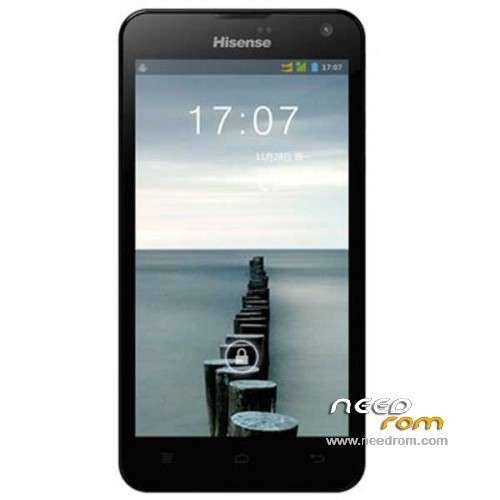
- Title: Hisense U966
- Listed: February, 2014
- Last modified: 02/24/2014 2:55 am
- Version: ROM Android 4.2.2
You must be logged for ROM download.
24430 total views, 1 today
6 Total favorites
 Member Info
DESCRIPTION
ROM Phone Hisense U966 – ROM Android 4.2.2
Official ROM Hisense U966 Version: U966TF-W881.6.01.04.00-201311142027
No Rooted
Language support : EN/CN
Install ROM :
1 Prepare a TF card ( capacity TF card must be less than or equal to 2G) , first card formatted in FAT format TF
2 unzip the downloaded rom brush , which will be copied to the folder U966 root directory of TF card package
3 confirmed that the battery is greater than 50 %, if the battery is low, please charged
4 TF card into the phone , the battery in the phone. The preparatory work is completed.
1 the phone is off, hold the "Volume + + + VOLUME DOWN button power button" three keys , phone mode upgrade to begin the upgrade .
2 Brush word "OK" after the success
3 simply remove the battery
4 then connect the phone battery , press the power button on the phone to boot. After starting in the phones menu "Settings" – Save and Reset – restore factory settings – Reset phone – all clear content .
5 the phone will automatically restart and recover the state of the factory, the screen saver .
6 success!
※Please make a backup of your device before installing or updating ROM
thank u brother
It's not working for me, followed instructions but phone keeps looping and does not go to phone mode upgrade.
Any ideas?
Thanks
Thanks You So Much!
its not working firmware upgrade for me pls help
Friends this not work the alone fichero.zip contains a binary file and this is not worth u966 to change the rom for our hisense a good rom needs I secure this that they have put to you he is a fake in order that he break his telephone
nO FOUND
Ca ne pas de Marche pour moi oussi
NO FOUND,I need help, I have my terminal locked, someone has a rom language I do not care.
please help me after flash with ROM Android 4.2.2 smartphone dead how to repair it
Thanks You So Much!