
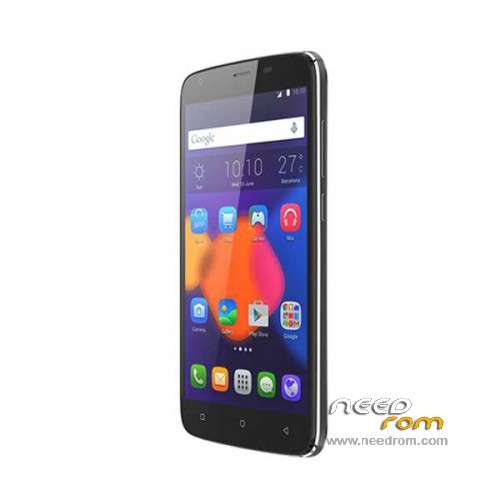
- Title: HomTom T6
- Listed: January, 2016
- Last modified: 02/03/2016 12:13 am
- Version: ROM Android 5.1
You must be logged for ROM download.
18410 total views, 2 today
13 Total favorites
 Member Info
DESCRIPTION
ROM Mobile HomTom T6 – ROM Android 5.1
ONLY MT6735M
Update Official ROM HomTom T6 version: HOMTOM-HT6-Android_5.1-R15-20160130 – full_hct6735m_35gu_l1-user 5.1 LMY47D – t875c-daoge-a33-33fpgu-hd-128g16g-fdd
———————————————————————————————————————————————————————————
Update Official ROM HomTom T6 version: HOMTOM-HT6-Android_5.1-R14-20160114 – full_hct6735m_35gu_l1-user 5.1 LMY47D – t875c-daoge-a33-33fpgu-hd-128g16g-fdd
———————————————————————————————————————————————————————————
Update Official ROM HomTom T6 version: HOMTOM-HT6-Android_5.1-R13-20160109 – full_hct6735m_35gu_l1-user 5.1 LMY47D – t875c-daoge-a33-33fpgu-hd-128g16g-fdd
———————————————————————————————————————————————————————————
Official ROM HomTom T6 version: HOMTOM-HT6-Android_5.1-R12-20151222 – full_hct6735m_35gu_l1-user 5.1 LMY47D – t875c-daoge-a33-33fpgu-hd-128g16g-fdd
Gapps include – No Rooted
Language support: Multilang
Install ROM:
Install with SP MDT:
1). Turn off the smartphone. Cable is not connected to the computer.
2). Remove the battery and insert it again
3). Connect your phone to a computer cable. The operating system detects a new device
4). Disconnect the cable from the computer.
5). Run SPMultiPortFlashDownloadProject.exe
6). Choose File> Open File Agent download and specify the file MTK_AllInOneDA.bin (it is in the folder SP_MDT).
7). Click Scatter File and select the MT6735M_Android_scatter.txt file (it's in the folder with the rom).
8). Click "Start all".
9). Connect your phone to a computer cable. The program should see and blink. If the phone is not detected, then unplug it from the computer,
remove and insert the battery (if the battery is removable) and reconnect it to the computer.
10). After (OK) click Stop and disable any phone.
11). Completed.
※Please make a backup of your device before installing or updating ROM
looking forward for custom roms ..
Ιs there any improvment with this ROM?
hi, i accidentally install wrong rom on ht6, then install stock rom but digitizer doesnt work , could you help me please about this problem, thanks a lot
solution is here for who faces this problem
http://forum.xda-developers.co.....t3296277/page12
me sale :
Warning: Maybe error as follows:
(1)COM ports number repetitive or invalid
(2)Brom and preloader have the same comport number!
Please modify them in INI file or scan again
Hi – I get the same error. Did you fix it, what did you do?
Thank you.
Guys those roms are multilenguage?
Ok i just seen it, sorry xD
Latest R17: https://drive.google.com/file/.....mpmWEFBVjg/view
R17 reupload : https://yadi.sk/d/4AOdC_9hv3tt.....R
the link is now working
will it work for DOOGEE T6 ?
under test
i’ll give you the news
stay tuned
have you get the answer?
thank you very mutch
intest
ill give you the news
stay tuned