
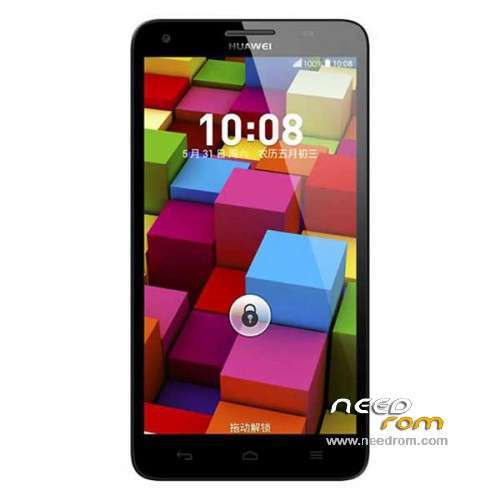
- Title: Honor 3X PRO
- Listed: June, 2014
- Last modified: 12/13/2014 2:45 am
- Version: ROM Android 4.2.2
You must be logged for ROM download.
25729 total views, 2 today
 Member Info
DESCRIPTION
ROM HUAWEI Honor 3X PRO – ROM Android 4.2.2
ONLY MT6592
Update Official ROM Honor 3X PRO Mobile version: G750-T20 V100R001CHNC00B120 – TD-SDCMA
Changelog:
Solution HOTA upgrade process, the small probability HOTA problems can not be upgraded to upgrade the system running in the background
———————————————————————————————————————————————
Official ROM Honor 3X PRO Mobile version: G750-T20 V100R001CHNC00B116 – TD-SDCMA
Google services&login include – No Rooted
Language support: EN/CN
ROM install :
Step one: Prepare an SD card, it is recommended to use Sandisk, Kingstone, or Kingmax, size is recommended that more than 1G.
Step Two: Formatting SD card (optional).
The step three: copy a large package path UPDATA.APP to the SD card dload UPDATA.APP.
Step four: Check the root directory of the SD card you dload UPDATA.APP.
Step 5: SD card into the phone is switched on in the main screen, press the Menu key, the system updates -> SD card upgrade -> confirm -> upgrade, backup data, select the backup data; upgrade.
Step Six: The upgrade process progress bar shows after the finish of the pending progress bar, the phone automatically restart.
or
Step one: Prepare an SD card, it is recommended to use Sandisk, Kingstone, or Kingmax, size is recommended that more than 1G.
Step Two: Formatting SD card (optional).
The step three: copy a large package path UPDATA.APP to the SD card dload UPDATA.APP.
Step four: Check the root directory of the SD card you dload UPDATA.APP.
Step Four: cell phone turned off, insert the SD card, while pressing the volume up button + volume down key switch button, the phone automatically enters the upgrade mode, and then begin the upgrade in Figure
Step Five: After the progress bar to go full fixed, the phone will automatically restart If you do not manually remove the battery.
※Please make a backup of your device before installing or updating ROM
is it possible install this rom (PRO) on H3X g750-t00 no PRO?
How to get root on this device?
hello, i have deleted everything using built in Team Win Recovery in my huawei honor 3x
now the system says no os installed and i am unable to install update.app through install menu in recovery, phone is stuck on huawei logo, please help me which rom i have to install ?
Hello there,
I took my business trip in China to buy a phone on the spot, my brief was simple: A Dual Sim Android Smartphone in French.
The seller sold me a Huawei G750-T01, I was very happy to me to realize that the second SIM slot was not usable in europe …
So I bought a G750T20 unfortunately I realized after purchasing it was only in Chinese / English. (I thought that Android 4 was automatically multilingual)
Anyway as I want to root it to install Google, do somebody know if there is a French ROM, otherwise can you install a ROM of a T00 or download and install it on my T01?
Thank you for your help.
hi there is a app in play store for that the simbol is a world i installed pick the lenguage a needed and done it work right now i dont remember the name
is it for Telsda T6618???please help me
Does anyone know if this ROM might work without problems in the Huawei Honor 3 Outdoor (or also known as HN3-U01)?
Thanks
Really is ONLY for TD-SDCMA?? I know exist ONE G750-T20 that is TD-SDCMA AND WSDCMA. I have this but i have a B916 version that i do not find over the net. SO i decided to install this official ROM but that info blocked me. Anyone have installed this ROM?? feedbak?? thanks
I didnt notice that it is only for TD-SDCMA.I installed it and now i have a HUGE problem because my 3g network is not working any more…
Besides that,i cant downgrade to a 4.2.2 rom through the ''local download'' button,a message ''fail'' pops up every time i am truying to do the downgrade procedure.
I am searching everywhere for a Kitkat version for WSCDMA version but nothing…If somebody could help me i would be very grateful…At least how to back to 4.2.2…….
Thank you…
I already update to 4.4.2 but can not root, so I want to roll back 4.2.2 but cant do like we upgrade because it is notice fail.
Any one can write the tutorial for that,
Thank you
please help! I want to return to 4.2.2 from 4.4.2. How do I yapcag? How do I return or emutio emutio 2.3 from 2.0?
Dear team0240,
We can rollback to from Emui 2.3 to 2.0 event from 3.0
We should have file update.app for rollback, I will upload those files and give you an tutorial late.
Thank you very much. Can you hurry up a bit? a kind of do not return. Waiting happy to hear from you.
Follow intruction:
You should have:
1. File rollback from Emui 3.0: http://1drv.ms/1vkhkf9
2. Rollback 3.0-2.3: http://1drv.ms/1vkhvXG
3. Back from 2.3-2.0: http://1drv.ms/1yMwgaF
4. Rom Emui 2.0 lastest is B120
You copy file update.app to folder dload in SD card (if you dont have just create it). Do update 3 time from file 1 – 3 like instruction be low, update again with Emui 2.0 ver B120.
1. Disconnect the phone with a computer or other device (such as a charger) connections, and shut down.
2. Press and hold the volume up and down keys, then press the power button.
3. boot screen came out, release the Power button and continue holding down the volume down key until the following screen and then release the upgrade volume up and down keys. The upgrade process takes about three minutes. During the upgrade process, please do not remove the battery, we recommend that you should not do anything, just wait.
If you dont want do that you can use update local in setting or use Hisuite to load rom from 1-3.
Note: Must update from file 1 -3 after that update again with Emui 2.0 B120