DESCRIPTION
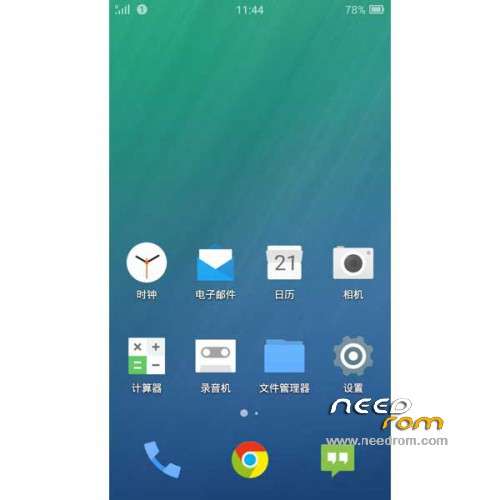
ROM Mobile Honor 6 H60-L02/L04 – ROM Android 4.4.4
Features ROM:
BETA
Update FIUI version : 2.26.0 Unicom – FIUI is based on CM11
| Changelog |
SelectShow |
1. Optimize fantasy status bar color picker mechanism, in part to avoid the application interface to pick the wrong color
2. The status bar color fantasy again accelerate speed
3. Because the new poor experience feedback before restored version of the color animation mechanism
4. The repair can not be replaced after installing third-party plug-in software lock screen wallpaper problems
5. Repair albums FC problem caused by blocking the main thread IO
6. After the repair uninstaller Toast position on the issue of partial
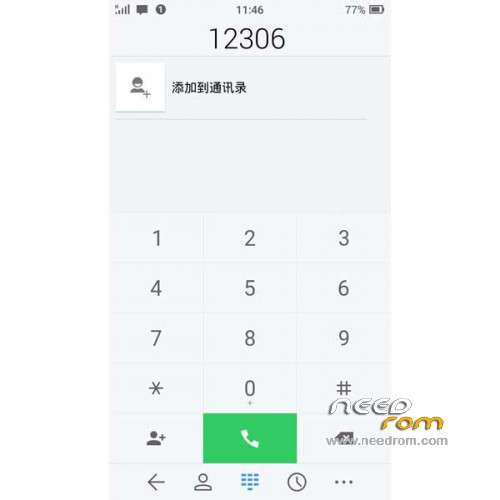
7. optimization dial the initial screen action bar background color
8. Add a contact interface optimized UI list
9. Update Google GmsCore, update Google music player and remove the error notification
|
———————————————————————————————————————————————
Update FIUI version : 2.17.0 Unicom – FIUI is based on CM11
| Changelog |
SelectShow |
1. Repair mi2c / mi2sc unknown caller questions
2. No signal problem Fix mi2c / mi2sc restart
3. Repair virtual key phone system without problems after entering the virtual keys
4. Fix the virtual button on the phone are not free to close and open the navigation bar problem
5. Repair Amazon shopping software status bar color wrong question
6. Optimized 720p status bar icons drawn 3G
7. Draw icon resource optimization of the framework (OTG icons, icons and so hot)
8. Call settings optimized interface and two draws, such as call forwarding icon
9. Update chrome
10. Update the google camera
|
———————————————————————————————————————————————
Update FIUI version : 2.16.0 Unicom – FIUI is based on CM11
| Changelog |
SelectShow |
1. Virtual buttons hidden phone display, any course required for the first time turned themselves checked.
2. Set – Accessibility – button – enable the screen on the navigation bar, the default is not checked and the cut is not displayed.
Virtual button on the phone for the first time need to manually check the boot time
3. Reduce the screen when you put out the new CPU frequency function (Settings – Accessibility – Performance -
put out the screen while reducing CPU frequency), off by default, N4 and some models do not support
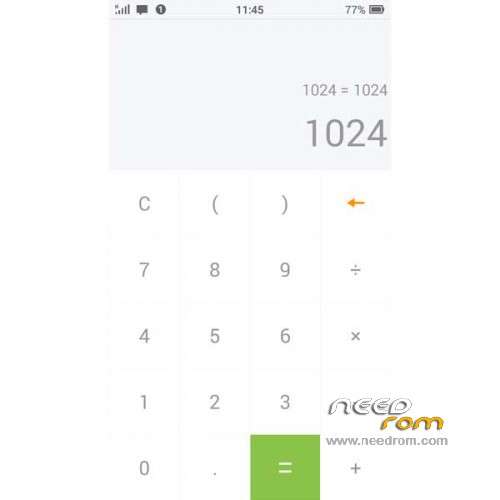
4. Fix the problem and enter the decimal calculator font size problem
5. SystemUI FC fixes a problem caused by the conflict framework
6. power optimization test group put out one night standby screen when no pressure consume 1-3%
7. optimize virtual screen phone is switched on after the key lock screen to show / hide the navigation bar speed
8. Optimized MI3 / MI4 sensor response
9. SystemUI code optimization logic
10. The police code optimization logic
11. The part of the code logic optimization framework
12. Update Google Store
|
———————————————————————————————————————————————
Update FIUI version : 2.13.0 Unicom – FIUI is based on CM11
| Changelog |
SelectShow |
1. Added settings – Accessibility – within the key switch off and on the display of the navigation bar, the testing phase, only the entity key phone to join
2. Do not get wake lock individual system applications, standby power significantly
3. Repair closed digital battery status bar is still open after the restart problem
4. After the repair speed display always show two decimal zero problems
5. Repair sms dialog interface, click on the menu – Add to Address Book, flashed no interface problems Jump
6. Status bar code optimization fantasy, horizontal screen and reduce power consumption when the information screen
7. optimization fantasy status bar part discordant color applications, such as next door, ES File Manager
8. Status Bar gradient optimization fantasy animation
9. Optimized Desktop Icon 30 about the finer
10. Click on the notification bar operators to enter engineering mode switching network standard interface, reducing enter * # * # 4636 # * # * trouble operating
11. Update the Google store, Google Music, Chrome
12. In order to reduce the size of the ROM package, remove the chrome of integrated MI4
13. Removal error notification display Google Music
14. Developers CM11 new desktop icon theme configuration functions (build.prop add fiui.debug = 1, adb logcat output will be able to replicate the desktop ICON theme code)
|
———————————————————————————————————————————————
Update FIUI version : 2.12.0 Unicom – FIUI is based on CM11
| Changelog |
SelectShow |
1. Add a ringing mode switching notification bar shortcuts (in tones, ringing, vibration, silent switch four options)
2. Notify the storage is no longer stored versions IMPORTANT NOTICE QQ, micro letter, QQ-mail, etc., and replace the program status bar icon for fiui version
3. Remove the SMS dialog minimum height limit
4. correction system is not networked, google login screen click on the "available" to enter the wifi interface, removing the excess return of the title bar buttons and switches, and correct title text centered
5. fixed USB debugging popups white style
6. Fixed quick reply popups background color is white style
7. fixed SMS avatar click event: When a contact exists, click on the picture to enter contact details, time does not exist, click into the Add to Contacts interface
8. Roll repair status bar notification icon (tickerIcon) to follow the status bar discoloration bug
9. The process of restoration of killing program, may have to refresh the memory is not a problem
10. Fixing SMS main screen letters man occlusion date when the number is too long
11. Click on the notification bar repair stopwatch reset button cause problems FC
12. Repair Quick Reply text input can not see the problem
13. Update the SMS part of the resources
14. SystemUI IO optimization reduce the burden and enhance the performance of fantasy status bar
15. The screen turns off when the power optimization, reducing the cpu strength, stop fantasy status bar and other functions work, greatly enhanced endurance
16. Update Google store, chrome
|
———————————————————————————————————————————————
FIUI version : 2.10.0 Unicom – FIUI is based on CM11
Bugs ( No FM Radio - Does not support infrared remote control )
Gapps not include – No Rooted
Language support: Multilang
ROM install :
CWM
Step 1: Download the custom ROM copied to an external SD card root directory
Step 2: the shutdown state. While holding down:
– Power button + volume button up, to enter the recovery mode.
– Wipe Data / Factory Reset -> delete all user data
– Wipe Cache Partition -> Wipe cache
Step 3: Return to recovery main interface Install zip from sdcard -> choose zip from sdcard -> Select your ROM
Step 4: Brush complete, restart the phone Patience required – first boot takes a while
※Please make a backup of your device before installing or updating ROM


 Member Info
Why does it say that for L02, if not the second SIM card ????
See the impotant note on the rom? "Custom" means not official. It is for L02 but the Dual sim option is not available.
http://forum.xda-developers.co.....m/honor-6
On the XDA link you will find more details about the rom.
Good luck!