
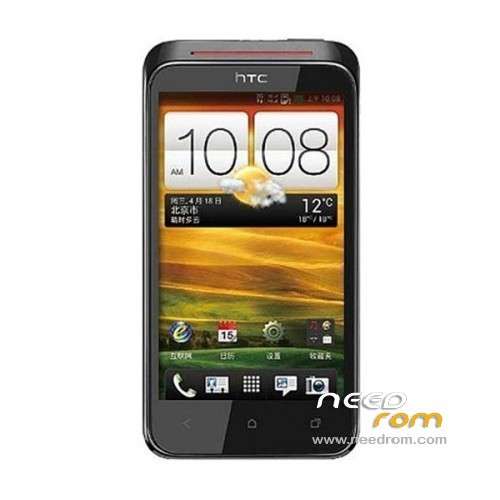
- Title: HTC Desire VC
- Listed: March, 2013
- Last modified: 03/17/2013 12:55 am
- Version: ROM Android 4.0.3
You must be logged for ROM download.
23239 total views, 1 today
4 Total favorites
 Member Info
DESCRIPTION
ROM Mobile HTC Desire VC T328D – ROM Android 4.0.3
Suitable models: HTC T328d
ROM Author: XX
ROM size: 212.98 MB
Android version: 4.0.3
Features ROM:
1. Production based on the official package 1.23.1401.2 version! !
2. Thoroughly ROOT made super privileges, install busybox command set.
3. The Integrated Speaking Chinese RE2.19 file manager, playing machines essential; default to open USB adjustment mode (need to brush into the BOOT).
4. Full ODEX optimized to reduce the memory footprint and boot accelerated speed. (ODEX separation optimization, DEODEX merger)
5. completely streamline removal of garbage or does not comply with the routine use of the procedure! ! !
6. Deleted the HTC comes so on components to reduce networking and memory on occupied. ! !
7. Replace the boot animation ONE series animation, delete the startup sound! !
8. Delete standby mode charging, charging picture is displayed. ! !
9. Delete own input method, replacing Sogou input method, do not like the oil, the other input methods installed, uninstall can be.
10. Optimization wallpapers, pictures optimized compression to speed up the loading speed.
11 reserved two themes, contingent interface not monotonous! !
12 reserved own weather, and fix the beta version, you can not locate the problem. Do not like to be able to install their own.
13. Delete Google Services Framework, representing your memory. Google services can brush the complete GMS patch can!
14. Integrated incoming call support dual card come and go electric attribution to display, traffic monitoring, blacklist and more, do not like to directly uninstall.
15. Strengthen the system memory and power optimization, specific content does not go into detail, see the effect after the experience.
Language support: Multi Lang
Install ROM:
1) phone open Settings → power behind the check canceled → Quick Start
2) Turn off the phone> press and hold the volume "-" key, and then press the power button to enter HBOOT
3) phone into HBOOT mode, click the "power button" phone into FASTBOOT, connect the USB
4) Then click on the "HTC.Bat" brush into recovery
See HTC T328D brush Recovery is so simple and easy steps, you can make to HTC T328D Recovery!
※Please make a backup of your device before installing or updating ROM
thank youuuu
وين ربط التحميل
all components working??? including wifi?
this rom not work wifi
Esta rom sirve para htc desire c???
This ROM is for htc desire c ???
no… WIFI not work…. bluetooth also…