
- Title: HTC ONE M7 4.4 SlimKat
- Listed: February, 2014
- Last modified: 04/04/2014 2:58 am
- Version: ROM Android 4.4.2
You must be logged for ROM download.
20905 total views, 2 today
6 Total favorites

 Member Info
DESCRIPTION
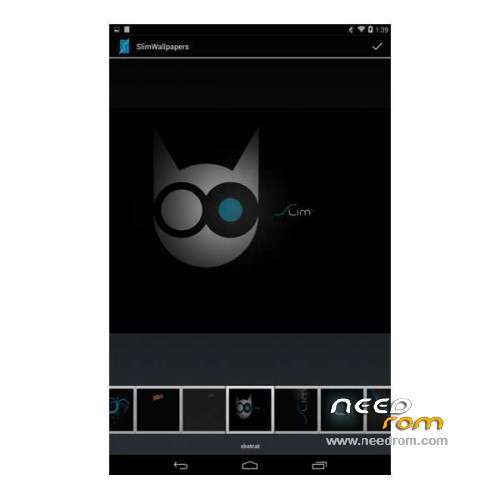
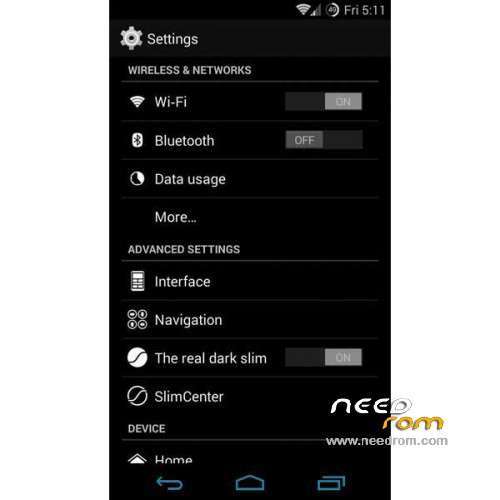
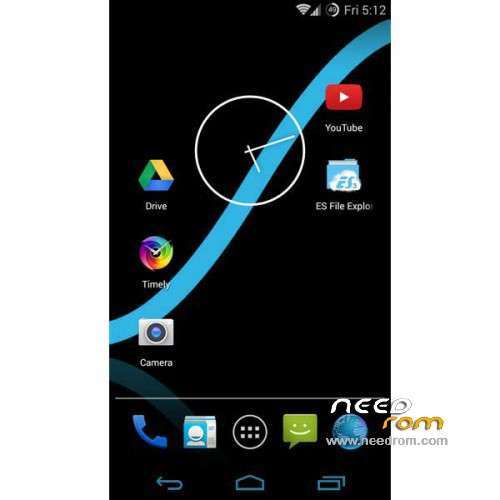
ROM Mobile HTC ONE M7 – ROM Android 4.4.2 SlimKat
Update SlimKat Version Stable Build 4. SLIM – 03/31/2014
Changelog:
-Framework: Fix LTE tile
-Framework: SlimPie: turn on HA on highEndGfx devices
-Framework: Add Landscape layout for ECA
-Framework: Add support for QC's time_daemon
-Framework: SystemUI: Remove broadcast from QH toggles
-Settings: QuierHours service: call with qualified user and introduce controller
-Settings: Fix possible illegal argument exception
-Camera2: if camera HAL does not return valid picture formats do not show wrong values.
-Device specific: several fixes and upstream. See attached changelog on the device download
————————————————————————————————————————————————-
Version Stable Build 3. SLIM – 02/16/2014
Features ROM:
-Frameworks: EdgeGestureService give abbility to reduce the left and right trigger site on IME keyboard
-Frameworks: SlimPie give user ability to reduce trigger heights if IME is active
-Frameworks: TRDS fix possible UI freeze on auto mode change
-Frameworks: Respect and handle shorcut custom icon resources
-Frameworks: Add support for QC's time_daemon
-Frameworks: fix sdk build
-Frameworks: Keyguard: Ensure that a widget and page is attached before attaching the ChallengeLayout.OnBouncerStateChangedListener
-Frameworks: Revert "Make sure to turn off led after pulse()"
-Bootable recovery: Load RTC offset on Qualcomm Krait chips, fixes the broken time & date
-Dialer: Add WhitePages Canada reverse lookup provider
-WhitePages API: Only reload page if the first load has the UUID for the cookie
-Telephony: fix reverese lookup gms logic detection
-General: Again a lot translation updates. Tons of new translations will follow soon (italian and german eg)
-General: A lot small fixes
-Device specific: Again a lot small fixes and upstream. For device specific changes see the attached changelog in the download folder of your device
-Gapps: Update to latest google apps
-Gapps: PlayStore and YouTube TRDS compatibility
ROM Install:
Step 1: First of all download Android 4.4.2 ROM SlimKat for HTC One M7 and Google Apps Slim_minimal_gapps.4.4.2.build.3.zip
Step 2: Now, connect your HTC One M7 to PC using USB cable and then mount your storage first.
Step 3: Once you manage access f your phone SD card content from your computer, copy downloaded zip files to the SD card of your phone. Important: Don’t extract any file.
Step 4: Once you finish file transfer procedure, disconnect USB and then turn off your phone.
Step 5: Switch off the phone. Boot your phone in bootloader mode. To do so, hold the Volume Down button while powering on the phone. In bootloader mode use the Volume Up and Down arrow buttons to change the highlighted option and the Power button to select an option. Find and select Recovery Mode. [in recovery use volume buttons to scroll and Power button to select].
Step 6: As we mentioned earlier, it’s important to perform a Nandroid backup of your existing ROM that you can restore later if this new ROM not work or you want to go back. To perform a Nandroid backup, select Backup and Restore, then on the next screen, select Backup again. Go back to main recovery menu after backup process done.
Step 7: It’s time to perform some wiping task to eliminate clash between new ROM and previous ROM. To do so, first select wipe data/factory reset, then select Yes on next screen to confirm your action. Wait few minutes till the data wiping process done. Now come back to CWM recovery main menu. Select wipe cache partition and after wiping cache partition process completed, select Wipe Dalvik Cache under advance option to perform Dalvik cache wiping. When all done, it’s safe to move into next step.
Step 8: Select install zip from sdcard, then select choose zip from sdcard. Now, locate the 8581-slim-m7ul-4-4-2-build-3-official-3048.zip file that you copied earlier in Step 3 and select it by pressing Power button. Confirm installation on next screen and soon the ROM installation procedure start.
Step 9: Once the ROM installation process end, repeat the step 8 but choose Slim_minimal_gapps.4.4.2.build.3.zip file instead of ROM zip to install the Google apps package.
Step 10: When all done, you should go back to the main recovery menu and select reboot system now to reboot the smartphone. The phone will then boot into this new ROM, however you should note the first boot usually take time usually about 5 minutes.
Returning to Previous ROM: To go back to your previous ROM, boot into recovery, select backup and restore then restore your previous ROM by selecting it from the list.
※Please make a backup of your device before installing or updating ROM
if competible to htc one sc
is this rom compatible with the cubot one??
From where we can download Google Apps Slim_minimal_gapps.4.4.2.build.3.zip
can i use it for htc one dual?
hi, i need rom android 4.2.2 for my old tablet… it`s a SIRAGON TB-5000 could you please help me? thank you so much. mi e-mail: clavikula@hotmail.com