
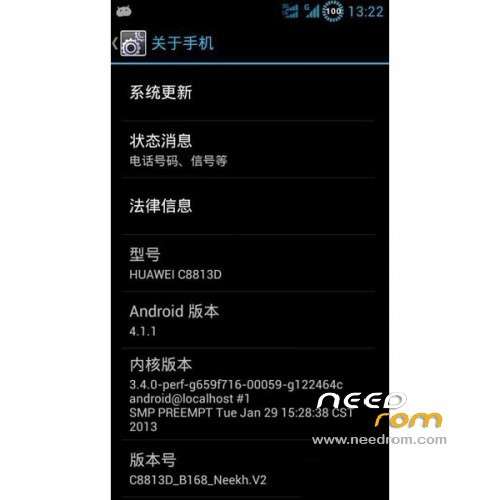
- Title: HUAWEI C8813D
- Listed: March, 2013
- Last modified: 03/18/2013 3:43 pm
- Version: ROM Android 4.1.1
You must be logged for ROM download.
21633 total views, 2 today
 Member Info
DESCRIPTION
ROM Mobile HUAWEI C8813D – ROM Android 4.1.1
ROM features:
- Based on official package B168 version production;
- thoroughly ROOT made ??super privileges, and the support of the Superuser 3.2 and SU 3.2 update;
- the integrated Chinese Version RE2.21 file manager, must-play machine, the default open USB adjustment mode;
- ODEX comprehensive optimization to reduce the data partition, system memory on the occupation and to accelerate boot speed difference between the (ODEX DEODEX, own Baidu);
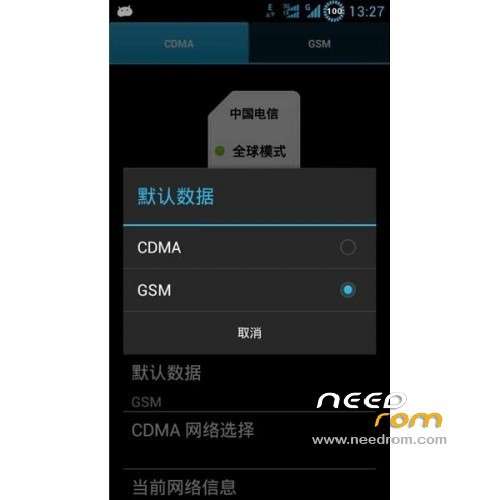
- G network data to support the Internet, to freely switch can be used;
- default add Mobile, China Unicom APN, automatic identification, do not need to be added manually.
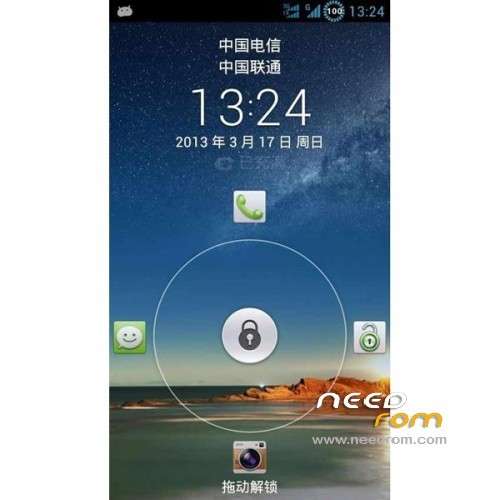
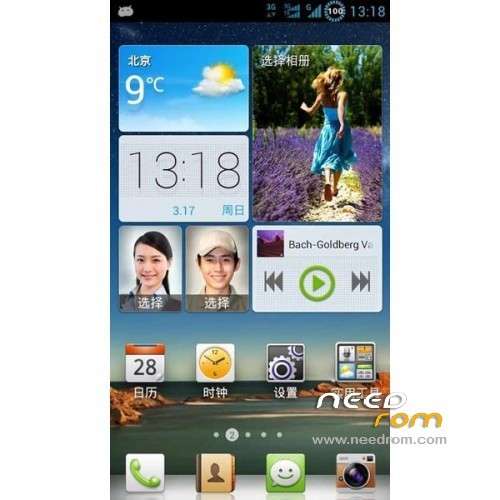
- to join circle percentage of power precision of 1% is more intuitive, and the icon color matching status bar font color;
- Support come and go electric attribution, delete its own security guards;
- replace the boot animation for Huawei daisy animated series, do not like their own replacement;
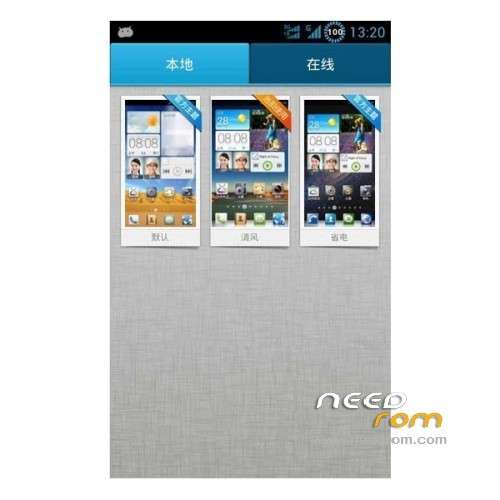
- retained Emotion UI comes with three themes, a variety of options;
- Delete Huawei cloud components, wisdom Cloud, push the program, and so on;
- delete the the the Baidu search program, so the search box on the desktop no longer affect the appearance;
- retain Sogou input method, to remove Huawei input method, Sogou, by default do not like can be installed after the uninstall can;
- reserved the UC browser Oupeng browser, UC use of the crowd, Oupeng compact occupied low; strengths, depends on you like;
- to remove retained Face unlock only say and fun outdoor unlock the failure rate is very high, and the Google framework supports;
- Remove Google services framework and system files, comparative memory, people taste, if you need a Google service pack can brush patch;
- completely streamline carriers built-in software, and also you clean your desktop;
- All programs the Zipalign optimization and downsizing, reducing system partition occupied;
- default time using 24-hour format ";
- default off GPS service;
- off by default "auto-rotation";
- "unknown sources" is checked by default without setting;
- default to open USB adjustment mode;
Language support: Multi lang
ROM install :
1 downloaded zip Brush Pack do not unpack directly put on the SDcard
2 Has been holding down the volume up + power button to turn on the camera, do not release until well into recovery mode
3 Select "Clear all data"
4 Select from the SD card, select the Brush Pack "
5 Re-election "to select the ZIP file from the SD card"
6 to find just downloaded the zip format recognized Brush Pack
7 Confirm Brush start, wait about one minute to complete.
8 return to the first menu system, select "Restart Now" to restart the phone after brushing
9 Brush completed experience of the new ROM.
translation of tool C8813D:
Tools:
(1) This program is only suitable for Huawei C8813 phone, do not use in other models;;
(2) the characteristics of the program, the operation is simple to understand, convenient to reduce the misuse;
(3) has a number of checks to perform unlock perform ROOT, brush into Recovery;;
(4) procedures have been rigorously tested, but in the specific case, does not exclude the individual is not compatible cases;
(5) Brush risk, the operator must be careful! The author does not bear all the consequences caused by the misuse.
Usage: (operation required to enter Fastboot mode)
(1) ensure that the computer is properly installed ADB driver;
(2) to enter the the FASTBOOT mode: volume keys and power button;
(3) Press and hold about 10 seconds, the interface stay in chrysanthemum interface;
(4) data cable to the computer and confirm the stability of the USB interface;
(5) confirm the above steps correctly, perform an operation …
The Unlock Bootloader Description: (Note advance backup your data)
(1) Follow the above steps to enter the mode, perform the operation;
(2) in the process will be prompted to enter the unlock code of 16 pop;
(3) perform after checking and automatic Shuangqing phone reboot again;
Description brush Recovery:
(1) entry mode in accordance with the above steps, you can brush into perform operations;
(2) wait for execution after will automatically enter the Chinese Recovery;
For ROOT privileges Description:
(1) settings – Developer options – USB debugging check open;
(2) the same entry mode automatically after a key operation completed;
(3) When the execution of the kernel and ROOT file will check for success;

※Please make a backup of your device before installing or updating ROM
Someone can tell me if this rom has spanish language?
Hello
I have c8813 cdma/ Its locked by network/ Write me SIMnetwork unlock PIN
How I can release this lock?
Hello
I have c8813 cdma/ Its locked by network/ Write me uim network unlock PIN
How I can release this lock
Hello
I have c8813 cdma/ Its locked by network/ Write me SIMnetwork unlock PIN
How I can release this lock?
thanks