
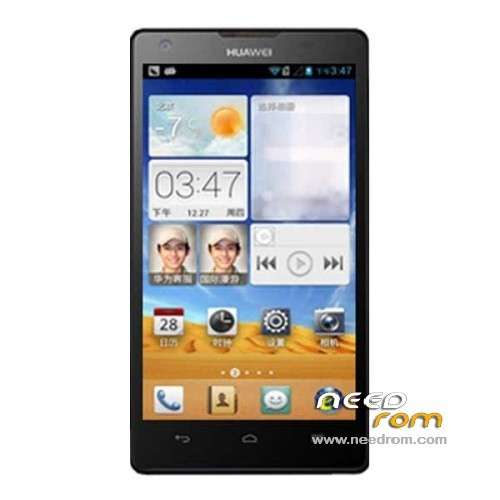
- Title: HUAWEI G700-U00
- Listed: July, 2013
- Last modified: 03/12/2015 1:59 am
- Version: ROM Android 4.2.1
You must be logged for ROM download.
62888 total views, 3 today
11 Total favorites
 Member Info
DESCRIPTION
ROM HUAWEI G700-U00 – ROM Android 4.2.1
Update Official for G700-U00 UNICOM version: G700-U00_EmotionUI_V100R001CHNC17B153
repair under the Unicom network problems automatically turn GPS function.
—————————————————————————————————————————————————
Official for G700-U00 UNICOM version: G700-U00_EmotionUI_V100R001CHNC17B142
Updated information on cell phone service
Repair restore factory settings, you can not clear the memory problem of data
Fix the noise problem after dialing
The following versions can upgrade to this version ( including version )
Language support: EN/CN
ROM install :
Step one: Prepare an SD card, it is recommended to use Sandisk, Kingstone, or Kingmax, size is recommended that more than 1G.
Step Two: Formatting SD card (optional).
The step three: copy a large package path UPDATA.APP to the SD card dload UPDATA.APP.
Step four: Check the root directory of the SD card you dload UPDATA.APP.
Step 5: SD card into the phone is switched on in the main screen, press the Menu key, the system updates -> SD card upgrade -> confirm -> upgrade, backup data, select the backup data; upgrade.
Step Six: The upgrade process progress bar shows after the finish of the pending progress bar, the phone automatically restart.
or
Step one: Prepare an SD card, it is recommended to use Sandisk, Kingstone, or Kingmax, size is recommended that more than 1G.
Step Two: Formatting SD card (optional).
The step three: copy a large package path UPDATA.APP to the SD card dload UPDATA.APP.
Step four: Check the root directory of the SD card you dload UPDATA.APP.
Step Four: cell phone turned off, insert the SD card, while pressing the volume up button + volume down key switch button, the phone automatically enters the upgrade mode, and then begin the upgrade in Figure
Step Five: After the progress bar to go full fixed, the phone will automatically restart If you do not manually remove the battery.
※Please make a backup of your device before installing or updating ROM
The new is G700-U00 V100R001CHNC17B128: http://pan.baidu.com/share/lin.....38;uk=571153533
The new is G700-U00 V100R001CHNC17B135: http://download-c.huawei.com/d.....038;siteCode=cn
This ROM have Gapps?
Hi i did like you said. but he does not find appdata.app.
He seems to not recognize file. why ??? It's in /dload/
136 released http://consumer.huawei.com/cn/.....ds/g700-u00.htm
THx
thanks for all those updates!
G700 is very good smartphone!
just one question: is it possible to switch AUTOMATICALLY between wifi and 3G networks?
Every time I go outside a pop-up asks me if I really want to switvh to 3G network… it's annoying… other smartphones do it automatically! (I have stock ROM, rooted and added Gapps).
Thanks!!!
What is the changelog for each rom (the new ones)?
Hi,
I bought this phone from China. CWM recovery is in Chinese! I need it in English, how can I go about that? The ROM used apex launcher embedded in its system and I don't like it at all, espcecially that background of all apps is black.
Hi,
Would someone help me in this. This phone had recovery mode in chinese but I used eroot (also in chinese) to unroot and re-root it. now Link2sd says "mount script argument".
Also, the ROMS did not install when trying to flash the ROM. The thing is I just dont like the apex launcher at all.
Developer, please be there for us, some of us are not experts and need to be guided.
Says "signature verification failed".
hello , My phone is on B128 n rooted, can i update to 136 ????? pls reply