
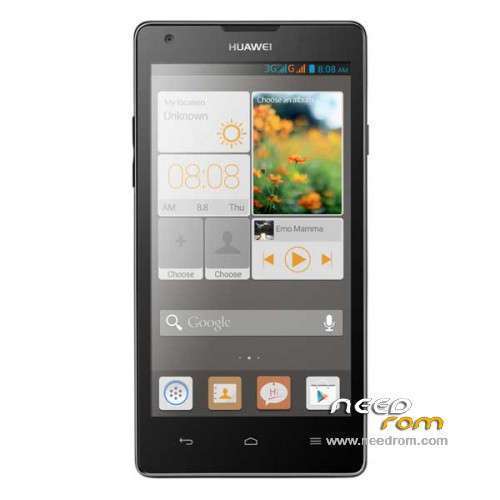
- Title: HUAWEI G700-U10
- Listed: October, 2014
- Last modified: 10/24/2014 7:46 am
- Version: ROM Android 4.2.1
You must be logged for ROM download.
58582 total views, 3 today
48 Total favorites
 Member Info
DESCRIPTION
ROM Mobile HUAWEI G700-U10 – ROM Android 4.2.1
Official for G700-U10 UNICOM version: G700-U10 V100R001C00B126
Gapps include – No Rooted
Language support: Multilang
ROM install :
Step one: Prepare an SD card, it is recommended to use Sandisk, Kingstone, or Kingmax, size is recommended that more than 1G.
Step Two: Formatting SD card (optional).
The step three: copy a large package path UPDATA.APP to the SD card dload UPDATA.APP.
Step four: Check the root directory of the SD card you dload UPDATA.APP.
Step 5: SD card into the phone is switched on in the main screen, press the Menu key, the system updates -> SD card upgrade -> confirm -> upgrade, backup data, select the backup data; upgrade.
Step Six: The upgrade process progress bar shows after the finish of the pending progress bar, the phone automatically restart.
or
Step one: Prepare an SD card, it is recommended to use Sandisk, Kingstone, or Kingmax, size is recommended that more than 1G.
Step Two: Formatting SD card (optional).
The step three: copy a large package path UPDATA.APP to the SD card dload UPDATA.APP.
Step four: Check the root directory of the SD card you dload UPDATA.APP.
Step Four: cell phone turned off, insert the SD card, while pressing the volume up button + volume down key switch button, the phone automatically enters the upgrade mode, and then begin the upgrade in Figure
Step Five: After the progress bar to go full fixed, the phone will automatically restart If you do not manually remove the battery.
※Please make a backup of your device before installing or updating ROM
thank u
Hi guys, i'm new in this forum. Please, could someone help me for the next little problem? I've updated stock rom 115 with the stock 126 (with the file updata.app). This is a "good" stock rom, but some apps doesn't go, some as "Here Maps" and "Tom Tom Go"; it gives me an error and doesn't connect to the server. I would like to return to 115 stock rom. I've tried with the same metod updata.app, but doesn't work. Could someone help me?
useless rom link
last time i flashed miui for g700 and my recovery is CWM
now i want to flash the official rom but it doesnt work
any other ways to do this?
how can i flash stock recovery?
THANKXXXXXXXXXXXXXXXXXXXXX
thank sir !!!
thankxxxx oloooot <3 neeed rooom
Hi Guys my huawei G700-U10 is always freeze at logo and got restarted ..its repeating ,this happened when i tried updating mu rom with MIUI8 through flashify….now NEED A GENUINE ROM FOR THIS MODEL to flash my HUAWEI G700-U10.
Can any one help out to get the firmware and my job done…:)
i made sd card and followed you steps, after restarting error appears and says FAIL.
Entry SD upgrade…
beging whole-package CRC Verifying……
module SYSTEM CRC verify Failed.
whole-package CRC verify Failed.
Update /sdcard/dload/update.app Failed
Pease recopy the update package or change another sd card.
Whats wrong?
Its working now, sorry and thanks.
thanks boss