
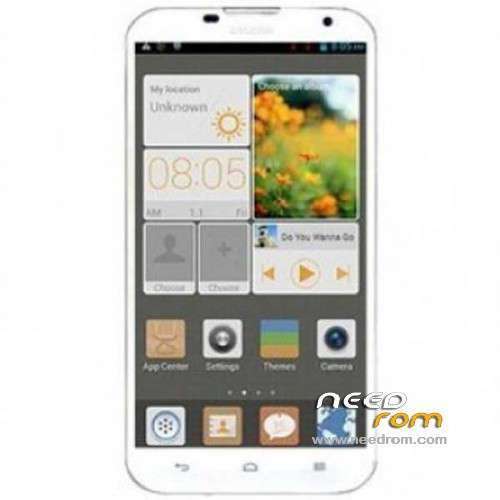
- Title: HUAWEI G730-U00
- Listed: January, 2014
- Last modified: 07/11/2014 4:58 pm
- Version: ROM Android 4.2.2
You must be logged for ROM download.
79102 total views, 7 today
23 Total favorites
 Member Info
DESCRIPTION
ROM HUAWEI HUAWEI G730-U00 – ROM Android 4.2.2
Update Official ROM HUAWEI G730-U00 Unicom China version: G730-U00 V100R001CHNC17B151
————————————————————————————————————————————————-
Update Official ROM HUAWEI G730-U00 Unicom China version: G730-U00 V100R001CHNC17B137
————————————————————————————————————————————————-
Update Official ROM HUAWEI G730-U00 Unicom China version: G730-U00 V100R001CHNC17B130
————————————————————————————————————————————————-
Official ROM HUAWEI G730-U00 Unicom China version: G730-U00 V100R001CHNC17B128
1 optimization system stability;
2 optimize Camera photographic effect.
Google service include – No Rooted
Language support: EN/CN
ROM install :
Step one: Prepare an SD card, it is recommended to use Sandisk, Kingstone, or Kingmax, size is recommended that more than 1G.
Step Two: Formatting SD card (optional).
The step three: copy a large package path UPDATA.APP to the SD card dload UPDATA.APP.
Step four: Check the root directory of the SD card you dload UPDATA.APP.
Step 5: SD card into the phone is switched on in the main screen, press the Menu key, the system updates -> SD card upgrade -> confirm -> upgrade, backup data, select the backup data; upgrade.
Step Six: The upgrade process progress bar shows after the finish of the pending progress bar, the phone automatically restart.
or
Step one: Prepare an SD card, it is recommended to use Sandisk, Kingstone, or Kingmax, size is recommended that more than 1G.
Step Two: Formatting SD card (optional).
The step three: copy a large package path UPDATA.APP to the SD card dload UPDATA.APP.
Step four: Check the root directory of the SD card you dload UPDATA.APP.
Step Four: cell phone turned off, insert the SD card, while pressing the volume up button + volume down key switch button, the phone automatically enters the upgrade mode, and then begin the upgrade in Figure
Step Five: After the progress bar to go full fixed, the phone will automatically restart If you do not manually remove the battery.
※Please make a backup of your device before installing or updating ROM
https://www.needrom.com/wp-con.....1CHNC17B130.zip
This link was dead, Could u reflesh it?
HI ! Some one can help find multilang rom for huawei 730-u00?
Hi everybody…
I was wondering if this rom could be used for a Huawei G730-U10 device or not?!!
And if not, is there any rom availeble for G730-U10 ??
I have rooted my huawei G730-U10, but steel i can't benefit most of what root provides!
Directory Bind dosn't work for example!
Muchas gracias ………. It really works to root this phone,
Thanks
Hi dear plz upload rom for g730-u10
Please Upload a Rom for G730-U10!! I Couldnt find any rom or CWM!!
busca en huwei de alemania
G730-U00 V100R001CHNC17B151 I HAVE PUT THIS ROM BUT CANT MAKE ROOT I HAVE TRY EVERYTHING
Please Upload a Rom for G730-U10!! Huawei Doesnt support This Model it is in B112 and there is no update till now!!!
ဆဲြလိုက္ပီ Many Thank..
how can i root with latest official version of G730-U00 V100R001CHNC17B151?
Vroot doesn't work for it and Framaroot also doesn't work.
Please advice me for rooting method.
thanks