
- Title: HUAWEI T8950
- Listed: December, 2012
- Last modified: 12/31/2012 1:50 am
- Version: ROM Android 4.0.4
You must be logged for ROM download.
15774 total views, 1 today



 Member Info
DESCRIPTION
ROM HUAWEI T8950 – ROM Android 4.0.4
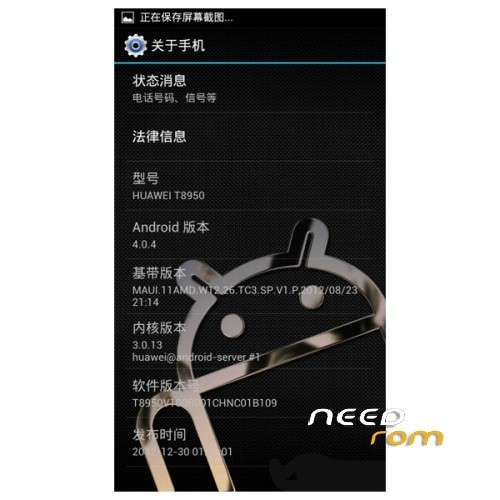
Model name: T8950
Andrews version: 4.0
ROM Author: Treasure
ROM version number: T8950V100R001CHNC01B109
Based on the official version:
Featured ROM :
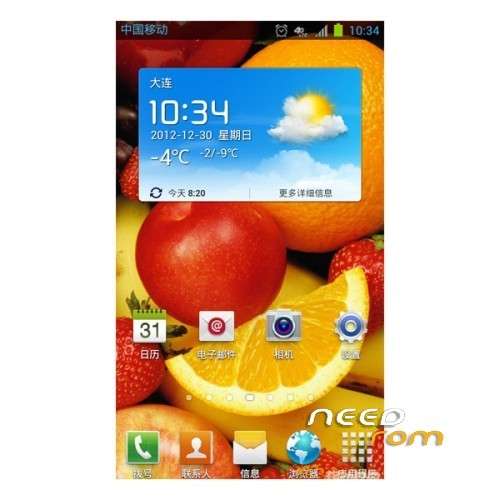
Based on the beautification of the second edition (T8950 B109 Samsung icon) again beautification
1. Beautify part of the application icon for the Samsung icon
2. Beautify the setup menu icon for the Samsung icon
3. Replacement desktop for Samsung K-3 Desktop
Replace Gallery Fotomax browser and beautify icon
5. Streamline mobile custom software
Streamlining the system comes with software
7. Integrated the shutdown restart extend power key life
8 integrated ROOT permissions management with RE Manager
9 Add to Google services
10. Integrated Sogou input method
11. Integrated LBE security housekeeper and beautify icon
12. Lock screen material transparency
13. Modify the notification bar shortcut switch Samsung style
14. Modify the notification bar the electricity signal data icon Samsung
15 to modify default 2G.3G data icon is the Samsung 4GLTE icon
16. Integrated the Samsung memorandum finished version to replace the original machine Notepad
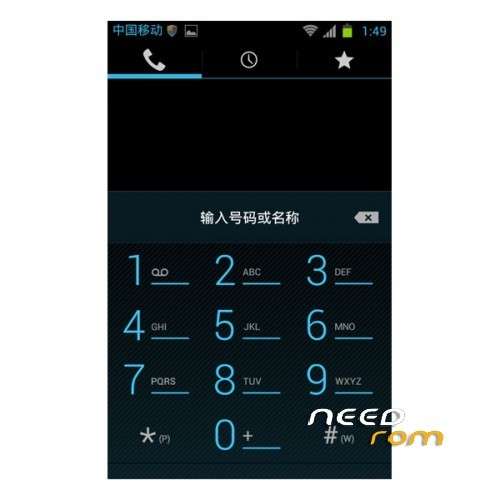
17. Delete dial-up interface IP dial icon
18. Beautify the dial-up interface default call background
19 to replace the boot animation for Samsung S style
20. Replace system all ringtones for Samsung guise three
21. Beautify contacts send SMS icon
22. Replace Huawei music + default music pictures
23. Replace the global background image
Install ROM :
* Recovery in English;
* Support mount U disk;
* Support for backup and recovery, and there are two types of backup formats to choose from;
* Volume + / – move up and down, the power button s◎ use the ROM before you respond to you on the phone to make a backup
Download the ROM card
◎ brush package
◎ ZIP Brush Pack copied to the root directory of the TF card, TF card into the phone
◎ enter the Recovery
– Boot state, long press the power button, select “reboot to recovery”
– Turned off, press and hold the volume “+” key, and then press the power button until the screen displays the Recovery Interface
◎ Brush operations
◎ Brush completed, the boot and restore the backup elected.
※Please make a backup of your device before installing or updating ROM