
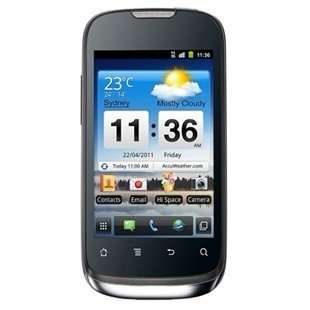
- Title: HUAWEI U8660
- Listed: October, 2012
- Last modified: 10/31/2012 11:30 pm
- Version: ROM Android-v2-4 U8660 V100R001C17B861
You must be logged for ROM download.
21733 total views, 2 today
 Member Info
DESCRIPTION
ROM HUAWEI U8660 – ROM Android-v2-4 U8660 V100R001C17B861
Install :
Step 1 – 2:
Then connect this device with pc and press Volume down(-) key + Call end button. Open Recovery]].bat in your pc and wait until it copied to your device. After completing this process, close open program[clock work mod] in your computer.
Step 3: Switch off your device if it’s running/switched on. Press power button by holding Volume Up(+) key + Call button. Select wipe data/factory reset, then go advanced and select wipe battery stats.
Step 4: Go back to recovery mode after completing wiping battery stats. Select “install zip from SD card”> select zip from sd card. Scroll it to lewa rom earlier you copied in your sd card. Select and wait until it complete.
※Please make a backup of your device before installing or updating ROM
thanks for you post
thank you
hola alguien podria ayudarme mi telefono se quedo pegado en la pantalla de inicio y esta rom no puedo cargarla con el flash tools.. ayuda por favor
hello could someone help my phone got stuck in the home screen and this ROM can not charge with the tools flash .. please help