
- Title: HUAWEI U8812D
- Listed: December, 2012
- Last modified: 12/31/2012 7:43 pm
- Version: ROM Android 2.3.7
You must be logged for ROM download.
18637 total views, 1 today
1 Total favorites

 Member Info
DESCRIPTION
ROM HUAWEI U8812D – ROM Android 2.3.7
Model name: Huawei U8812D
Andrews version: 2.3
ROM Author: Recently
ROM version number: U8812DV100R001CHNC00B100SP07
Based on the official version: U8812DSP07
Featured ROM :
1, based official streamline sp07 production;
2, join ROOT privileges;
3, zipsign optimize, optimize all systems;
ROM that comes with the third-party programs, streamlining off;
5, update the Host file shielded part of the ad;
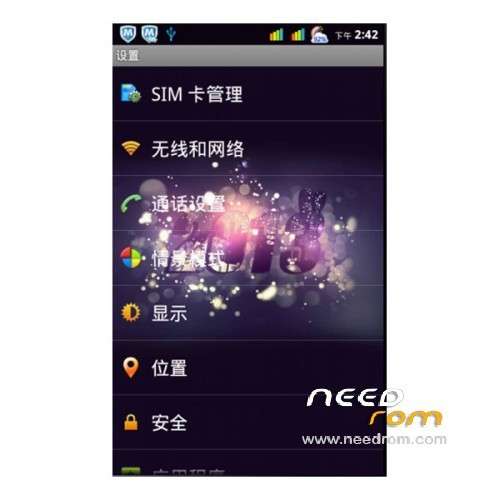
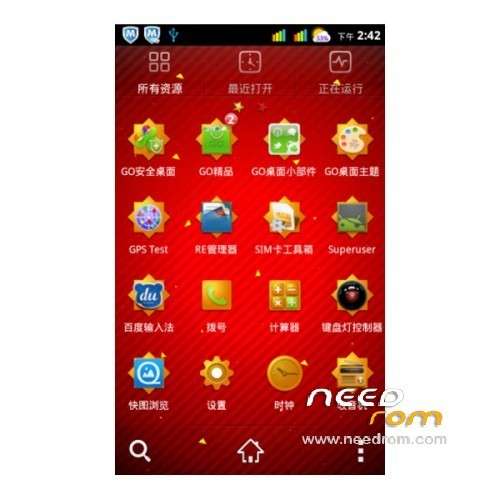
6, replacing the original desktop GO desktop, replace 3D gallery Fotomax replace Baidu input method input method, replacing the file manager for the RE Manager;
Major updates
7, by adding precise power, rainbow power;
8, merge SYSTEMUI, convenient decompile modified signal replace all the color signal;
Settings icon icon replaced all the color se;
10, modify the global background;
11, joined the keyboard lights switch software;
12, joined Sony imaging engine;
13, update the GPS configuration file, speed up GPS positioning; The brushing machine best open network, open the A-GPS to find the stars, to find a good future no longer open A-GPS positioning, we can try; put a GPS Testers;
14, adding part of the optimized code.
Install rom:
1. Download this package rom.
2. Extract all the files in the package to your desktop.
3. now, turn your phone off/remove the battery/put it back in/don’t turn it on.
4. While pressing the camera button,Connect your phone to your computer.
5. Install your usb driver.disconnect your phone after driver installation,remove the battery and put it back in/don’t turn it on.
6. Run flash_tool.exe located in SP_Flash_Tool folder.
7. you can release the camera button when flashing started.after flashing is done,close sp flash tool/disconnect your phone/reboot system.
-First boot will take time.
ROOT:
it is recommended to save the original camera, for root and after put SP08CameraOpen.apk
In addition, used and change boot.img root, the root file is theoretically wire brush, can obtain root privileges
※Please make a backup of your device before installing or updating ROM