
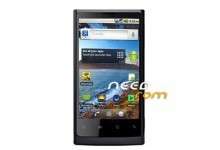
- Title: HUAWEI U9000
- Listed: November, 2012
- Last modified: 11/01/2012 4:37 pm
- Version: ROM U9000-81 V100R001C258B245SP10 USA
You must be logged for ROM download.
17432 total views, 3 today
 Member Info
DESCRIPTION
ROM HUAWEI U9000 – ROM U9000-81 V100R001C258B245SP10 USA
Install :
Step 1 – 2:
Then connect this device with pc and press Volume down(-) key + Call end button. Open Recovery]].bat in your pc and wait until it copied to your device. After completing this process, close open program[clock work mod] in your computer.
Step 3: Switch off your device if it’s running/switched on. Press power button by holding Volume Up(+) key + Call button. Select wipe data/factory reset, then go advanced and select wipe battery stats.
Step 4: Go back to recovery mode after completing wiping battery stats. Select “install zip from SD card”> select zip from sd card. Scroll it to lewa rom earlier you copied in your sd card. Select and wait until it complete.
※Please make a backup of your device before installing or updating ROM
I have a Huawei u9000 android smart phone. i Just bought about 45 days ago and my screen has already cracked. The phone had a 30 day warrenty, but that just ended. the phone still works perfectly, just the plastic screen broke and it feels very sharp. I was wondering if anyone knows if the huawei company would do anything? (since my carrier won’t) or does any no were i can buy a replacement screen for this phone??
Thanks
lemmi chek this out, iguess it has some juice