
- Title: HUAWEI U9500
- Listed: March, 2013
- Last modified: 03/13/2013 1:02 am
- Version: ROM Android 4.0.3 MIUI
You must be logged for ROM download.
16115 total views, N/A today
 Member Info
DESCRIPTION
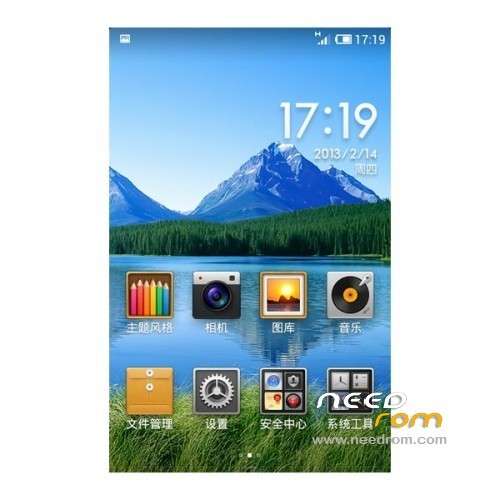
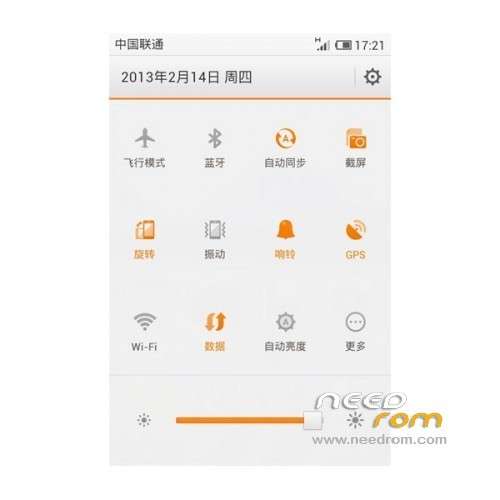
ROM HUAWEI U9500 – ROM Android 4.0.3 MIUI
ROM Official MIUI version 3.2.1
Language support : Multlang
Install ROM :
But if we want to brush into the third-party systems, including streamlining the official system, the official REC brush not, must brush into recovery5.5.0.4 to normal Brush:
Placed 1, download Recovery5.5.0.4, and extract to any directory
2, on the phone, turn on USB debugging (This step is indispensable) and install the driver (with pea pods connected to)!
(1) Press the "Menu" key on the phone, in the pop-up menu, select "Setting (set)
(2) Select the "application"
(3) check the "unknown sources" in this interface, and then select the "development"
(4) Check the "USB debugging", "Stay awake, then you can return to the main interface (5) re-connect the USB cable (6) to install the driver, and check that the driver is installed (with peas automatically install the drivers folder, etc.)
Keep the phone connected to the computer, run the unzipped recovery5.5.0.4, follow the prompts
4, first restart the phone into bootloader mode: Huawei Logo screen appears and stays fixed
5, to continue to the next step will brush into recovery, then restart (hereby reminded before restarting stuck at the Huawei Logo!!)
6, into the recovery method: press and hold the volume + power button is turned on, and hold the button until you enter a new recovery
restored) as following operations: dialing “*#*#2846579#*#*” on phone
screen ->ProjectMenu->Restore factory defaults.
ROOT:
1, download unlockbootloader_P1D1
2, install the ADB driver phone open adb debugging, and then linked to a computer with a USB cable [ADB driver must be installed correctly, can the phone connected to the computer running pea pods once can?
※Please make a backup of your device before installing or updating ROM
thank you verry
i an happy