
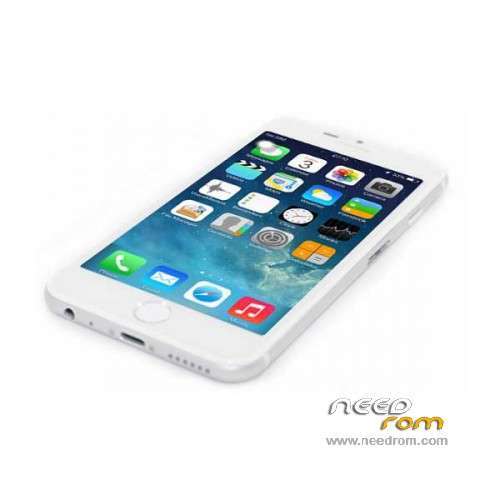
- Title: i6 A175MW QHD
- Listed: October, 2014
- Last modified: 12/05/2015 2:45 am
- Version: ROM Android 4.2.2
You must be logged for ROM download.
25486 total views, 2 today
4 Total favorites
 Member Info
DESCRIPTION
ROM Phone i6 A175MW - ROM Android 4.2.2
ONLY MT6572 + QHD
Update ROM 2 - i6 A175MW version: A175MW_P1MB4_XLS_QHD_324_V2.2_20151204_CN_ML – MG482ZP/A – ios72_wet_jb3
Install Flash or OTA
ATTENTION This ROM is not compatible with ROM 1
———————————————————————————————————————————————————————————-
ROM 2 - i6 A175MW version: A175MW_P1MB4_XLS_QHD_324_V1.9_20151008_CN_ML – MG482ZP/A – ios72_wet_jb3
Install Flash or OTA
ATTENTION This ROM is not compatible with ROM 1
———————————————————————————————————————————————————————————-
ROM 1 – Update ROM i6 A175MW version: A175MW_P1MB4_HS_QHD_324_V2.5_20140210_CN_ML – MG482ZP/A – ios72_wet_jb3
Gapps include – No Rooted
Language support :
zh_CN,en_US,zh_TW,ru_RU,tr_TR,in_ID,ms_MY,vi_VN,pt_PT,pt_BR,ar_EG,es_ES,fr_FR,it_IT,el_GR,nl_NL,de_DE,ro_RO,hi_IN,th_TH,fa_IR,my_MM
Install Flash or OTA
———————————————————————————————————————————————————————————-
ROM 1 – Update ROM i6 A175MW version: A175MW_P1MB4_HS_QHD_324_V2.4_20140206_CN_ML – MG482ZP/A – ios72_wet_jb3
Gapps include – No Rooted
Language support :
zh_CN,en_US,zh_TW,ru_RU,tr_TR,in_ID,ms_MY,vi_VN,pt_PT,pt_BR,ar_EG,es_ES,fr_FR,it_IT,el_GR,nl_NL,de_DE,ro_RO,hi_IN,th_TH,fa_IR,my_MM
Install Flash or OTA
———————————————————————————————————————————————————————————-
ROM 1 – ROM i6 A175MW version: A175MW_P1MB4_HS_QHD_324_V2.3_20141127_CN_ML – MG482ZP/A – ios72_wet_jb3
Gapps include – No Rooted
Language support :
zh_CN,en_US,zh_TW,ru_RU,tr_TR,in_ID,ms_MY,vi_VN,pt_PT,pt_BR,ar_EG,es_ES,fr_FR,it_IT,el_GR,nl_NL,de_DE,ro_RO,hi_IN,th_TH,fa_IR,my_MM
Install Flash or OTA
Gapps not include – No Rooted
Language support : zh_CN,en_US,zh_TW,in_ID,ms_MY,th_TH
Install ROM:
- Unpack FlashTools, and Click on Flash_tool.exe
- Select a the MT6572_Android_scatter.txt in ROM
- Wait file to be added into Flash Tool
- choose Option->USB Model,click USB Model
–> Choose Option->DA DownLoad All->Speed->High Speed, click High Speed
- Turn off your phone, remove the battery.
- "Press F9 (hit Download button)" OR " if upgrade ROM Firmware->Upgrade "
- and connect your phone into the computer via USB data cable.
- The process will start and a red progress bar will appear after color purple, yellow.
- And green circles display
- Finish !
- You can now safely disconnect your phone and turn it on.
OR OTA
※Please make a backup of your device before installing or updating ROM
como activo el bootanimation de apple?
please support vietnamese and setup google service
I 'a few months ago that I'm trying the Roma number 2. I must say that this time it was done a LaVoo very good, although, some issues need to be resolved. For example, in the option settings there is still no way to view the applications installed on the internal memory and SD card (this also internal) and they can be possibly spostare.Inoltre the Safari browser is old generation without the flash media. Propose to include a browser like Chrome (now the standard Android 4.4 although masked by the system browser) or dolphin with the Safari icon. The keyboard keys still seem too small and you need something fae to increase performance in terms of speed, the firmware.
Rom 2 in version 1.6 the voice assistant (Siri) is to google, in version 1.7 is back in China and serves no purpose. Better Rom 1.6!
Как востановить яблоко при загрузке!?