
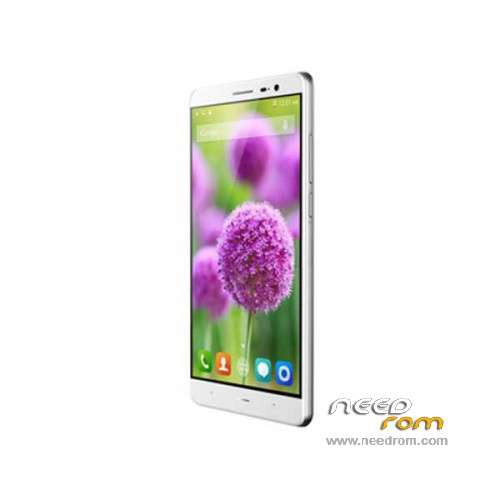
- Title: iNew L4A
- Listed: November, 2015
- Last modified: 06/13/2016 2:38 pm
- Version: ROM Android 5.1
You must be logged for ROM download.
19191 total views, 3 today
10 Total favorites
 Member Info
DESCRIPTION
ROM Phone iNew L4A – ROM Android 5.1
ONLY MT6735
ROM 2 – Official iNew L4A version: INEW_L4A_2_v2.04 – 1483SF.006H.MEX_L4.A2.L.MP3.HD.MV1616M.P1.160224 – full_bd6735_65u_a_l1-user 5.1 LMY47D
—————————————————————————————————————————————————————————–
ROM 1 – Update Official iNew L4A version: INEW_L4A_2_v2.04 – 1483SF.006H_L4.A2.L.MP3.HD.MV1616M.P1.160224 – full_bd6735_65u_a_l1-user 5.1 LMY47D
—————————————————————————————————————————————————————————–
ROM 1 – Update Official iNew L4A version: INEW_L4A_2_v2.03 – 1483SF.006H_L4.A2.L.MP3.HD.MV1616M.P1.151112 – full_bd6735_65u_a_l1-user 5.1 LMY47D
—————————————————————————————————————————————————————————–
ROM 1 – Official iNew L4A version: INEW_L4A_2_v1.01 – 1483SF.006H_L4.A2.L.MP3.HD.MV1616M.P1.151027 – full_bd6735_65u_a_l1-user 5.1 LMY47D
Gapps include – No Rooted
Language support: Multilang
ROM Install :
Install with SP MDT:
1). Turn off the smartphone. Cable is not connected to the computer.
2). Remove the battery and insert it again
3). Connect your phone to a computer cable. The operating system detects a new device
4). Disconnect the cable from the computer.
5). Run SPMultiPortFlashDownloadProject.exe
6). Choose File> Open File Agent download and specify the file MTK_AllInOneDA.bin (it is in the folder SP_MDT).
7). Click Scatter File and select the MT6735_Android_scatter.txt file (it's in the folder with the rom).
8). Click "Start all".
9). Connect your phone to a computer cable. The program should see and blink. If the phone is not detected, then unplug it from the computer,
remove and insert the battery (if the battery is removable) and reconnect it to the computer.
10). After (OK) click Stop and disable any phone.
11). Completed.
※Please make a backup of your device before installing or updating ROM
I need help
I tried with a file from dimmen
All the time I get an "Incorrect scatter file format" message.
Can you help?
Ok this is for everyone who wants to Root the Inew L4 MT6735p because of Chinese Malware and Spyware. This Spyware spoils a great phone and Rooting this phone is difficult but there is another way to solve this without Root access.
https://android.gadgethacks.co.....quired-0161819/
Follow the above procedure and you will need to install a program "Debloater-setup-v3.85.exe" on to a computer as explained in the above URL.
It worked great for me and my phone now is free of Malware and is not running background apps constantly. This procedure doesn't uninstall the malware but it effectively disables the software and no Root required.
I blocked 5 programs including 2 AdupsFota apks, Fwkplugin.apk, FWUpgrade.apk and FWUpgradeProvider.apk.
Package Assistant Malware apk will still install automatically but it doesn't have any Data attached and is virtually dumb and sterile.
I am running an old version INEW_L4_2_v1.03 but the phone runs sweet and I haven't any issues after blocking those apks.
There is an "NoRoot Firewall" apk which you could also use to probably achieve a similar outcome but the Debloater makes the phone more efficient after blocking that Spyware from running.
This will probably run on any Android device as long as you install the correct ADB drivers as you do if you were Rooting the phone.
Many people probably are already on to this and I hope it slows down the rampant Chinese hacking and Spyware especially on Mediatek devices.
this is for 2gb veersion or 1gb version ?
please i need this firmware