
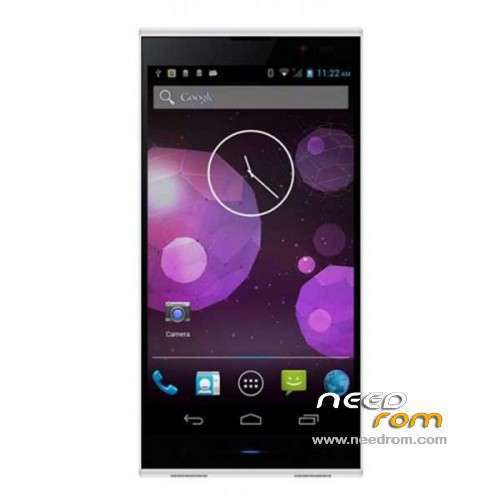
- Title: INEW V3-E
- Listed: January, 2014
- Last modified: 05/08/2014 3:23 am
- Version: ROM Android 4.2.2
You must be logged for ROM download.
121623 total views, 2 today
5 Total favorites
 Member Info
DESCRIPTION
ROM Mobile INEW V3-E – ROM Android 4.2.2
Update Official INEW V3-E Version : cxq_v3_inew_v1.1.4_20140325
————————————————————————————————————————————————–
Official INEW V3-E Version : cxq_v3_inew_v1.0.8_20140319
Gapps include – No Rooted
Language support: Multilang
Thx to Daniel for this Rom
Install ROM:
- Unpack FlashTools, and Click on Flash_tool.exe
- Select a the MT6582_Android_scatter_emmc.txt in ROM
- Wait file to be added into Flash Tool
- choose Option->USB Model,click USB Model
–> Choose Option->DA DownLoad All->Speed->High Speed, click High Speed
- Turn off your phone, remove the battery.
- "Press F9 (hit Download button)" OR " if upgrade ROM Firmware->Upgrade "
- and connect your phone into the computer via USB data cable.
- The process will start and a red progress bar will appear after color purple, yellow.
- And green circles display
- Finish !
- You can now safely disconnect your phone and turn it on.
※Please make a backup of your device before installing or updating ROM
any news on a good stock update?
the current problems with this phone are:
-When using wifi and screen ON the battery drains fast, and I mean REALLY fast, version 1.0.1 lest longer but NFC is not working on 1.0.1 so be careful…
-Curently the official Youtube app (last version) is causing lag on HD playback, just install version 4.5.17 as said in XDA-DEVELOPERS users and playback is OK.
Major concern about is the battery drain when wifi is ON, wich no new ROMs in this site are able to fix, because the MTK quad core are better with HOTPLUG governor but seems its not optimized.
Please iNEW, fix this…
Hi Bros,
i got new one and, the stock version:
Kernel: 3.4.5, Fri Jan 17 2014.
Builde number: cxq_v3_inew_v1.0.4
is it the newest version of android?
this version have no bug at all, no lag, (i haven't try nfc and otg). but the battery not so good, just enough for one day using in basic.
how can i do downgrade build number from 1.0.4 to 1.0.3 ?
how can i do downgrade build number from 1.0.4 to 1.0.3 ?
Whatever you flash, check that your phone has the correct sticker (to be found underneath the battery). This firmware is only to be used on phones that have WCDMA850/2100 written on the sticker.
Beware of installing this firmware on a phone that has a WCDMA900/2100 sticker.
What is the difference between flhas 1.0.4 rom and OTA?
Thanks in advance
hello,
big problem with v1.07 and the touchsreen what is no calibrate after flash in v1.07.
I don't use the phone, how calibrate the touchscreen with power and vol- ?
thank you
just tried to flash my inew v3-e originally with v1.0.5. (home button was crazy!)
the flash v.1.0.7 was not successfull.
The message from Flash Tool:
PMT changed, ROM must download.
How to understand this and what schould I do?
Phone remained unflashed (unchanged)
so, it did work with flashing.
unfortunately, after the flashing was done, the touchscreen refuses to react on touches.
any idea?
You have to download the 1.0.5 version and change the system.img file with the system.img what is found in the 1.0.7 package. So if you flash (in Download Only mode) the 1.0.5 version with changed system.img than the phone will work properly as 1.0.7.
Hi I have a problem with low speed internet, build number I cxq_v3_inew_v1.0.4, whether the update will solve my problem?