
- Title: Inew V3 Huawei Emui 3 port V266
- Listed: December, 2014
- Last modified: 12/22/2014 2:12 pm
- Version: 4.4.2 EMUI 3 V266
You must be logged for ROM download.
40519 total views, 5 today
3 Total favorites
CUSTOM











 Member Info
DESCRIPTION
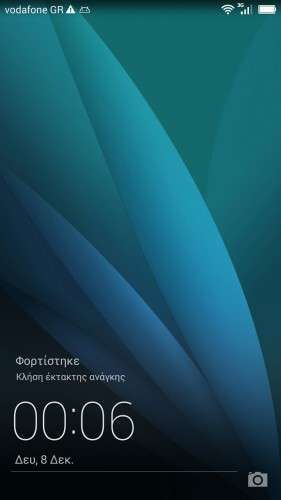
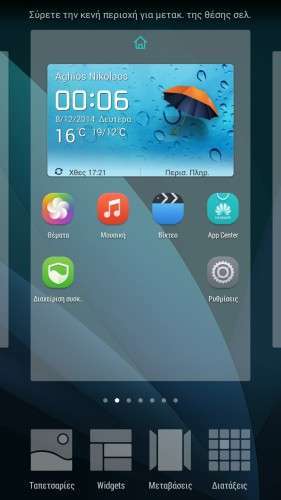
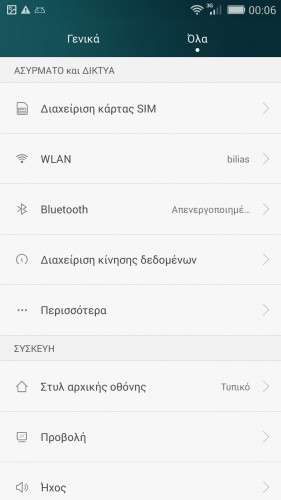
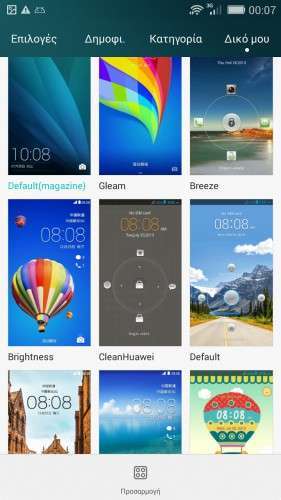
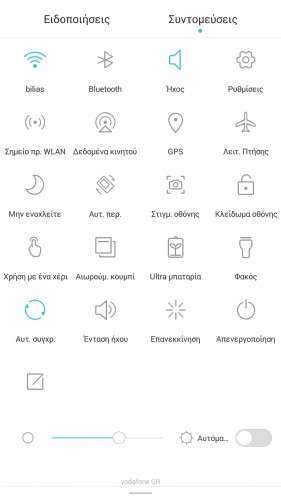
Here I present you my Huawei Emui 3 Modded ota ROM for Inew V3.
****************************************************************************************************************
UPDATED to version H30-U10 V100R001CHNC00B266 stable Release.
****************************************************************************************************************
Port 100% from Huawei C3 Emui 3. (NFC NOT working – Hope someone can help fix this , Huawei use a weird apk system that won't let you decompile aps with apktool)
Multilanguage. Kitkat 4.4.2.
————————————————————-
How to install.
If you come from previous version rom just flash zip from recovery , preferably mine. (TWRP).
Else first flash previous rom with flash tools to get partitions big enough.
Updated to last version with new LCD drivers, GPS , Bluetooth wifi , etc all work.
※Please make a backup of your device before installing or updating ROM
@BBQ88 unzip the new update , open Flash tools , uncheck everything but boot and system partition and press download (Phone without battery etc etc etc) Then enter recovery and do the suggested wipe (Cache , dalvik , data)
If GPS not working , you have to restore your Nvram , I tested it and it works fine. Try my guide from other roms to enter your location data for faster lock!
Thanks Batsilos! Will have a try
No it will not work , you have to use Flash tools and nvram.bin from backup.
Try with mtkdroidtools but only restore Nvram partition , not the data (second option) the rom builds that itself differently than normal.
Find your backup from mtkdroid grab the .bin file (5120Kb) and change name to nvram.bin
Edit the scatter.txt like this.
……………..
- partition_index: SYS4
partition_name: NVRAM
file_name: nvram.bin
is_download: true
type: NORMAL_ROM
linear_start_addr: 0×1800000
physical_start_addr: 0×400000
partition_size: 0×500000
region: EMMC_USER
storage: HW_STORAGE_EMMC
boundary_check: true
is_reserved: false
operation_type: BINREGION
reserve: 0×00
……………………
Load file and flash.
y can't download the rom … failed operation. please check the cause.. thanks
is a week that I try to download it, but always the same message :/
Is not a problem on this side , maybe where you live has no good connection to google servers.
For Europe it is the fastest place to upload. Try to download with getright or a similar resumable downloader program!
I made a fresh install with this version and the problem with the gps is the same, not fix sat.
Last rom tsunami is working. What can I do more?
Follow guide below.
Ps what version is your phone? Do you have the 900band version? If you do you need to use your nvram and modem files,
GPS step by step!
Throw away all the unnecessary applications, style AGPS this, Epo that, mobile uncle tools etc!
Use the epo gps fix program I have included , and fing inside its menus
Location based service.
AGPS —-> A_GPS On / Off untick!
GPS —–> Ref Position (Is 0.0 – 0.0). Open the PC in google maps. Let’s go to our mark! Click on a nearby street to give us our coordinates.
Pass it in place 0.0 0.0 and click OK.
Click on full & GPS (OFF) to open the GPS. In view, balcony or open area and wait to lock! 2-4 ‘
GPS (ON) to turn off and (off) to open and lock quick now!
Back to AGPS —–> Save profile.
Exit the Location based service.
Remember that we save profile;
Let’s make permanent changes.
With ES explorer (since we have chosen root, show hidden files and clicking on the ROOT annexation R / W, the / & / system R / W)
Let /data/data/com.mediatek.lbs.em/shared_prefs ——> click agps_profile.xml with 3 dots on Right !
Let’s go down and change the nTargetAreaGeolat “value = 35.666668 to ours,
Like nTargetAreaGeolng “value = 139.75 to ours (you see why it is slow;;;; Takes us somewhere in Japan with these standard! Write 35.666668,139.75 on Google maps on the left and you will see ….)
Save.
Reboot mobile and ….. ……….. TEST with any program. The first time a little slow! (20-30 “)
Guys flashed my phone for first time with this rom and now all is ok but my sim(2G) isnt working.I think problems with IMEI.Tell me how to fix it.
Restore your Nvram…. Read previous posts plz!
Thanks i did it.Now i want to ask some aps are on chinese language(from huawei rom apps) and how can i cange this.Same is all is normal on keyboard on english only OK button is again on chinese language.