
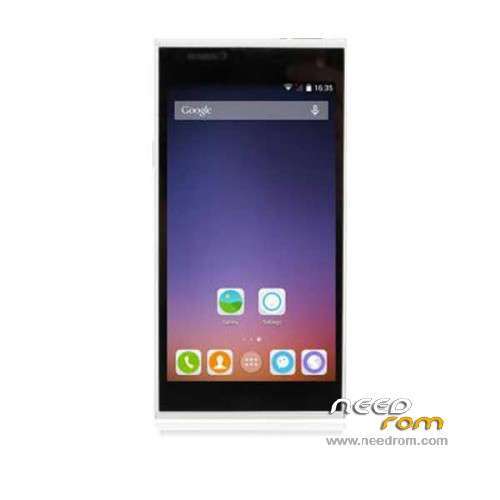
- Title: iNEW V7A
- Listed: December, 2014
- Last modified: 04/27/2015 7:25 pm
- Version: ROM Android 4.4.2
You must be logged for ROM download.
29003 total views, N/A today
15 Total favorites
 Member Info
DESCRIPTION
ROM Phone iNEW V7A – ROM Android 4.4.2
ONLY MT6582
Update Official ROM iNEW V7A Version: INEW_V7A_4.4_v1.1.0 – CHUANGXINQI-V7A-QB125D-S507-6582KKV1.0.0 – KOT49H
—————————————————————————————————————————————————————————
Official ROM iNEW V7A Version: INEW_V7A_4.4_v1.0.5 – CHUANGXINQI-V7A-QB125D-S507-6582KKV1.0.0 – KOT49H
Gapps include – No Rooted
Language support: Multilang
Install ROM :
- Unpack FlashTools, and Click on Flash_tool.exe
- Select a the MT6582_Android_scatter.txt in ROM
- Wait file to be added into Flash Tool
- choose Option->USB Model,click USB Model
–> Choose Option->DA DownLoad All->Speed->High Speed, click High Speed
- Turn off your phone, remove the battery.
- "Press F9 (hit Download button)" OR " if upgrade ROM Firmware->Upgrade "
- and connect your phone into the computer via USB data cable.
- The process will start and a red progress bar will appear after color purple, yellow.
- And green circles display
- Finish !
- You can now safely disconnect your phone and turn it on.
※Please make a backup of your device before installing or updating ROM
I tried the New Rom
News is : Gesture AWake
I hope they will upgrade to Android 5.0 that would be really good.
In this version with me the battery lasts much longer, it has from the beginning a boost with it, that's really good.
Although my status LED does not work still but what it
Firmware upgraded, let´s see how much battery has benn improved! Upgrading process is way easy just open flash tool, choose the scatter file from the rom, choose firmware upgrade on flash tool options, click on download, with your phone turned off, plug in to the PC and insert the battery, if you have properly installed MTK drivers before the proccess will start, just wait until it´s finished and an OK symbol appears, and that´s it, Inew V7 upgraded.
Is there any port rom for INEW V7 !
Hi
I load both files. I did start the flash_tool.exe. On the first line by download agent is written D:\SP_Flash_Tool_v5.1408.00\MTK_AllInOne_DA.bin on the second scatter loading file I did open the extrated ROM file from desktop and put in : MT6582_Android_scatter_txt
And now I got no where – choose Option->USB Model,click USB Model
–> Choose Option->DA DownLoad All->Speed->High Speed, click High Speed
what does it means??? I can only choose otions on the flash tool as download only or firmware upgrade or mota siu like or format all + download.
where can I choose this otions? When I just click download and connect now my phone….nothing happens (
(
I dont now how, can some one please give me exact guidance?
best wishes!
Hi,
in SP flash version 5.1408 –> Choose Option->Connection>USB>Speed->High Speed, click High Speed
If you read the instructions i left above it´s easy, you just have to use flashtools 5.1516 you don´t have to change anything about speed, only choose firmware upgrade, click on download button and plug in your phone with battery, wait for the installation to finish and it´s done, you must have installed mtk drivers on your pc of course but it´s easy
Hello
Sorry, I tried many times. And if I plug the phone in, nothing happens. I got the drivers for mtk.
You´ve got to plug the phone and immediately the battery, then the flashing process will start with no problems, remember to use the firmware upgrade option to avoid losing your phone´s IMEI.
hi i have a major problem with my inew v7.can someone make a backup with MtkDroidTools v2.5.3 and send it to me so i can restore mine.thanks
PM me
Hi all
After many times again and again trying it with flashing, I was this week sucsessfull!!! The Problem was the driver signature on windows 8.1 witch I have to deactivat for correct driver installing. Now all is working an the new update v1.1.0 seems to me better for performance in wlan.
Thanks all, who helped me!
Ok, I do the firm upgrade and brick my phone. Then came here and flash the new 1.1 rom. Lost Imei, and new mac every restart. Reflash to 1.0.5 version. Again lost imei. Ingeneer mode don´t let me change the imei. Can I do anything ?
I replay myself. Run MTKDroid Tools (last version). There is an option to do the IMEI change. It works!.
Unfortunately, phone changes wifi MAC address every time restarts, o even when lost wifi conection, or ON/OFF wifi.
Now I´m working on it. Some help is welcome. Thanks.
Hello Everyone ! there is new rom also try this if anyone is able to downlaod please share………. I'm not able to dowanload
http://pan.baidu.com/s/1sjLtLL.....%25E7%25BA%25A7
It´s mandatory a program called baidu YunGuanjia to get this file downloaded, FOTA downloads on this brand never work, so it would be nice if somebody downloads this new fw to see what changes it has, by the way i´ve completely lost any hope to see Lollipop for V7