
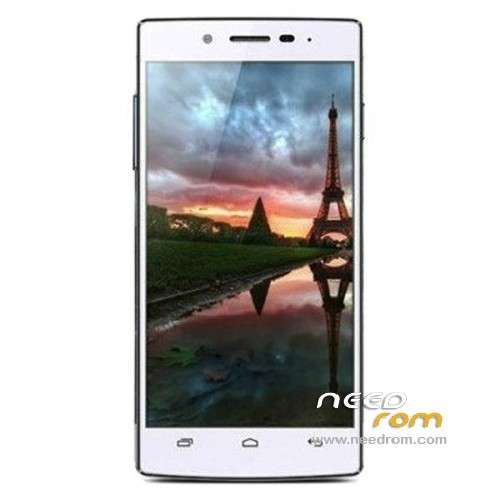
- Title: iOCEAN X7
- Listed: April, 2013
- Last modified: 05/28/2013 4:48 am
- Version: ROM Android 4.2.1
You must be logged for ROM download.
30911 total views, 2 today
2 Total favorites
 Member Info
DESCRIPTION
ROM Mobile iOCEAN X7 – ROM Android 4.2.1
Update Official Version: MP_mt89_v9_iocean_ousheng_jb2_20130520-184014
1. Fix occasional black screen and can not wake up issue
2, optimizing light perception sensitivity
———————————————————————————————————————————–
ROM iOCEAN Official version : X7 20130403-123352
Language support: Multilang
Install ROM :
To unpack Flash run Flash_tool.exe
Select a the in MT6589_Android_scatter_emmc.txt in ROM
Click Flash_tool.exe interface Firmware-> Upgrade
Phone after taking the battery in put something
Connect the data cable
Brush finished with green circles appears
or
Install with SP MDT:
Unpack the archive N9589-SPM.zip and archive with the ROM
1). Turn off the smartphone. Cable is not connected to the computer.
2). Remove the battery and insert it again
3). Connect your phone to a computer cable. The operating system detects a new device
4). Disconnect the cable from the computer.
5). Run SPMultiPortFlashDownloadProject.exe
6). Choose Database Factory menu> Configuration File data source and specify the file MTK_DATABASE.mdb (it is in the folder SP_MDT).
7). Choose File> Open File Agent download and specify the file MTK_AllInOneDA.bin (it is in the folder SP_MDT).
8). Click File and select the MT6589_Android_scatter_emmc.txt file (it's in the folder with the rom).
9). The other parameters are fixed, as in the screenshot below.
10). Click "Start all".
11). Connect your phone to a computer cable. The program should see and blink. If the phone is not detected, then unplug it from the computer, remove and insert the battery and reconnect it to the computer.
12). After (OK) click Stop and disable any phone.
13). Completed.
※Please make a backup of your device before installing or updating ROM
Guys, I can't do it! I have not values of main sensor or LCD! Can you help me?
Thanks!
problem is, I can't start phone, when it cames to Iocean logo blink blue, it keep blinking, that's why i'm trying to do it! so i can't load the rom to sd internal card! and recovery menu don't alow me to get external sd card!
Thanks
this rom works like a charm, even GPS is fixed, i think …
just flash it via flash tool, it's not flashable via recovery menu
IS HEBREW.
no hebrew
Root?
the Stock ROMs are always unrooted. You need to root them with Droid MT Tools for example …
Anyone know how to fix gps issue?
I'm from Europe….here it's available 10-14 satellite, but no fixation even after 30 mins
Please help me….I tried already gps.conf method….that doesn't work for me…
Thx
Use a method of GPS A-GPS
1. Put the check only on the A-GPS, EPO leave without a tick.
2. Next, go into the engineering menu * # * # 3646633 # * # *
3. Find the tab Location> YGPS> Information> Click the button Full> go to the tab Satellites> look forward to when there will be green bars and circles (I have had pieces of 8-10, 1 minute). Once the green bars appear in sufficient quantities (5-10)> Information go to press Cold> Satellites> forward green bars and circles.
4. Repeat the same steps with paragraphs Warm and Hot.
If all cases were green bars and circles, then everything is fine. Go to Google maps, check the result. I had a very high accuracy of about 2-5 meters (I think this is a great result, especially after the phone did not catch anything at all).
Important: if you do everything correctly, the detection rate in the navigation program anyway is about 1 minute (in other devaysakh happened and is faster). It is also necessary to be outdoors – not in the building.
you need to add a gps antenna to the phone, take the back off, and check the upper left of the device, isnt an antenna there, you need to screw open your phone to add one, just a piece of wire is fine..
This device have the worst gps possible
Czech lang? Thanks
Czech lang? Thank you.
what is the driver to install for my computer (winXp0 to detect the phone (which is OFF) ?
Without it, i could not upgrade
Hi guys, can you help me? once i connect the phone, it does not start firmware upgrade. it ramains at 0% with Blue lights and only the seconds count continues.