
- Title: iOCEAN X7-X7 Plus Elite
- Listed: July, 2013
- Last modified: 08/01/2013 12:40 am
- Version: ROM Android 4.2.1
You must be logged for ROM download.
22991 total views, 1 today

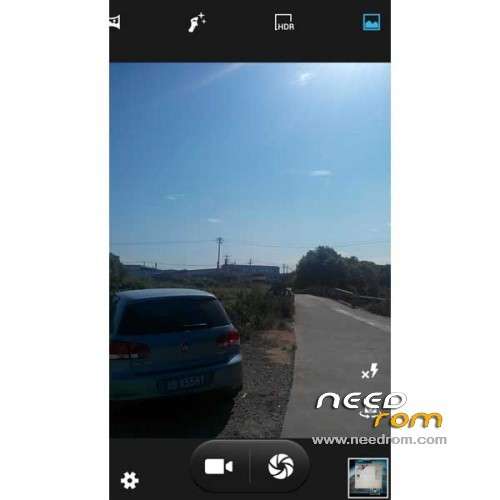

 Member Info
DESCRIPTION
ROM iOCEAN X7 & X7 Plus Elite ( 16G ) – ROM Android 4.2.1
Features ROM:
130730 Updated:
Fix RAM usage is too high (but not obvious)
Fix the previous version of the kernel does not compile problems
Fix Samsung comes weather
Fix for occasional silent phone problem
New V6 script
Add init.d boot script support
New boot automatically Zipalign of
Optimization hosts for advertising shielded
Optimized GPS (regional differences in the various models, can not guarantee each machine has to use, GPS has been MTK short board)
————————————————————————————————————————————————————–
130720 Updated:
Fix Desktop Caton problem
can delete screens
remove unusable weather component
optimization problem of high memory usage
fix flash (need to brush patch)
————————————————————————————————————————————————————–
130719:
Perfect ROOT
latest V4A sound
perfect dual card
single card single display, dual card dual display
touch screen response speed optimization
latest end packet synchronization
optimized light sensor
on kernel synchronization time
optimizing imaging camera
automatically boot Zipalign of
global odex of
perfect Google services
using the latest hosts for advertising shielding
the rest is routine optimizes
patch after brushing native flashlight changed to Le Frog flashlight is normal!
If you do not brush the patch, flashlight will turn off automatically after a few seconds to open!
Gapps include – Rooted
Language support: Multilang
Thx to Jlrom Corner
Install ROM :
With Flashtools " Recovery 1 "
- Click on Flash_tool.exe
- Select a the MT6589_Android_scatter_emmc.txt in Recovery 1
- Wait file to be added into Flash Tool
- choose Option->USB Model,click USB Model
–> Choose Option->DA DownLoad All->Speed->High Speed, click High Speed
- Turn off your phone, remove the battery.
- "Press F9 (hit Download button)" OR " if upgrade ROM Firmware->Upgrade "
- and connect your phone into the computer via USB data cable.
- The process will start and a red progress bar will appear after color purple, yellow.
- And green circles display
- Finish !
- You can now safely disconnect your phone and turn it on.
OR
CWM " Recovery 2 "
1) Download the custom ROM copied to an external SD card root directory
2) Download the recovery.img ( put in your SD card )
3) Start MobileUncle Tools ( Download on Goolge play )
4) Select Update Recovery ( choose recovery.img )
5) Mobile reboot in CWM and follow the instructions( if recovery is in chinese look tutorial "CWM for MTK Platform" )
Into the recovery:
– Wipe Data / Factory Reset -> delete all user data
– Wipe Cache Partition -> Wipe cache
- Return to recovery main interface Install zip from sdcard -> choose zip from sdcard -> Select your ROM
- Brush complete, restart the phone Patience required – first boot takes a while
※Please make a backup of your device before installing or updating ROM
Is this for X7 Elite with the 32GB version ?
Should work on both elite and plus version i think, chipset is the same.
Rom works perfectly on Elite
What is the AnTuTu scores like after this ROM upgrade ?
I testet it yesterday. 1st test was about 13800 (some software open), the 2nd test about 14007 (without any software open).
Hylli
fix flash means that now the camera flash work fine?
How can i remove the chinece root and add super user?
you have to flash a SuperSU zip with a custom recovery
thanks!!
Will ANY superuser like the one from TWRP do,
or do I need a special version.
(from kerkrade BTW??)
Can you please suggest a recovry+superuser in english ? Or can I just delete the Chinese one and download/install Superuser from Play Store ?
Is there any one installed this rom to İocean X7 Plus?
Yes, i was install this rom to X7 plus, it works good as i saw. Not perfect i thought. It's a litle bit slow.
Guys – just ot getting any joy re:GPS Fix – have tried 3 different ROM's from here, and short of doing something like https://www.youtube.com/watch?.....v=2q_AmYlrwNc - I wonder if there's any other, more elegant, solution. Help please, coz not having a working GPS is a real bummer for me.
You won't be getting good GPS with this phone, maybe if you bug the manufacturer for an update but GPS is a problem with this chipset
im using earlier build of the rom and internal mem almost full…cant move the apps to internal sdcard(32gb rom)