
- Title: iOCEAN X7S KK
- Listed: August, 2014
- Last modified: 01/05/2015 4:35 pm
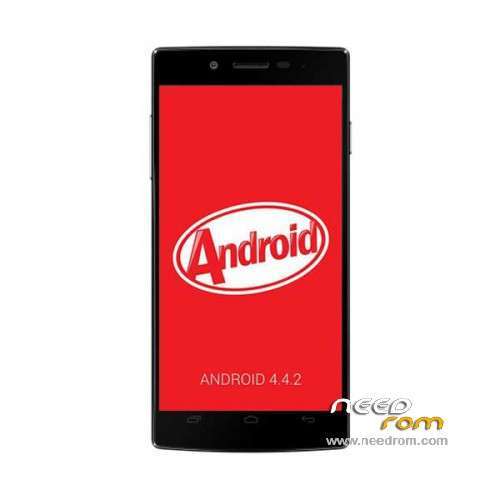
- Version: ROM Android 4.4.2
You must be logged for ROM download.
29083 total views, 3 today
5 Total favorites
 Member Info

DESCRIPTION
ROM Phone iOCEAN X7S – ROM Android 4.4.2
ONLY MT6592
Update Official ROM iOCEAN X7S Version: X7S-20141206-181707 – KOT49H
———————————————————————————————————————————————–
Official ROM iOCEAN X7S Version: X7S 20141202-183724 – KOT49H
Gapps include - No rooted
Language support: Multilang
ROM Install :
- Unpack FlashTools, and Click on Flash_tool.exe
- Select a the MT6592_Android_scatter.txt in ROM
- Wait file to be added into Flash Tool
- choose Option->USB Model,click USB Model
–> Choose Option->DA DownLoad All->Speed->High Speed, click High Speed
- Turn off your phone, remove the battery.
- "Press F9 (hit Download button)" OR " if upgrade ROM Firmware->Upgrade "
- and connect your phone into the computer via USB data cable.
- The process will start and a red progress bar will appear after color purple, yellow.
- And green circles display
- Finish !
- You can now safely disconnect your phone and turn it on.
※Please make a backup of your device before installing or updating ROM
Anyone have problems with reboots or locked screen? We are many, we've had these problems since update
Can someone send me a link for the drivers for iOcean x7s?
version 27 have bootloop, so don't install it if u don't know how to restore to default system.
the process doesn't start, i can't install it…..i've root permission!!
can someone please help me?
im trying to install this ROM but im not really get used to this stuffs…and instructions are unclear to me
this part:
- choose Option->USB Model,click USB Model
–> Choose Option->DA DownLoad All->Speed->High Speed, click High Speed
- Turn off your phone, remove the battery.
- "Press F9 (hit Download button)" OR " if upgrade ROM Firmware->Upgrade "
- and connect your phone into the computer via USB data cable.
so when i turn off the phone i have to remove the battery, than press download button and than connect the phone… but it doesnt say if i have to put battery back on and/or turn it on or leave it off?
thanks in advice