
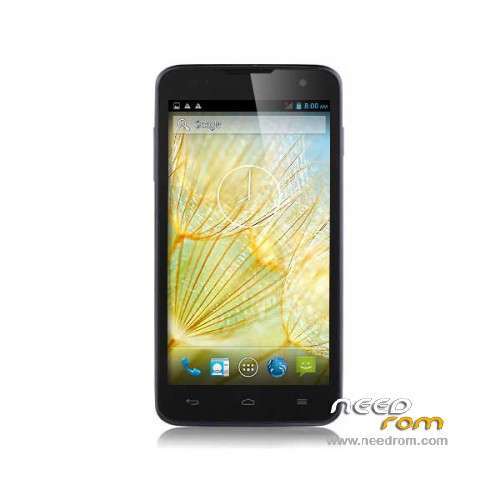
- Title: JIAKE JK12
- Listed: February, 2014
- Last modified: 02/28/2014 8:48 pm
- Version: ROM Android 4.2.2
You must be logged for ROM download.
22127 total views, 1 today
 Member Info
DESCRIPTION
ROM Mobile JIAKE JK12 – ROM Android 4.2.2
ONLY MT6582
Official ROM JIAKE JK12 Version: ALPS.JB5.MP.V1.11_N300_JKDW909FOv01.01b01
Gapps include – No rooted
Language support: Multilang
Install ROM:
- Unpack FlashTools, and Click on Flash_tool.exe
- Select a the MT6582_Android_scatter_emmc.txt in ROM
- Wait file to be added into Flash Tool
- choose Option->USB Model,click USB Model
–> Choose Option->DA DownLoad All->Speed->High Speed, click High Speed
- Turn off your phone, remove the battery.
- "Press F9 (hit Download button)" OR " if upgrade ROM Firmware->Upgrade "
- and connect your phone into the computer via USB data cable.
- The process will start and a red progress bar will appear after color purple, yellow.
- And green circles display
- Finish !
- You can now safely disconnect your phone and turn it on.
※Please make a backup of your device before installing or updating ROM
hello, does it have croatian language(HRVATSKI)
The rom works, I was able to recovery my phone.
NO S QUE TENGO QUE INSTALAR PARA QUE EL PROGRAMA ME DESTECTE EL TELEFONO
no polish language this rom have bahasa indonesia, bahasa malayu, cestina, deutsch, englisch, espanol, filipino, francais, italiano, magyar, nederlands, portugal, brasil, romana , turkey and #@%$ ?????
I'm not able to make the mobile internet connection work.
Hi,
After flashing the phone, the rear camera and the flash light don't work anymore. “Can’t connect to camera” error message appears. What can I do?
Regards, Marten
I have same problem and I cannot solve this. i tried change cam and gallery applications but i cannot solve. :S
The same problem, can`t connect to camera. Is there any solution for this?
Hey, could you make a video? It does not work and I do not know if I'm doing it correctly.
Thx.
Amigos, ayuda mi celular no enciende no hace nada, tiene brick que hago!! ayuda por favor
I used an earlier version of flash tools (SP Flash Tool v.3.1328.0.183) because with the one on this page I could not flash. I recommend that users of JK11 put the stock rom of jk12 (this one) with the spflashtools that I told before putting a custom (ios7, lewa,etc), if use cwm recovery directly, the phone will brick).
The roms are compatibles with the two phones but to put a custom, it's necessary to have first the corresponding stock rom installed.
Hi all, i have the same problems with the camera. Gps is working though. I tried an other official rom that has a working camera but problems with gps does anyone know a good solution for this? Tried epo, agps, kocation changing etc. Etc. Ygps doesn’t show any sattelites at all..