
- Title: JIAYU G3
- Listed: December, 2012
- Last modified: 12/22/2012 12:38 am
- Version: ROM Android 4.1.2 Lewa
You must be logged for ROM download.
48862 total views, N/A today
 Member Info
DESCRIPTION
ROM JIAYU G3 – ROM Android 4.1.2 Lewa
26 updated as follows:
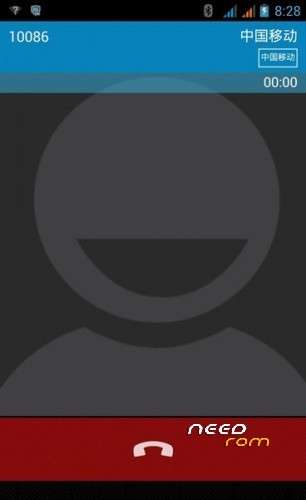
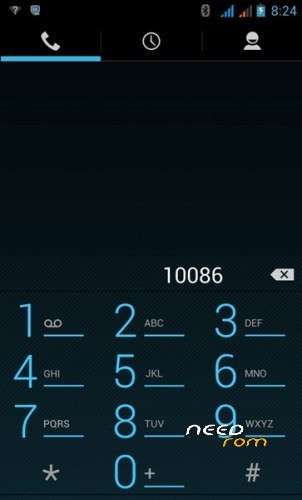
Fix dialing interface
Fix memory mount
Fix memory display
Repair automatically restart
The repair long standby cause crashes
The repair power (not tested)
To join 592ZN exclusive compilation Dolby sound
Baidu input method
Join go backup
Add pea pods
Join boot power saving
The added added temperature cooling mode added a special power-saving script touch_screen script and ThunderBolt_screenstate optimize the script to optimize image loading speed boot automatically, Clear the APK file cache legacy residual file.
New sony display imaging patch (non-original be_movie be_photo of two separate files)
Better file to start the cache
Re-write a script forced to modify the read speed of the memory card, the interested Brush before test current SD card is written in this ROM try boot brush readout speed automatic zipalign operation, to maintain a better program memory added depth of memory consolidation script. enhance the game experience
Streamline Google Services
The deleted Google market need to install their own
The installation interface can select the phone memory or installed to an SD memory card
ROM can be used normally
If the bug thread back
Brush:
1 Download driver
Download SP_Flash_Tool Brush tool
3. Downloaded 592zn-g3-4.1 this rom bottom package contains 592zn key board recovery
4 wire brush brush brush into 412.1126 cards after boot load 592zn-g3-4.1 finished program ROM
permanent access to the root of rom production based on low package
To adjust the resolution to adjust data for 2.5G
Access to boot the highest authority
Brush process
Unpacked driver installation InstallDriver.exe
To unpack SP_Flash_Tool_.zip run Flash_tool.exe
Select a the in MT6577_Android_scatter_emmc.txt 592zn-g3-4.1.rar
Click Flash_tool.exe interface Firmware-> Upgrade
Phone after taking the battery in put something
Connect the data cable
Brush finished with green circles appears
Then deducted batteries back into the system
Key plus the power button on the phone off the volume
To enter the selection mode
Select key on the volume
Select the first recovery volume button to confirm
Enter 592ZN key board recovery
Directly from the sd memory card without Shuangqing select 412.1126.zip Brush
or
Install MobileUncle Tools avaialble on market
Download: recovery_cwm5.5.0.4_ENG.img and put in the root of SD carrd
Open MobileUncle Tools
Click on update Recovery
Choose the recovery_cwm5.5.0.4_ENG.img and follow the instructions
And now you have a english recovery !
Root G3 :
1- Connect your g3 activating USB debugging mode
2- Run the runme.bat in any case the file that ends is .bat
3- select option 1 and leave work
your G3 will reboot is normal
Look this video.
※Please make a backup of your device before installing or updating ROM
Cabaseira, Do you have the LED working on it ?
Tks
Second day … during charging has restarted by itself in a similar way to recovery in Chinese letters … I start to worry about.
The LEDs operate, but not in the right way.
Are there any fix for the orientation, gyro, and magnetic sensors that are not working?
It works perfect for me. You can try to reflash de ROM :S
1. Email space errors for Corporate Mail. There is 2gig space available and 32gig on the SD Card. Have removed account and reset but still won’t work.
2. Phone dialer doesn’t find the correct user by typing in the name, any ideas?
Cheers
Back to stock then, too many bugs in this rom
how do you go back to the stockrom? It fails when itry this
Hi.
I've installed this rom ,but the market doesn't work… I've got an error … Why?