
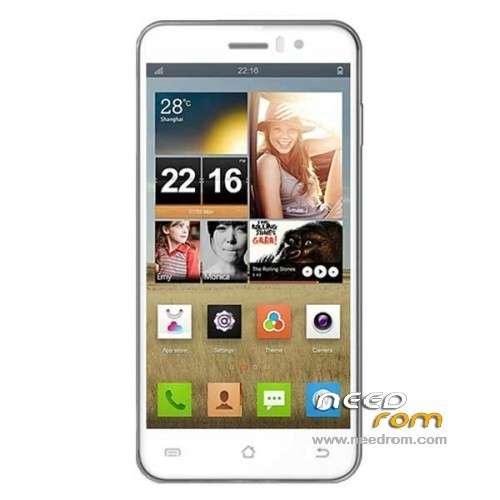
- Title: JIAYU G4 L/H/HG
- Listed: May, 2013
- Last modified: 10/26/2013 6:10 am
- Version: ROM Android 4.2.1
You must be logged for ROM download.
86562 total views, N/A today
4 Total favorites
 Member Info
DESCRIPTION
ROM Mobile JIAYU G4H – ROM Android 4.2.1
Official JIAYU G4L Version: G4L-20131023-072636 ( install with Flashtools )
—————————————————————————————————————————————————
Update official JIAYU G4H Version: G4H-20131021-172551 ( install with Flashtools )
1, the main interface and lock screen status bar transparent optimization.
2, solve some of the touch-screen virtual buttons without vibration.
3, part of the solution to upgrade the old version of the software models resulting from changes 512M RAM space issue.
—————————————————————————————————————————————————
Update official JIAYU G4HG Version: G4HG-20131022-153302 Look ROM of jgzxr
—————————————————————————————————————————————————
Update official JIAYU G4HG Version: G4HG-20130706-153833
in the new rom that you enter in the phone memory, not just the microSD card.
Touchscreen GPS, H3G and other applications are already installed and gains on tethering.
—————————————————————————————————————————————————
FIX Touch Official For Version: G4H-20130620-163509 ( thx to abaggie for tuto )
Update official JIAYU G4H Version: G4H-20130620-163509
Changelog:
1 Improved some can not wake up the phone screen, automatic shutdown problem.
2 Improved phone charger charge into some problems.
3 increase Touchscreen procedures updated separately and calibration options
4 increase in operating vibration
5 fluency and GPU optimization system optimization.
Recommended wire brush way to upgrade! After you upgrade the ROM, should be subject to a separate touch upgrade procedure to change the touch performance.
————————————————– ———————————————–
This release adds a touch screen calibration procedure, touch the upgrade process, you can improve the following questions:
1 jump screen
2 Touch allowed, offset
3. Sometimes can not answer the call.
—————————————————————————————————————————————————
Official ROM JIAYU G4H Version: G4H-20130515-202809
Language support: Multilang
Install ROM :
ROM Install : with Flashtool (you download file JIAYU G4H FL )
Unpack FlashTools, and Click on Flash_tool.exe
Select a the MT6589_Android_scatter_emmc.txt in ROM
Turn off your phone, remove the battery.
Press F9 (or hit Download button) and connect your phone into the computer via USB data cable.
The process will start and a red progress bar will appear after color purple, yellow.
And green circles display
Finish !
You can now safely disconnect your phone and turn it on.
or
ROM Install : with update on sd card (you download file JIAYU G4H SD )
Card brush, set the software package two files into the T card root directory, as shown below:
(1) upgrade package: update.zip
(2) AAAAB3NzaC1kc3MAAACBANLc2NCufBz0lBUupztiXI7rUnhY3bOojTMmGD0SR68e8kK00EM5n0ghfpaDxayZD.zip Folder
- Enter the interface as shown below, click on the system upgrade interface shown in the figure appears, click on the down arrow to the right, appearing in interface begins upgrade
※Please make a backup of your device before installing or updating ROM
I flashed to G4HG-20130706-153833, GPS is better. But the new update is not stable on my phone. Many times phone froze when I run some application and I think that accest to phone memory is good only for G4 advance version.
Hello, the last rom is very good , but the problem for me is that there are , again, two partitition sdcard 0 and sdcard 1, and this is a problem.Please, how can I solve this problem.
Thanks in advance.
Can someone put the exact steps in updating the phone to latest ROM? I get error 8038 when I try to update, also sais that not all image files are correctly loaded when I press download.
I almost bricked my phone, SD version doesn't work, gives an error, and I flashed with FL, after a workaround (edit scatter emmc file) .
.
for the sd rom:
1] extract the content of the downloaded zip file onto the root of your sd card
2] search for the "update" app on your phone
3] launch "update" app
4] sit back and wait for your phone to be updated
very good romfrom using it for a week but couldn't live without apps on the [external] sd card. i googled on how to link sdcard1 to sdcard0 and wasn't sure if i could achieve this so went for the easier route instead
what is the difference between JIAYU G4HG – FL – Update 07/06/2013 and
JIAYU G4HG – SD – Update 07/06/2013 I have to download both?
The difference I see an SD FL and the other the difference?
Hi,
will this rom work on a G4 Advanced?
I have one with the oficial rom G4HG 20130706-153833
This ROM is eating battery like mad, now my phone lasts less than 14h, and I have 3000 mah battery. I think I will try LEWA.
your phone have a proplem, maybe you need turn off all soft by hold "home"
Flashed it via sd card and it caused loads of problems, Tried to flash via FL, but it does work. Can anyone help? Soemone said they edited the scatter file to get it to flash. How do you do that and is it stable?
It's stable but something is eating battery. Default ROM was better related to battery backup, even if touch was kinda crap. And the bug with incoming call is still there and worse than before, can't answer. Scatter file must be edited, because it gives and error at FAT. Use google translate HERE
Hi, I need some explanations before upgrade my rom. At the moment on my Jiayu G4 I have installed the original factory rom 06/20/2013-163509. What files should I download and install from the "link" in this page? If I had to install more than one file, which one would go first and which last (i.e. what are the steps)? Please let me know, thanks. Bye, Giancarlo
the musik player have a problem …..
and the patery (3000mAh) is to fast low
Jiayu G4a
Holy god, PLEASE HELP
i started the Touch Fix, after the blue line was full i wanted to touch but my screen is dead now.
What can i do, maybe fullwipe or so, pls help. I tried also with the OTG funxtion to callibrate the screen.
But there the msg appears: TP CALIBRATION FAIL!