
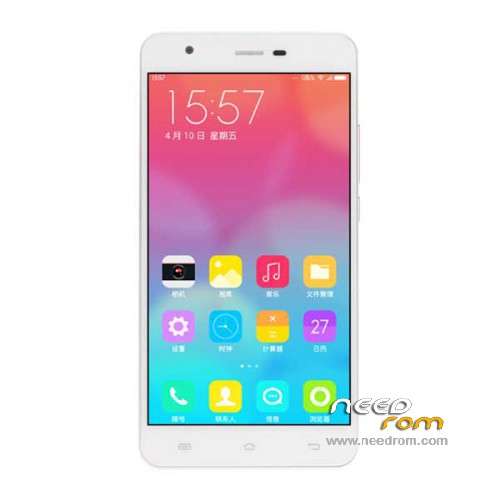
- Title: JIAYU S3 Plus
- Listed: November, 2015
- Last modified: 02/24/2016 12:56 am
- Version: ROM Android 5.1
You must be logged for ROM download.
43442 total views, 6 today
39 Total favorites
 Member Info
DESCRIPTION
ROM Mobile JIAYU S3 Plus - ROM Android 5.1
ONLY MT6753 + 3G Ram + 16G rom
Update Official ROM JIAYU S3 Plus version: CKY_MOBILE_JIAYU_S3+_V3.0 – mt6753a_n560a_s3hw_jyt_cc_128gbitp24d3_lp1_lte_5m-cs_mul – full_n560a-user 5.1 LMY47D
install : Flash or FOTA
———————————————————————————————————————————————————————————————
Update Official ROM JIAYU S3 Plus version: S3+HW 20151217-181854 – mt6753a_n560a_s3hw_jyt_cc_128gbitp24d3_lp1_lte_5m-cs_mul – full_n560a-user 5.1 LMY47D
install : Flash or FOTA
———————————————————————————————————————————————————————————————
Official ROM JIAYU S3 Plus version: S3+HW 20151112-165505 – mt6753a_n560a_s3hw_jyt_cc_128gbitp24d3_lp1_lte_5m-cs_mul – full_n560a-user 5.1 LMY47D
Gapps include – No Rooted
Language support: Multilang
Install ROM :
Install with SP MDT:
1). Turn off the smartphone. Cable is not connected to the computer.
2). Remove the battery and insert it again
3). Connect your phone to a computer cable. The operating system detects a new device
4). Disconnect the cable from the computer.
5). Run SPMultiPortFlashDownloadProject.exe
6). Choose File> Open File Agent download and specify the file MTK_AllInOneDA.bin (it is in the folder SP_MDT).
7). Click Scatter File and select the MT6753_Android_scatter.txt file (it's in the folder with the rom).
8). Click "Start all".
9). Connect your phone to a computer cable. The program should see and blink. If the phone is not detected, then unplug it from the computer,
remove and insert the battery (if the battery is removable) and reconnect it to the computer.
10). After (OK) click Stop and disable any phone.
11). Completed.
OR OTA
※Please make a backup of your device before installing or updating ROM
I has only one SIM.
how to use checksum generate tool?
Hi, thank you for your work.
In SPMDT need I choose "Format and Download All" or "Firmware upgrade"?
Best Regards.
哈哈啊哈
Do you have stock rom of jiayu S3 plus 2GB RAM version without nfc? thanks
This rom had a problem with sim card…One one sim card is connected to network. Those sim card that are set for data connection has a network signal.The other one has an X on signal sign although the two sim card is working when browsing to sim toolkit….They can open the application but the X one cannot access to network. Cannot even check balance unless you set it as default data connection.
same problem here
it has an error sim2 or phone2 has no service but the simcard has been detected by the device and the IMEI is okay can you help me fixing the No service in sim2 or phone2?
is this compatible with JIAYU S3A?
how to use SN writer for jiayu s3 plus ??
need help my imei is null…