
- Title: K-TOUCH V8 MIUI v5 KK
- Listed: July, 2014
- Last modified: 12/09/2014 4:16 pm
- Version: ROM Android 4.4.2
You must be logged for ROM download.
20469 total views, N/A today
3 Total favorites


 Member Info
DESCRIPTION
ROM Mobile K-TOUCH V8 – ROM Android 4.4.2 MIUI
Features ROM:
Update MIUI v5 – 4.12.5
—————————————————————————————————————————————————
MIUI v5 – 4.11.28
Gapps not include – Rooted
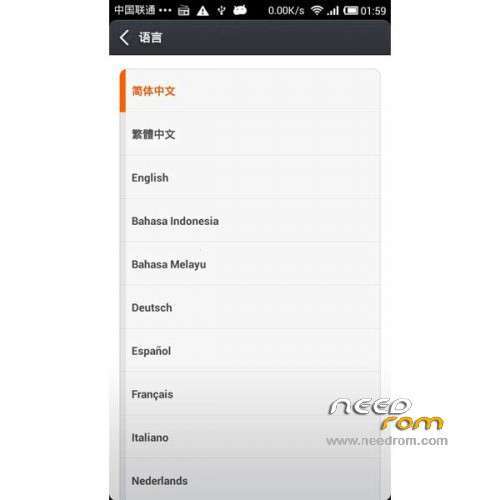
Language support : Multilang
ROM Install :
CWM
Step 1: Download the custom ROM copied to an external SD card root directory
Step 2: the shutdown state. While holding down:
– Power button + volume button up, to enter the recovery mode.
– Wipe Data / Factory Reset -> delete all user data
– Wipe Cache Partition -> Wipe cache
– Advanced -> Wipe Dalvik Cache
Step 3: Return to recovery main interface Install zip from sdcard -> choose zip from sdcard -> Select your ROM
Step 4: Brush complete, restart the phone Patience required – first boot takes a while
※Please make a backup of your device before installing or updating ROM
Not tried yet….downloading will let you know the Results….Hoping a cool Job
If WIPE DATA is not done…ROm does not behave properly…
So I wiped the Data………ran recovery then installed ROM……now its great so far….
Camera function not tested yet…..will post later…..Cheers ..great work Guys..
Ok Here is the FEED BACK
When try to tether with USB…..the sliding button keeps rolloing oN/off.….and it does not connect for thethering!
So this is failure……!!
All other things seem to work so for…..
Camera ……after 2 minutes shuts off the phone ….when restart….Battery seems not bad……!
Thanks, but it has the following problems: WIFI tether doesn't work, USB tether doesn't work, 5 MHz WIFI is gone, Internet VOIP calls use CELL network, Camera problem as noted
protectivedad
are ur comments after new update today….or …older?
I had pulled it from 592zn. But I retested the latest one posted here. The following problems are still around: Internet VOIP calling doesn't work on Data Network, No tethering of anykind Bluetooth (says it is but its not) / WiFI (Turns on and off repeatedly and needs to be rebooted) / USB (just turns off), I didn't bother testing the camera.
UPDATE is so beautiful……………thanks thanks…..Love ur work
Update 4.7.25 is not rooted. How to root it?
texan
use free version of Wondershare mobileGo on coputer ..connect and enable usb debug///and mock locations….that is it….now with program onle click root it..u may try a couple of time
Thanks! That did not work for me. Successfully used Baidu_Root instead.
GAPS,,,,Does not work………………….BAD….also response of keys is much slower…..not good
Ok cool !!