
- Title: K-TOUCH V9
- Listed: February, 2013
- Last modified: 02/26/2013 2:30 pm
- Version: ROM Android 4.2.2
You must be logged for ROM download.
26017 total views, 2 today
7 Total favorites
 Member Info
DESCRIPTION
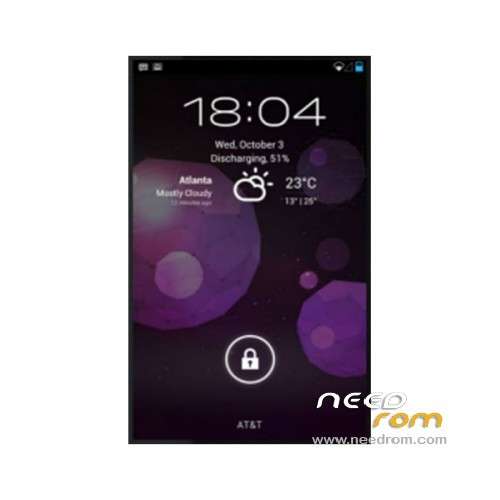
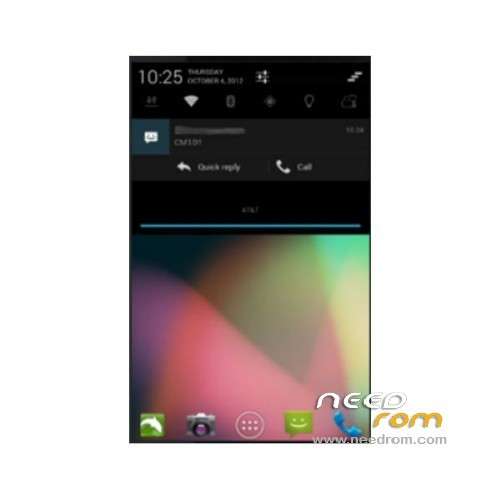
ROM Mobile K-TOUCH V9 – ROM Android 4.2.2
ROM features:
Play mp3 Caton synchronization cm10.1 source the latest 0270 kernel and library off-screen state to settings – performance – processor, minimum cpu frequency to 102mhz or higher
Does not meet the fluency you psychologically feel they do not care about power consumption, performance balance pulled the highest it – settings – system with power saving settings balance setting energy efficiency – display, with a keyboard light display mode settings
If you want to open the "Developer Option" and "performance" to "settings – on the version number of the mad point
Surviving bugs temporarily found: The call volume is not adjustable Bluetooth is not available to open the flight mode and then turn off flight signal
Language support : Multi lang
About the internal and external sd switch:
1, rom use a new mount, the default built-in path / storage/sdcard0 (link to / sdcard / mnt / sdcard) external path / storage/sdcard1
2, re running manager, into the / system / etc directory, under two scripts, click to select the implementation, the phone will automatically restart.
The 3,1 external.sh external sd card switches to the built-in space (/ sdcard) 2internal.sh restore the default state of the system
The rom is not suitable for official 4.1rom phone wire brush ~ ~ If you want to experience the first official wire brush back 4.0.4, at the same time or after the brush into suited to 4.0.4 recovery
ROM Install :
1 file download: ktouch-v9-recovery
After extracting follows
2 into AP mode
Phone off , press and hold the volume up key, and then press the power button will display green screen , had about 2 to 3 seconds , then let go, after the phone becomes a black screen
3. Install driver
Use data cable to the computer, you will be prompted to install the driver, click Cancel
Open the computer Device Manager Update Driver
Right-click "My Computer" – Properties – Hardware – Device Manager
Select drive folder usbpcdriver
4 Open kit, run the brush recovery.bat
Finished, unplug the battery loaded, the boot
※Please make a backup of your device before installing or updating ROM
I have a BLU Quattro 4.5 and this worked pretty good. They are the same phone. The only thing that is a little wonky is the volume doesn't go up and down. Just mute to high. No middle ground. But other than that a pretty decent ROM. Only other thing I wish is that there was a recovery in English, but still awesome.
I managed to create an english from the chinese recovery. I posted here http://forum.xda-developers.co.....96#post41872896
I will give a try to the recovery thanks man!!
@kah
Awesome work! Is there a different link though? the one on XDA is giving me errors.
@kah
Nevermind dropbox is having issues. Sorry.
same here i flashed it on quattro and it work. for the sound bug i recomend disabling sms surronds for speakers and enable it for headset. the other thing is the performance, i only got 9k on antuttu with this rom when with stock or miui i get 13k so ia think it still need work and optimization
I have the quattro as well and my sound controls work properly. They were a bit on the loud side, but I’ve realized this was because of the Dolby mobile audio app.
Well the english recovery works for backup and restore to internal SD card, but not for installing 4.2.2. I might get brave and try installing 4.2.2 with chinese recovery, they are differnet file size recovery images too, so they are different, not sure if its just the language.
I have this same problem with the Chinese recovery that it won't let me mount or access my external SD card. I am using the BLU Quattro 4.5. Maybe that is why it is not working 100% not sure yet.
Has anyone installed with the English Recovery linked above, I am just stuck at the CM10 boot screen.
Got it installed, bluetooth doesn't work on my Blu Quattro 4.5, rolling back to CM10. Thanks again for the help Kah!
any chance the volume controls will be fixed ? Is there any apps or other ways to work around this ?
What do you mean exactly? I'm using MIUI now, but my volume controls worked properly with this rom.
Hello, I installed the rom on my smartphone and it is excellent, but I found some drawbacks such as additional languages (Portuguese do not have) and the aforementioned bugs. I wonder if you have the perspective of inclusion of other languages and solution of these bugs? Thank you!
Hello Ajbotani, could you give me the procedure used for you, for install this ROM (4.2.2)? Please, step by step.
Ariel, escribime a guillermoariotti@hotmail.com y te cuento como hice
After a few attempts I managed to install the custom ROM today.
My steps:
Made a backup and did a factory reset. Just to make sure my phone was clean.
Phone was on in regular mode. I connected to my pc with a USB cable. Then I installed Bin4ry to root the phone:
http://hexamob.com/news/bin4ry.....one-and-tablet/
The phone restarted and was rooted.
Then I installed the app ROM manager, by loading the APK.
http://www.clockworkmod.com/ro.....mmanager
I placed the .zip file of the Custom ROM (like the one on this page although I eventually installed a different one – https://copy.com/NwiFnlO8JAek- because of multi-lange support) on the SD card. I also placed the .zip file of Google Apps on the SD card. Make sure you use the Gapps zip file that corresponds with the Android version you intend to install.
Then in ROM Manager I select "Reboot Into Recovery". The phone reboots into a recovery menu.
For me that was in Chinese which made it difficult but I figured out which ones I needed through translation.
First menu (this is the translation, I got this menu in Chinese):
-Reboot
-Install zip from SD card
-Wipe Data/Factory Reset
-Wipe Cache partition
-Backup&Restore
-Mounts and Storage
-Advanced
Select the second one.
Second menu
-Install zip from external SD
-Apply /sdcard/update.zip
-Toggle Signature Verification(Needs to be verified)
-Install zip from internal SD
Select the first one.
Then you end up in a file manager where you have to select the Custom ROM zip file. By selecting, it is being installed. After installing, immediately install the Gapps zip file as well.
When finished, re-start your phone. This takes a while but once you get to the main menu you are working with the new ROM.
Hope this helps and saves time, it took me three hours to get to this point
sorry what apk did you choose from that list? http://www.clockworkmod.com/ro.....mmanager